Wireframing is supposed to make design decisions easier. The wrong tool does the opposite. It adds setup, layers, and visual polish before you have decided whether the page even works. The best wireframing tools for UX designers keep early ideas fast, testable, and easy to discuss with the people building them.
If you are still shaping the wider process, our guide to user experience basics explains where wireframing fits into research, structure, testing, and iteration.
Key Takeaways
- Figma is the strongest all-round choice when wireframes need to grow into polished UI, prototypes, and developer handoff.
- Balsamiq is better when you want deliberately rough wireframes that keep stakeholders focused on structure instead of colors and polish.
- Penpot is the standout open-source option, especially for teams that care about self-hosting and a closer relationship between design and code.
- Miro makes the most sense when wireframing happens inside workshops, journey mapping, research synthesis, and cross-functional planning.
- Framer is unusually useful for website work because a rough responsive layout can keep moving toward a real published site.
Quick Picks: Which Wireframing Tool Fits Your UX Workflow?
You do not need the tool with the longest feature list. You need the one that matches what happens immediately before and after your wireframe.
- Choose Figma if your wireframe will probably become a detailed interface, interactive prototype, and developer-ready design.
- Choose Balsamiq if the team needs to settle page structure, flows, and priorities before anyone starts polishing the UI.
- Choose Sketch if your design team is Mac-first and wants a native product design workflow with strong prototyping and handoff.
- Choose Penpot if open source, self-hosting, or design-to-code alignment matters to your team.
- Choose Miro if wireframes need to sit beside personas, journey maps, sticky notes, workshop outputs, and research.
- Choose Framer if you are wireframing a marketing site, landing page, portfolio, or content site that should move quickly toward production.
There is no universal winner here. Figma is the safest default, but a default is not always the best fit.
How We Chose These Wireframing Tools
A design app does not automatically become a good wireframing tool because it can draw rectangles. For this list, I looked at the parts of the workflow that actually affect UX work.
- Speed to the first useful wireframe: Can you turn an idea into something discussable without fighting the tool?
- Low-to-high fidelity range: Can the wireframe stay rough when it should, then gain detail when the project needs it?
- Collaboration: Can product managers, developers, clients, and other stakeholders understand the work and leave useful feedback?
- Components and reuse: Can repeated patterns be reused without turning early design into component maintenance?
- Prototyping: Can you test flows and interactions without rebuilding everything elsewhere?
- Handoff and next steps: What happens after the wireframe is approved?
- Cost and access: Is the tool practical for solo designers, small teams, and growing product organizations?
Features and prices were checked against the vendors’ current product and pricing pages in August 2026.
1. Figma: Best Overall for UX Teams
Figma is the obvious recommendation so often that it is tempting to skip it. That would be a mistake. For UX teams, its real advantage is not that it can make wireframes. It is that the same file can survive several stages of the design process.
You can sketch loose flows in FigJam, move into low- or high-fidelity wireframes, reuse components from a design system, add comments, and turn the screens into clickable prototypes. There is no forced handoff between an early wireframing app and a separate interface design tool.
That continuity matters when the first wireframe is not disposable. A dashboard idea may begin as six gray blocks, then slowly become the actual interface. Figma lets the team keep the context, comments, components, and history around that work.
Figma has also pushed AI directly into the wireframing workflow. Its current AI wireframe agent can generate layouts on the canvas and work with existing components and styles. That is more useful than getting a pretty image from a separate generator because the result stays editable inside the team’s working file.
The scale is hard to ignore too. Figma says 95% of the Fortune 500 uses its platform, based on March 2025 data. That does not make it the right tool for every designer, but it explains why sharing a Figma link rarely creates a new-tool problem for a product team.
Where Figma works best
Use it when wireframing is one stage in a longer product design process. It is especially strong for SaaS products, mobile apps, dashboards, design systems, and teams where designers, product managers, and developers need to stay close to the same source of truth.
The tradeoff is complexity. Figma gives you enough control to start polishing far too early. A low-fidelity wireframe can suddenly become a typography discussion because the tools are sitting right there. Good UX discipline still matters.
Pricing: Figma has a free Starter plan. The Professional plan currently lists a Full seat at $16 per month when billed annually.
2. Balsamiq: Best for Fast, Low-Fidelity Wireframes
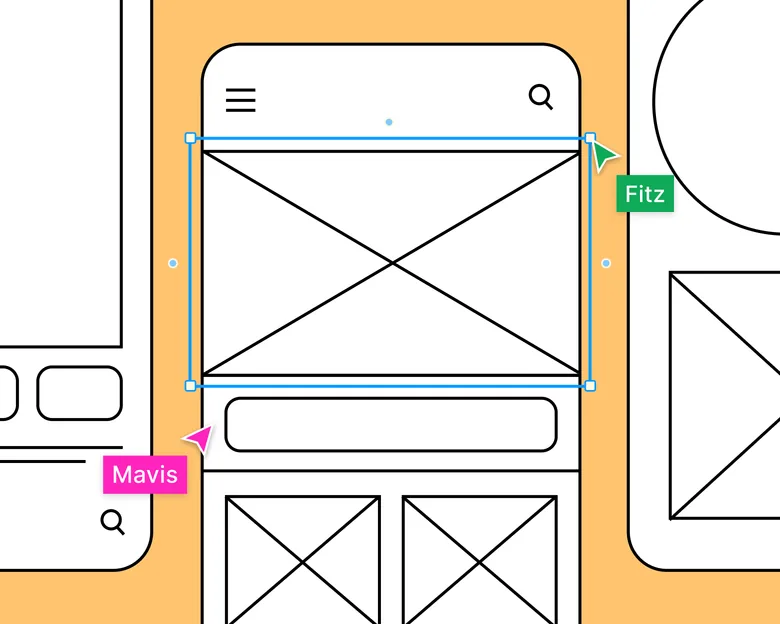
Balsamiq has a useful constraint that many modern design tools have lost: your wireframe still looks like a wireframe.
That sounds cosmetic, but it changes the conversation. When a screen is intentionally rough, stakeholders are less likely to spend the meeting debating a shade of blue, a logo size, or whether a button feels premium enough. They can talk about navigation, hierarchy, missing steps, and what the user is actually trying to do.
That is why Balsamiq still works so well for early product thinking. Its component library is quick, the interface is intentionally straightforward, and reviewers can comment without needing to become editors.
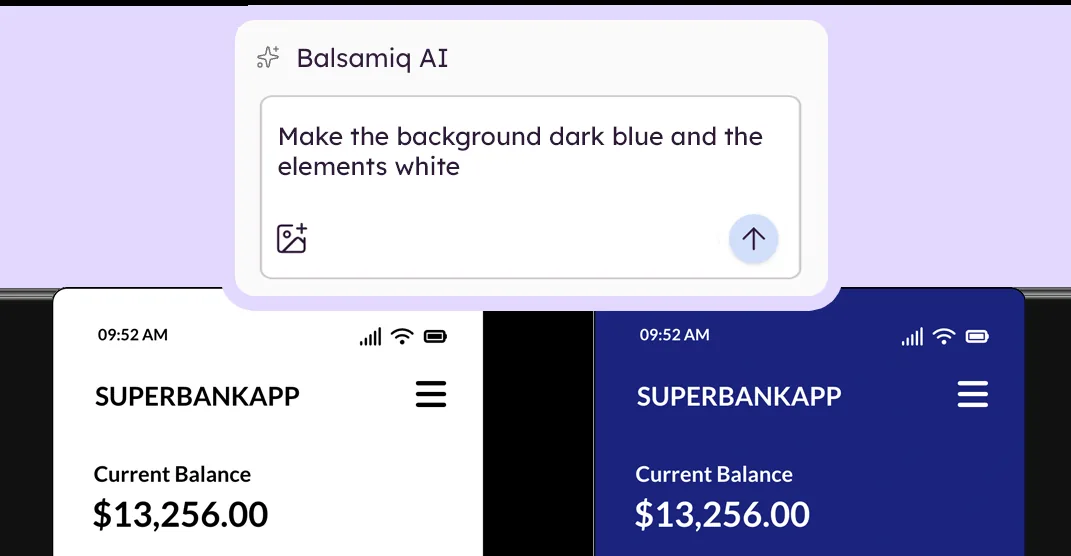
The product has changed quite a bit in 2026. Balsamiq now includes AI wireframing and prototyping. You can describe a screen, turn a screenshot or sketch into an editable wireframe, make changes by prompt, then continue editing by hand. It also supports interactive prototypes and an MCP server for passing wireframe context into tools such as Claude, ChatGPT, and Cursor.
I would still choose Balsamiq for its restraint, not because it has AI. The strongest reason to use it is the speed at which a mixed team can get an imperfect idea onto the screen and start arguing about the right things.
Who should use Balsamiq?
It is a great fit for product discovery, client workshops, internal tools, early SaaS flows, and teams with non-designers involved in the decision process. It is also one of the easier options for someone who needs to wireframe but does not want to learn a full interface design system first.
The limitation appears later. Once you are ready for polished UI and serious visual design, you will usually move the approved structure into another design tool.
Pricing: Balsamiq Starter currently costs $16 per editor per month when billed annually. A 14-day trial is available, and reviewers are free.
3. Sketch: Best for Mac-First Product Designers
Sketch deserves a place here for a very specific type of team. If your designers already live on Macs and prefer a native design application, Sketch remains a focused, mature product design environment.
Wireframing is not separated into a special mode. You can use frames, reusable components, libraries, layout tools, and the same design primitives that will carry the interface toward higher fidelity. When the structure is ready, Sketch’s prototyping tools support links, hotspots, overlays, scrolling areas, fixed elements, and interaction triggers.
The collaboration model is also less Mac-only than people sometimes assume. Designing happens in the Mac app, but the web app lets developers, managers, and stakeholders view, inspect, and comment from a browser. The iOS app is useful for previewing product flows on an actual phone or tablet.
The Mac requirement is still the big decision point. Sketch says designing requires macOS Sonoma 14 or newer. If your design team works across Windows, Linux, and macOS, Figma or Penpot will usually be easier to standardize.
Why pick Sketch over Figma?
Pick it because you actively want the native Mac workflow, local/offline options, and the way Sketch handles product design. Do not pick it simply because it is another capable wireframing app. The platform choice is part of the product.
Pricing: Sketch Standard is $12 per editor per month when billed yearly. There is also a $120 per-seat Mac-only license that includes one year of updates, but it leaves out the collaborative Workspace features.
4. Penpot: Best Open-Source Wireframing Tool
Penpot is the most interesting choice here if your definition of a design tool includes ownership.
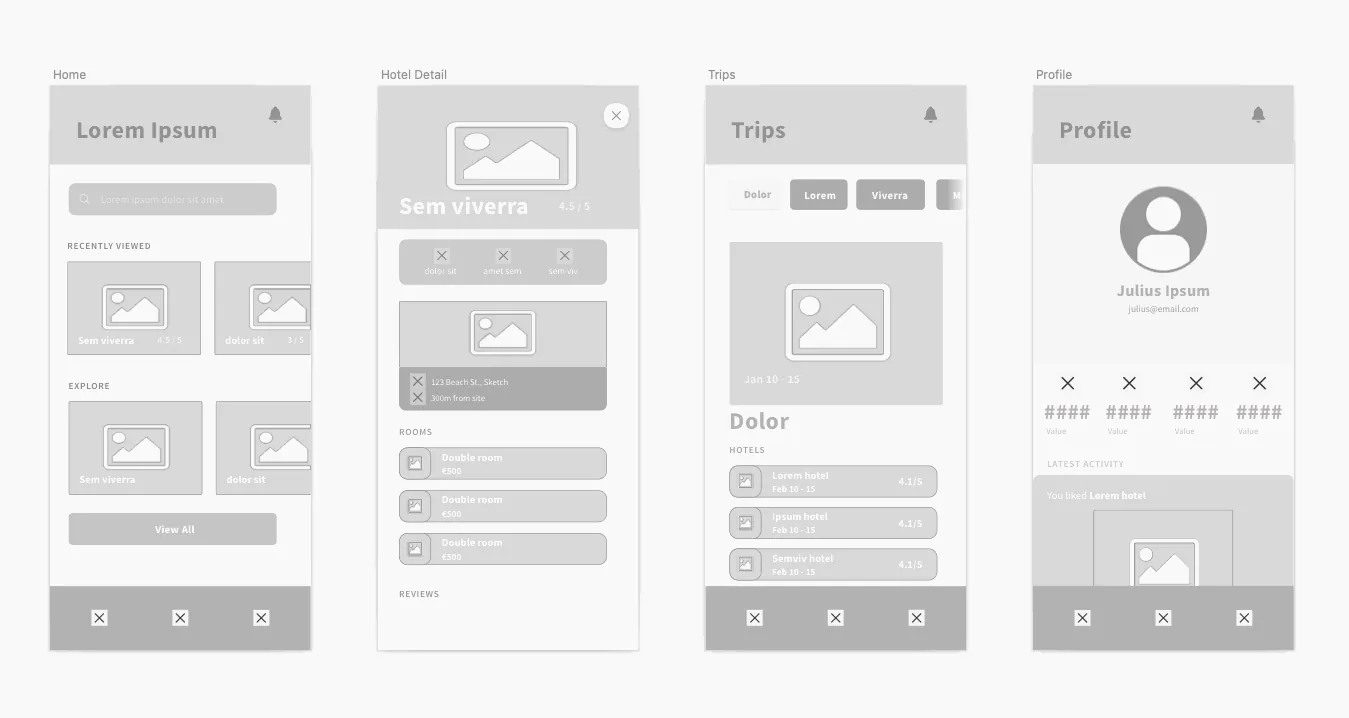
It is free and open source, works in the browser, and can also be self-hosted. The platform supports low- and high-fidelity wireframes, shared comments, reusable components, device presets, clickable prototypes, and exports including SVG, JPG, PNG, PDF, and Penpot files.
The bigger difference is underneath the canvas. Penpot leans heavily into web standards and design-to-code alignment. Its current positioning connects design systems with CSS Grid, Flex Layout, design tokens, and MCP-based AI workflows. That makes it attractive to teams that want designers and developers to share more structural language.
Penpot is no longer a tiny open-source side project either. Its official media kit reports a growing user base of more than 1 million people, with the platform available in more than 49 languages.
For wireframing, I like Penpot most when the team already has strong technical involvement. You can keep the early design simple, then move toward components, prototypes, and implementation without introducing a proprietary file format as the center of the workflow.
Where Penpot can be the better choice
Choose it for open-source products, privacy-sensitive organizations, self-hosted environments, developer-heavy teams, or companies trying to reduce dependence on a single commercial design platform.
Figma still has a larger surrounding ecosystem of community resources and established workflows. Penpot’s advantage is not that it copies Figma for free. Its strongest case is that it gives teams a different ownership and design-code model.
Pricing: Penpot’s cloud Professional plan is currently $0 per user per month for teams of up to eight members, with unlimited viewers. Its Unlimited plan is listed at $7 per user per month. Self-hosted Professional is free.
5. Miro: Best for Collaborative Wireframing Workshops
Miro makes this list because UX work rarely begins with a clean design file.
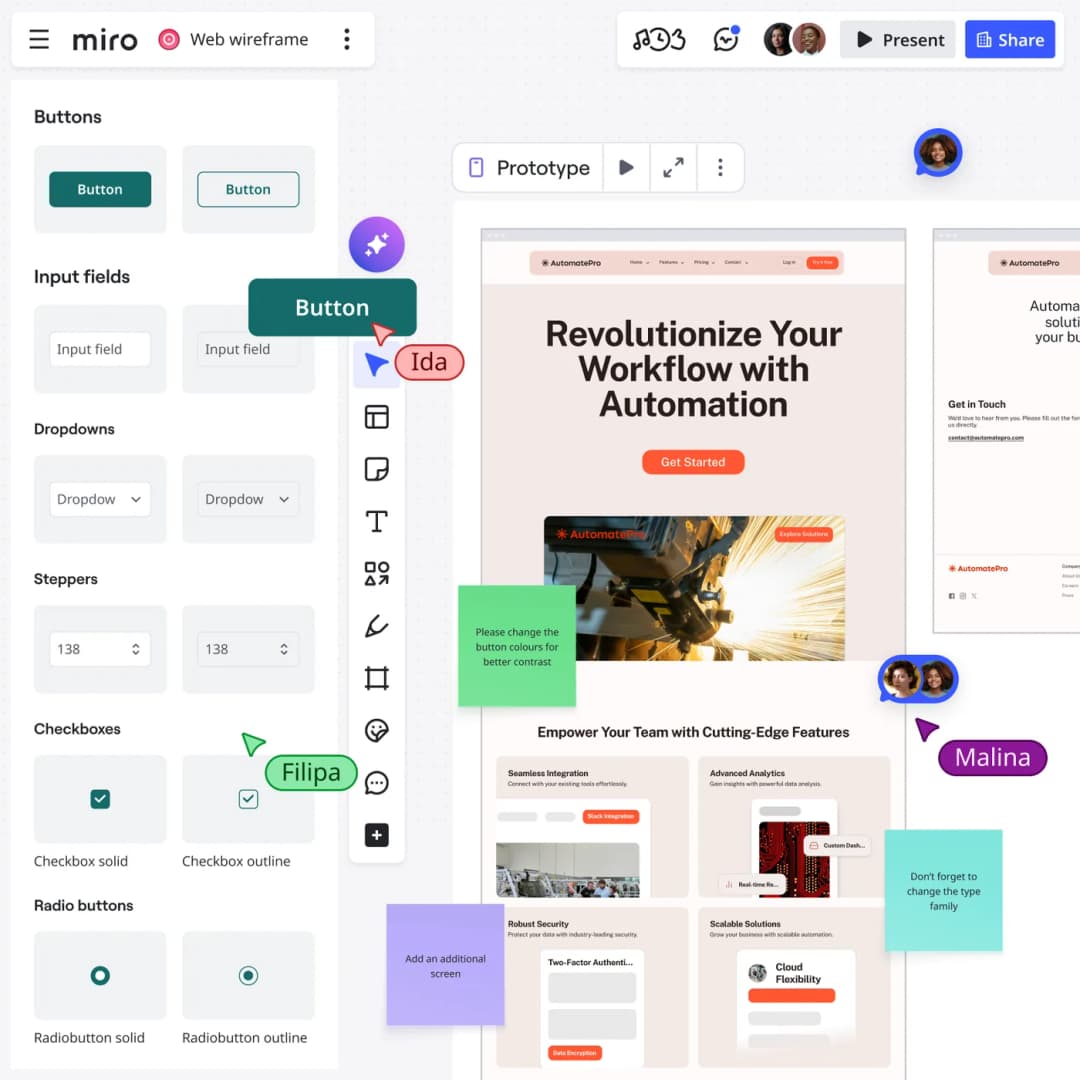
Before the wireframe, there might be interview notes, a journey map, a service blueprint, a user flow, competitor screenshots, sticky notes from a workshop, and one strangely passionate comment from a stakeholder. Miro can keep that messy context beside the screen you are designing.
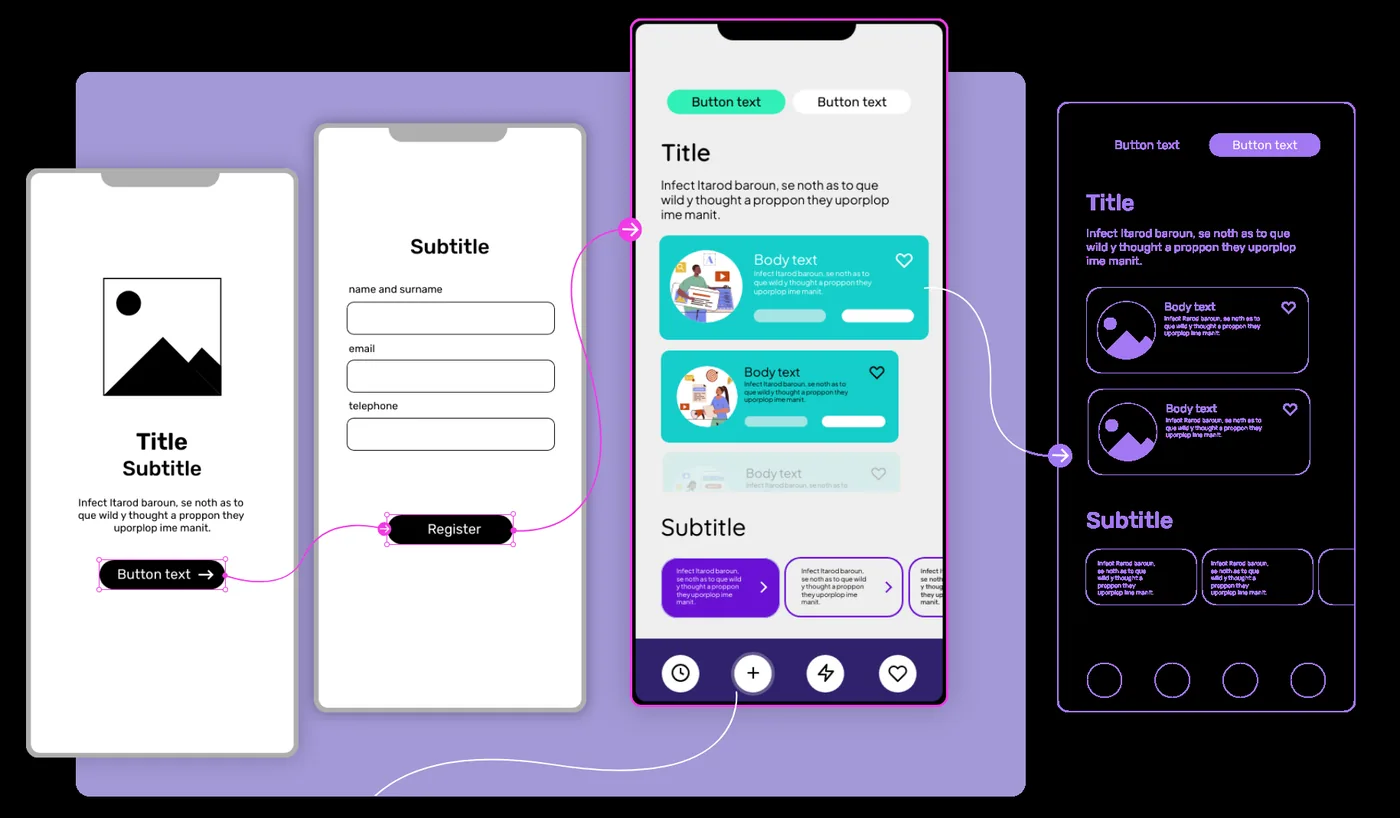
Its wireframing tools include ready-made UI components, templates, comments, voting, user-flow mapping, and AI-assisted layouts. Miro’s AI Sidekicks can generate a wireframe from a prompt, while the board can still hold the research or workshop output that explains why the layout exists.
That makes Miro especially good for facilitated sessions. A product manager can map the flow, a designer can rough out screens, engineering can flag constraints, and everyone can vote or comment without moving the discussion into another file.
Miro is also familiar to a huge number of teams. The company says more than 100 million users across 250,000 organizations use the platform.
The important distinction is that Miro is a collaboration workspace first. If the wireframe needs to evolve into detailed interface design, complex prototyping, and precise developer handoff, I would normally move the validated direction into Figma, Sketch, or Penpot.
Best use case
Use Miro when the wireframe is part of discovery rather than the final design artifact. It is excellent for design sprints, remote workshops, early product planning, user-flow exercises, and sessions where several disciplines need to work visibly at the same time.
Pricing: Miro has a free plan with three editable boards. Starter is currently $8 per member per month when billed annually.
6. Framer: Best for Website Wireframes That Need to Go Live
Framer is the odd one on this list, and that is exactly why it belongs here.
If you are wireframing a marketing website, landing page, portfolio, or content site, the classic workflow can feel wasteful. You make a wireframe, rebuild it as a polished design, hand it to development, then rebuild parts of it again in the website.
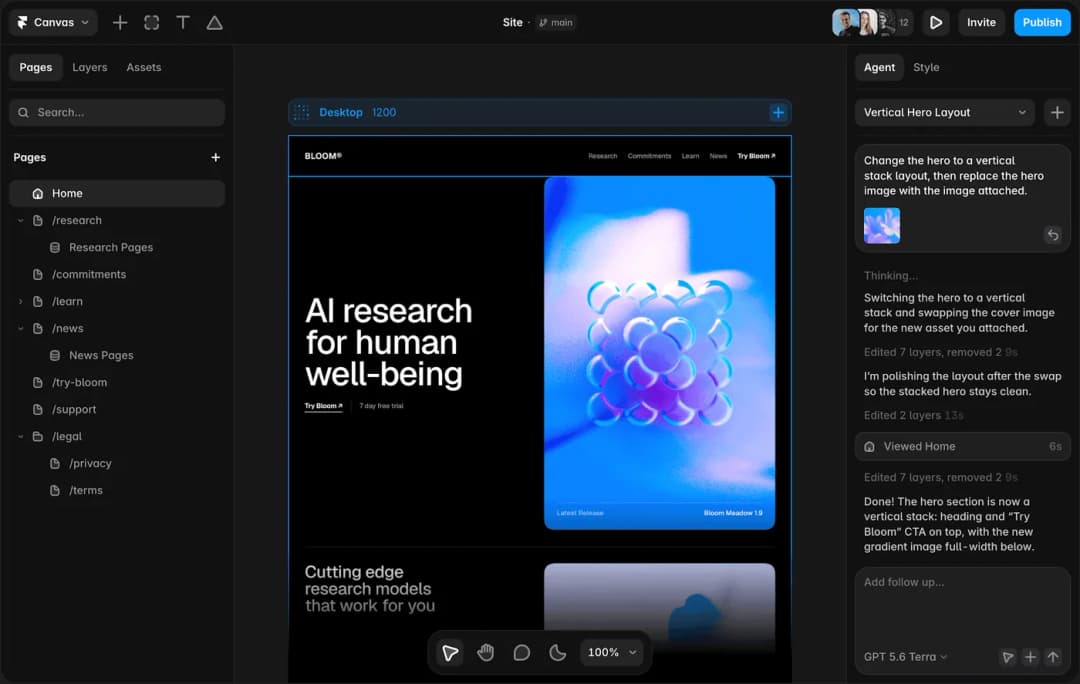
Framer shortens that path. Its Wireframer can generate responsive, intentionally minimal website layouts from a prompt. The result lands on the Framer canvas, where you can customize the design, add content and interactions, connect CMS features, and eventually publish the site.
That makes the first wireframe unusually valuable. It is not just a picture explaining what someone should build later. It can become part of what actually ships.
Framer has grown well beyond a niche prototyping tool. In June 2026, the company said more than 188,000 companies across 200 countries were using Framer, powering more than 4 million published websites.
There is an obvious boundary, though. Framer is website-centric. I would not choose it as the primary wireframing tool for a complex native mobile app, enterprise software product, or a UX research workshop. For those jobs, the other tools on this list fit more naturally.
When Framer is the smart choice
Choose it when the wireframe is for a website and speed from structure to a responsive, publishable result matters. It is particularly strong for marketing teams and designers who want fewer handoffs between design and implementation.
Pricing: Framer has a free plan. Basic is currently $10 per month and Pro is $30 per month on yearly billing. Additional editors are $20 per editor.
Which Wireframing Tool Should You Choose?
If you want one answer for a product design team, start with Figma. It covers the widest stretch of the workflow without forcing an early tool change.
But that does not make every other option a compromise.
Choose Balsamiq when roughness is a feature. Choose Sketch when your designers want a native Mac workflow. Choose Penpot when open source and control matter. Choose Miro when the wireframe needs its research and workshop context nearby. Choose Framer when a website wireframe should move toward a real site instead of a handoff.
The best tool is the one that helps you answer UX questions early. Can users understand the page? Can they find the next step? Does the flow make sense? Can the team agree on the structure before expensive work begins?
If the tool makes those conversations faster, it is doing its job.
Wireframing Tool FAQs
What is the best wireframing tool for beginners?
Balsamiq is one of the easiest places to start because it keeps the interface and the output intentionally simple. Miro is also approachable if you already use it for whiteboarding. Figma takes longer to learn, but it gives you far more room to grow without switching tools.
What is the best free wireframing tool?
Penpot is the strongest choice if you want a fully featured, open-source option with a generous free cloud plan and self-hosting. Figma also has a useful free Starter plan for individuals and early-stage work. Miro’s free plan works well for workshop-style wireframing but limits you to three editable boards.
Is Figma or Balsamiq better for wireframing?
Use Balsamiq when you want fast, deliberately rough wireframes and need stakeholders to focus on structure. Use Figma when the wireframe will continue into detailed UI, prototypes, design systems, and developer handoff. Balsamiq is more focused. Figma covers more of the product design lifecycle.
Can AI generate usable wireframes now?
Yes, but treat AI as a starting point, not a UX decision-maker. Figma, Balsamiq, Miro, and Framer all have AI-assisted ways to generate layouts or starting structures. The useful part is speed. You still need to validate hierarchy, content, accessibility, user flows, and whether the interface solves the right problem.
Which wireframing tool is best for websites?
Framer is a strong choice when you want the wireframe to become a responsive live website. Figma is better when the website is part of a broader product design process or needs deeper design-system collaboration before development. For very early website structure, Balsamiq is often faster than either.
Final Thoughts
A wireframe is valuable because it is cheap to change. Your tool should protect that advantage, not bury it under premature polish.
For most UX teams, Figma is the most flexible starting point. But the better decision is to match the tool to the conversation you need to have next. Pick the one that helps your team test structure, challenge assumptions, and fix the flow while fixes are still easy.
If you want expert help turning early structure into a polished, build-ready experience, explore Omnix Studio’s website UI/UX design and landing page design services.