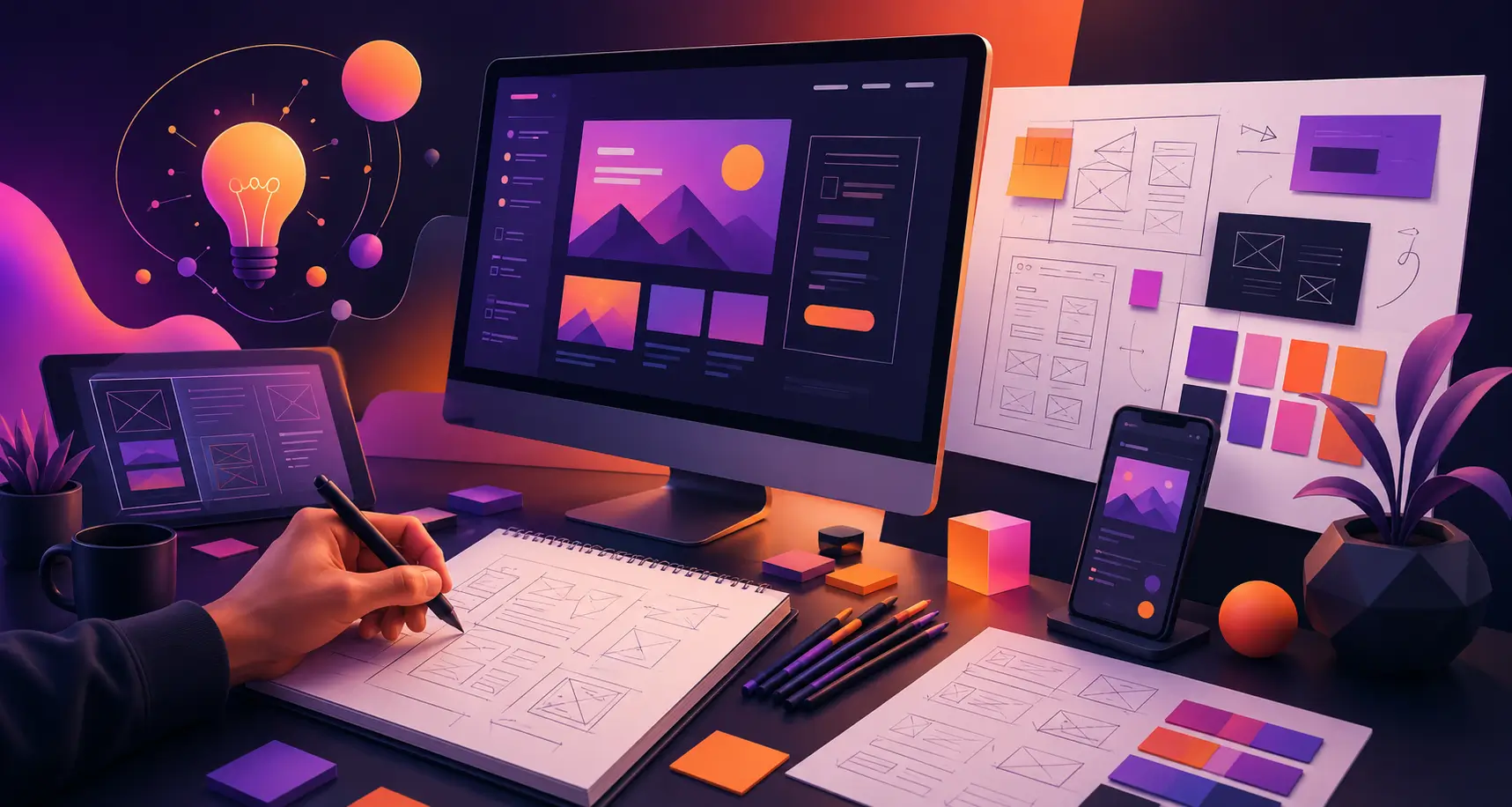
A great website rarely starts with polished screens, colors, or fancy animations. It starts with a conversation. Designers first understand your business, your audience, and what the website needs to achieve. Then they slowly turn those ideas into sketches, wireframes, and a visual experience that feels right.
TL;DR
- A strong website begins with a clear brief, not a blank canvas.
- Clients can speed up the process by explaining goals, audience, pages, and brand direction early.
- AI can help you explore ideas, sketch rough concepts, and prepare a better brief before meeting designers.
- Web designers use sketches and wireframes to turn abstract ideas into practical layouts.
- A good agency process reduces guesswork, saves revision time, and leads to a stronger final website.
How to Instruct a Web Design Agency About Your Website Vision
Before a designer can shape your website, they need to understand what is already in your head. Many clients come in with a vague line like, “I want something modern.” That is a start, but it is not enough to build from.
A better brief helps the agency think faster, explore better ideas, and avoid unnecessary back-and-forth.
Explain What Your Business Does Clearly
Start with the basics. What do you sell? Who do you help? Why should someone choose you over another option?
A design agency is not only decorating a page. They are shaping how visitors understand your business. If the team misses your positioning, the website may look polished but still feel disconnected from your brand.
Share things like:
- Your core products or services
- Your ideal customers
- Your unique value
- Your market position
- The kind of trust you want to build
The clearer this is, the stronger the design direction becomes.
Share the Main Goal of the Website
Every website should have a purpose. Without one, the design can become visually attractive but strategically weak.
Tell the agency what success looks like. For example:
- Generate more consultation requests
- Sell products directly
- Showcase a portfolio
- Build brand credibility
- Increase newsletter signups
- Explain a complex service in a simpler way
Once the goal is clear, designers can prioritize layout, content sections, and calls to action around it.
Describe Your Target Audience
Your website should not only reflect your taste. It should make sense to the people visiting it.
Tell the agency who they are designing for. A website for a luxury architecture firm will not feel like a website for a startup SaaS tool. The same principle applies to almost every business.
Mention:
- Age group or profession, if relevant
- Their buying intent
- Their common questions
- Their biggest frustrations
- What they need to trust you
This helps designers decide how bold, simple, premium, playful, or conversion-focused the design should feel.
Use AI to Explore and Sketch Your Website Idea First
Before sending a formal brief to a web design agency, spend some time chatting with an AI tool. Explain your business, audience, services, and website goal. Then ask it to help you shape the idea.
You can ask AI to:
- Suggest homepage sections
- Recommend a page structure
- Draft a basic website brief
- Clarify user flow
- Generate layout ideas
- Create a rough visual concept or sketch
This does not replace a professional designer. It simply helps you arrive better prepared.
Instead of saying, “I need a website, but I am not sure how it should look,” you can say, “Here is the direction I explored. Can you refine this into a stronger design system?”
That small shift can save a surprising amount of discovery time. Designers spend less energy decoding an unclear idea and more time improving one that already has shape.
Provide Brand Assets and Existing Guidelines
If you already have brand materials, share them early. These help the agency keep the website consistent with the identity you have built.
Useful assets include:
- Logo files
- Color palette
- Typography preferences
- Brand guidelines
- Photography style
- Existing social or print materials
Even when the agency plans to refresh your visual direction, seeing the current brand helps them understand what should stay and what should evolve.
Show Website Examples You Like and Dislike
References are incredibly useful. They help designers understand your taste faster than adjectives alone.
Share websites you like and explain why. Maybe you appreciate the clean hero section, the spacing, the storytelling, or the interactive product blocks. Also show examples you dislike and say what feels off.
That feedback helps eliminate wrong directions early.
A simple comment like, “I like this layout but not this color treatment,” gives more clarity than, “Make it premium.”
Clarify the Pages and Features You Need
Designers also need to understand scope. A five-page service website and a content-heavy marketplace do not follow the same planning process.
Mention the pages you expect, such as:
- Homepage
- About page
- Service pages
- Pricing page
- Blog
- Contact page
- Landing pages
Also include functionality such as:
- Booking form
- eCommerce flow
- Search
- Customer portal
- Case study layout
- Newsletter signup
- Interactive calculators
This prevents scope surprises later and gives designers a proper canvas to think within.
Share Content and Conversion Priorities
Design is closely tied to content. A section that looks elegant with one short paragraph may feel crowded with six paragraphs and three buttons.
Tell the team what messages matter most. Which offer needs to stand out? Which proof points need visibility? What action should users take after reading the page?
Useful notes include:
- Main headline ideas
- Primary call to action
- Important trust signals
- Testimonials or case studies
- Must-show product benefits
- Any content that cannot be removed
The more designers know about content priority, the better they can create a meaningful visual hierarchy.
Be Honest About Budget, Timeline, and Flexibility
Budget and deadlines influence design decisions. A tight launch window may call for a focused, efficient scope. A longer timeline may allow more iterations, deeper research, and a richer UI system.
Being open early helps the agency guide you realistically. It also prevents the project from moving in a direction that does not fit the actual resources available.
What Happens Before the First Sketch?
Once the brief is clear, the agency starts translating it into a design process. This is where strategy begins to shape structure.
Designers do not usually jump into polished visuals right away. They first study the business, the users, and the journey the site needs to create.
Understanding the Client’s Business
A good designer asks business questions before design questions.
They want to know:
- What problem you solve
- What your visitors are trying to achieve
- Which services or products matter most
- Where users often get confused
- What kind of action the website should drive
This gives the design more depth. Every page section begins to serve a reason.
Defining Website Goals
The project goal affects almost every visual decision.
A lead generation website may emphasize forms, testimonials, and trust-building copy. An eCommerce site may prioritize product discovery, comparison, and frictionless checkout pathways.
When the goal is clearly defined, the page has direction. Without it, the layout can feel like a collection of nice-looking blocks with no real purpose.
Collecting Inspiration and References
Agencies often create a reference board before sketching. This may include competitor websites, moodboards, user interface examples, typography ideas, or interaction styles.
The point is not to copy. It is to define a visual territory.
Are we moving toward clean and editorial? Bold and futuristic? Warm and personal? Minimal and premium?
These early references help align everyone before deeper design work begins.
Turning Ideas Into a Clear Website Direction
Once the agency understands the business and goals, they begin shaping the website structure. This is where raw information becomes an experience.
Mapping the Website Structure
Before sketching individual screens, designers often help define the information architecture. In simple terms, that means deciding what lives where.
They organize:
- Navigation menu
- Page relationships
- Section order
- Content priorities
- Conversion points
A strong structure helps visitors move naturally through the website without feeling lost.
Planning the User Journey
Great web design is not only about how the page looks. It is also about what happens next.
Designers ask:
- What should the user notice first?
- What question appears in their mind next?
- What proof do they need before acting?
- Where should the next click happen?
This is how visual design begins to support decision-making.
For example, a service business homepage may move from pain point to promise, then proof, then process, then call to action. That order feels intuitive because it follows how people build trust.
The First Visual Step: Sketching the Website
Now the design team starts putting ideas onto a canvas. This may happen on paper, a tablet, or inside a design tool using simple blocks.
The sketch is not meant to impress anyone. It is meant to reveal structure.
Why Designers Start With Rough Sketches
Sketching allows designers to think quickly. They can test multiple layouts without wasting time perfecting details too early.
A rough homepage sketch might explore:
- Where the headline should sit
- Whether the image should appear left or right
- How many service cards fit naturally
- Where testimonials should appear
- How the call to action can stand out
This phase creates options before commitment.
What a Website Sketch Usually Includes
A basic website sketch often maps the core building blocks of a page.
That may include:
- Hero section
- Navigation bar
- Intro copy
- Feature or service blocks
- Social proof
- CTA sections
- Footer structure
Even in rough form, these elements reveal whether the page feels balanced and logical.
How Sketches Help Align Client Vision
This step is especially useful because it makes the invisible visible.
A client may imagine “something clean and simple,” while the designer may interpret that in several ways. Once a sketch appears, both sides can react to the same object instead of talking in abstract terms.
That lowers confusion and improves collaboration early.
From Sketches to Wireframes
After the rough ideas feel promising, designers move into wireframes. These are clearer blueprints of the website layout.
Wireframes are still not final visual designs. They focus on structure, content placement, and interaction logic.
What Is a Wireframe?
A wireframe shows how a page is organized without the distraction of full branding. It answers questions like:
- What content appears first?
- How is information grouped?
- Where do forms, cards, images, and buttons live?
- What needs more visual weight?
Think of it as the architectural plan before interior design begins.
Low-Fidelity vs High-Fidelity Wireframes
Low-fidelity wireframes are simple. They may use gray boxes, placeholder lines, and basic labels.
High-fidelity wireframes become more detailed. They may show realistic spacing, content density, interaction states, and stronger screen logic.
Agencies choose the level based on project complexity. A larger platform may need more precise wireframes than a straightforward brochure site.
Why Wireframes Matter in Agency Projects
Wireframes prevent expensive surprises later.
If the structure is weak, changing it after full UI design takes more effort. By solving layout and hierarchy early, the team avoids reworking polished screens unnecessarily.
This helps:
- Shorten revisions
- Improve user flow
- Clarify project scope
- Create smoother handoff to developers
Wireframes are one of the quiet heroes of efficient website design.
Building the Visual Mood of the Website
Once the page structure is clear, the agency starts shaping the visual personality. This is the moment where the site begins to feel like your brand.
Creating Moodboards and Style Direction
A moodboard is a curated collection of visual references. It may include:
- Color combinations
- Font pairings
- Button treatments
- Illustration style
- Photography approach
- Interface inspiration
Moodboards help answer the question, “What should this website feel like?”
A legal firm may need trust and restraint. A creative studio may need more movement and personality. A SaaS product may need clarity, confidence, and polish.
Matching Design Style With the Brand
Style should grow from strategy. It should not be chosen because something looked trendy on another site.
Designers look at:
- Brand personality
- Industry expectations
- Audience sensitivity
- Positioning
- Conversion goals
That is how they decide whether the website should feel elegant, technical, friendly, editorial, playful, bold, or highly minimal.
Bringing the Vision to Life With UI Design
With the wireframe approved and the style direction selected, the agency starts creating high-fidelity UI screens.
Now the website begins to look real.
Turning Wireframes Into Polished Screens
This stage adds:
- Colors
- Typography
- Icons
- Visual rhythm
- Image direction
- Buttons and form styling
- Responsive considerations
Designers turn structural boxes into a carefully crafted user interface. Every spacing decision, font scale, and color contrast plays a role in readability and perception.
Designing for Both Beauty and Clarity
A visually impressive site is not automatically a useful one. Good design balances beauty with function.
The visitor should understand:
- Who you are
- What you offer
- Why it matters
- What to do next
If the page is beautiful but confusing, it fails. Strong designers know how to keep aesthetics and clarity working together.
Making the Design Responsive Early
People may visit your site from a desktop monitor, a tablet, or a phone during a commute. The layout has to work across all of them.
Responsive design is not a final cleanup task. It should be considered throughout the process.
Designers think about:
- How navigation collapses
- How image-heavy sections stack
- How buttons appear on smaller screens
- Whether text stays readable
- Whether forms remain easy to complete
A concept that only works on desktop is not a finished idea.
Feedback, Revisions, and Refinement
Design projects become stronger through thoughtful feedback. The key word is thoughtful.
Useful feedback keeps the project moving. Vague feedback slows everything down.
How Agencies Present Design Concepts
A good agency does more than send a screenshot and ask, “Thoughts?”
They explain:
- Why the layout was structured this way
- How the design supports the business goal
- Why certain elements receive more emphasis
- How the page guides users toward action
That context helps clients respond with better feedback.
What Good Client Feedback Looks Like
The most helpful feedback connects to outcomes.
For example:
- “The homepage feels trustworthy, but the service offering is not obvious enough.”
- “Can the CTA appear sooner? Lead generation is our main goal.”
- “This visual direction is strong, but we want the brand to feel warmer.”
That is much more useful than, “Can you make it pop?”
How Revisions Sharpen the Final Website
Revisions are not a sign that the project is failing. They are part of refinement.
The best revisions improve:
- Message clarity
- Visual balance
- Content hierarchy
- Conversion flow
- Brand fit
When both sides stay aligned on goals, revisions make the website sharper rather than more complicated.
Beyond the Sketch: Preparing for Development
Once the design is approved, the agency prepares it for implementation. This handoff matters because even the best design can break down if developers do not receive clear direction.
Creating a Developer-Ready Design Handoff
The design team typically prepares:
- Final screen layouts
- Responsive variants
- Components
- Design tokens or styles
- Hover states
- Form states
- Exported assets
- Spacing and behavior notes
The clearer this handoff is, the easier it becomes to build the website accurately.
Why a Strong Design Process Makes Development Easier
When strategy, sketches, wireframes, and UI are handled properly, development becomes smoother.
There are fewer assumptions. Fewer “what did this mean?” questions. Fewer last-minute layout changes.
That means:
- Faster implementation
- Better consistency
- Less rework
- A website that stays closer to the original vision
The design process pays off long before launch day.
What Clients Gain From This Process
A structured web design process benefits the client as much as the agency.
A Website That Reflects the Brand
The final site feels intentional, not assembled from random inspiration. It communicates the business in a clearer, more memorable way.
A Clearer Path for Visitors
Users understand where to look, what to read, and what to do next. That makes the website more effective.
Fewer Costly Changes Later
Because early concepts are tested before final design, major structural mistakes are caught sooner. This reduces time-consuming revisions.
A Final Design Built With Purpose
Every section has a job. Every screen supports a larger goal. The website becomes more than a digital brochure. It becomes a tool for communication and growth.
Final Thoughts
Inside a web design agency, the finished website is only the final layer of a much deeper process. Designers listen, question, sketch, test, refine, and translate a business idea into a visual experience people can understand.
Clients play an important role in that journey too. The clearer the brief, the stronger the outcome. And with AI now helping clients brainstorm and sketch early ideas, the whole collaboration can start from a much better place.
A good website is not created in one brilliant moment. It is shaped step by step, until the original vision finally becomes something visitors can see, use, and trust.
Frequently Asked Questions
Do web designers always sketch before creating a website?
Not always on paper, but most designers explore rough layout ideas before moving into polished UI. Sketches help them test structure quickly and avoid rushing into visual details too soon.
What is the difference between a sketch and a wireframe?
A sketch is a fast, rough idea of layout. A wireframe is a more organized blueprint that shows page structure, content placement, and user flow more clearly.
Why should clients prepare a detailed design brief?
A clear brief helps the agency understand the business, goals, audience, required pages, and visual preferences. That reduces confusion and helps the design process move faster.
Can AI help before hiring a web design agency?
Yes. AI can help you clarify ideas, explore page structures, draft a creative brief, and even sketch rough concepts. It is useful for preparation, but professional designers still refine the final direction.
Why do agencies create moodboards?
Moodboards help define the visual tone of a website before final design begins. They align everyone on colors, typography, imagery, and overall brand feeling.
How does a website move from idea to final design?
The usual flow is discovery, briefing, references, sketches, wireframes, moodboards, high-fidelity UI design, revisions, and development handoff.