Product teams do not design in a straight line, and they do not all live in the same app. A researcher needs evidence. A PM needs a shared model of the problem. A designer needs a system. Engineering needs a clear handoff. These tools earn their place by helping a specific decision move forward.
Key Takeaways
- Figma is the strongest pick for collaborative interface design from wireframe to developer handoff.
- Miro is the strongest pick for collaborative discovery, workshops, research synthesis, flows, and early wireframes.
- Dovetail is the strongest pick for research synthesis, customer evidence, and turning qualitative data into product insight.
- Maze is the strongest pick for remote user testing, prototype validation, and rapid research.
- ProtoPie is the strongest pick for high-fidelity interaction prototypes with logic, sensors, and realistic behavior.
Map the Tool to the Decision
A tool earns its place when it removes a handoff or makes a decision easier. Research tools help a team agree on what is true. Whiteboards help agree on the problem. Design tools make a proposed solution visible. Testing tools tell you where it fails. Handoff tools reduce ambiguity when the solution moves into code.
What Product Teams Actually Need
- Who owns the tool
- Decision it improves
- Collaboration cost
- Handoff created or removed
- Learning curve
- Long-term reuse
Quick Comparison
| Tool | Best For | Biggest Strength | Watch Out For |
|---|---|---|---|
| Figma | Collaborative interface design from wireframe to developer handoff | Real-time collaboration, browser access, mature component systems, Dev Mode, and a huge surrounding ecosystem make it easy to bring product managers and developers into the same source of truth. | Because it can do almost everything, it can also encourage teams to polish too soon. |
| Miro | Collaborative discovery, workshops, research synthesis, flows, and early wireframes | That context makes it one of the best tools for cross-functional discovery. | It is a collaboration workspace first. |
| Dovetail | Research synthesis, customer evidence, and turning qualitative data into product insight | For UX teams, this matters because better screens usually start with better evidence. | It does not replace a design or prototyping tool. |
| Maze | Remote user testing, prototype validation, and rapid research | The real value is cadence. | The platform does not create the design itself. |
| ProtoPie | High-fidelity interaction prototypes with logic, sensors, and realistic behavior | That makes it especially valuable for advanced mobile experiences, automotive interfaces, connected devices, and product ideas where the quality of the interaction is the thing being tested. | It is not the fastest place to sketch a rough screen. |
| Framer | Website design that can move directly into a responsive published site | The unusual advantage is that the design does not have to die at handoff. | It is website-centric. |
| Zeplin | Structured design delivery, specs, screens, and design-to-development communication | That separation can be valuable in larger teams where “latest design” and “ready to build” are not the same thing. | Figma Dev Mode and code-aware workflows have absorbed some of the handoff work Zeplin once owned. |
1. Figma: Best for Collaborative interface design from wireframe to developer handoff
Product: Figma
Figma remains the safest default for teams that want one workspace for interface design, reusable components, prototyping, comments, and handoff. Its biggest advantage is not a single feature. It is how little context has to be lost as a rough screen becomes a production-ready design.
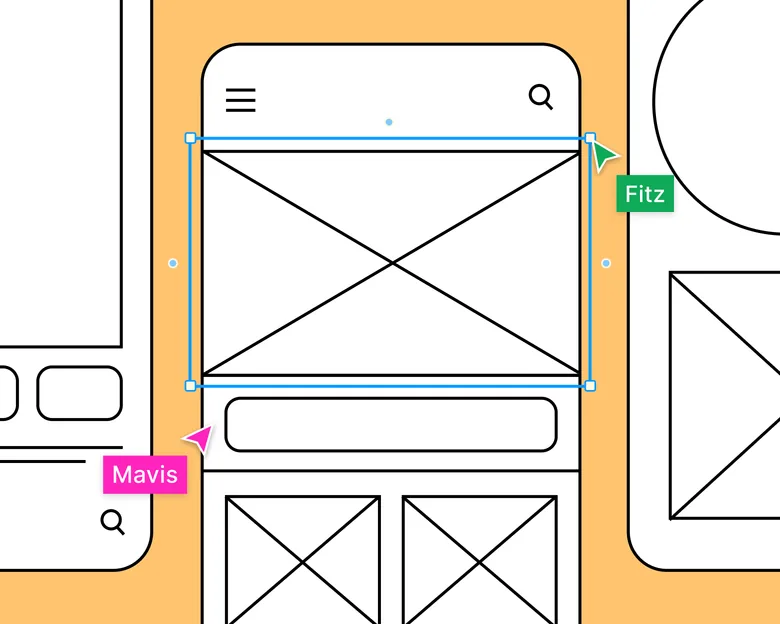
For a product team, the right owner for Figma is the person responsible for collaborative interface design from wireframe to developer handoff. The tool works best when that decision is visible to the rest of the team, not trapped in a specialist silo.
Real-time collaboration, browser access, mature component systems, Dev Mode, and a huge surrounding ecosystem make it easy to bring product managers and developers into the same source of truth.
Where it fits best
Use Figma when collaborative interface design from wireframe to developer handoff. It is particularly useful when that need is already visible in your current workflow and the team can measure whether the tool actually removes a handoff, shortens iteration, or improves the quality of the artifact.
The tradeoff
Because it can do almost everything, it can also encourage teams to polish too soon. Specialized tools are often faster for rough ideation, complex interaction logic, or code-backed prototypes.
Current context: Figma reports that 95% of the Fortune 500 uses its platform, based on March 2025 data. Source
2. Miro: Best for Collaborative discovery, workshops, research synthesis, flows,
Product: Miro
Miro is useful when the design problem is still messy. Research notes, journey maps, service blueprints, flow diagrams, workshop voting, competitor references, and rough wireframes can live on the same board instead of being split across six documents.
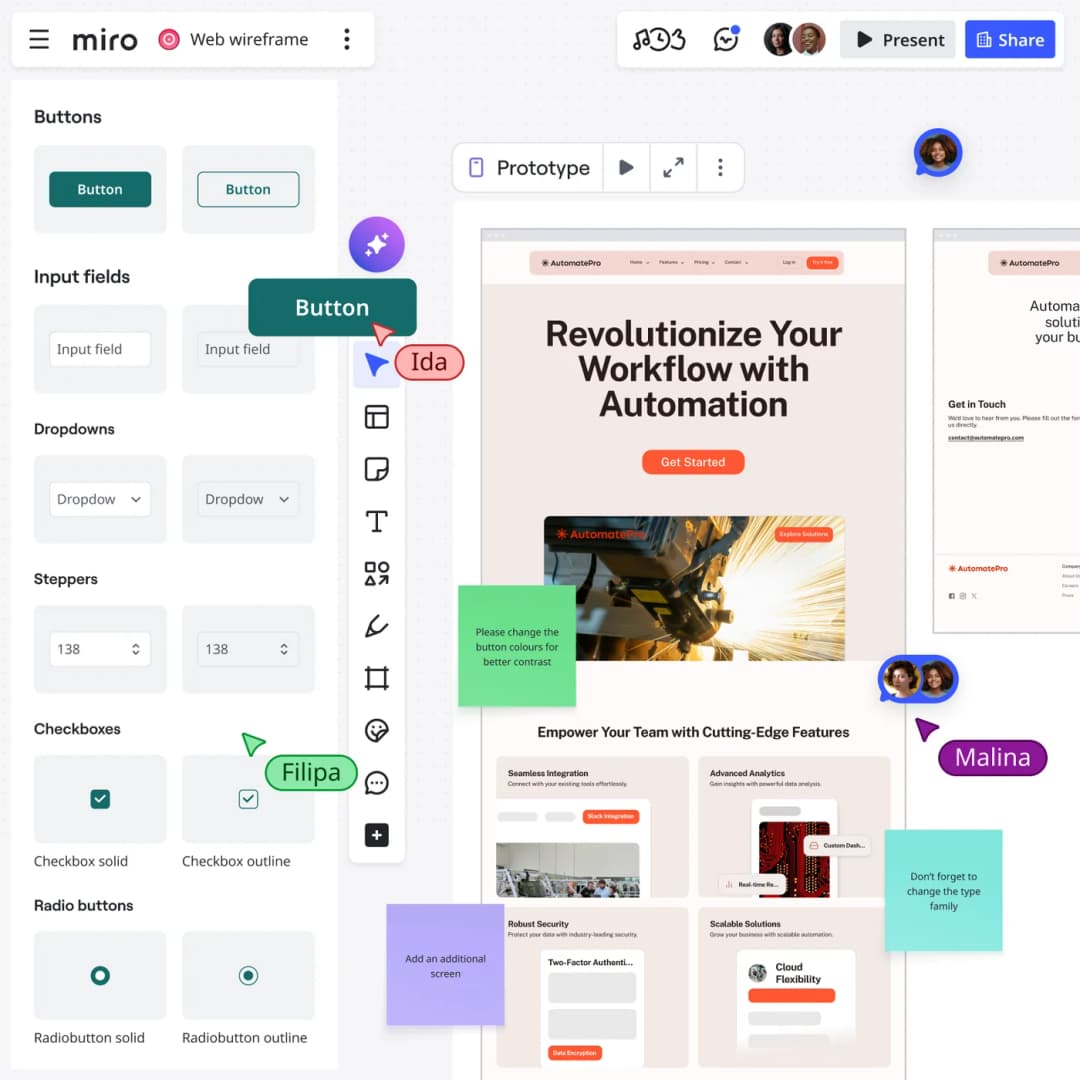
For a product team, the right owner for Miro is the person responsible for collaborative discovery, workshops, research synthesis, flows, and early wireframes. The tool works best when that decision is visible to the rest of the team, not trapped in a specialist silo.
That context makes it one of the best tools for cross-functional discovery. Product, design, engineering, and stakeholders can work visibly together before the team commits to polished screens.
Where it fits best
Use Miro when collaborative discovery, workshops, research synthesis, flows, and early wireframes. It is particularly useful when that need is already visible in your current workflow and the team can measure whether the tool actually removes a handoff, shortens iteration, or improves the quality of the artifact.
The tradeoff
It is a collaboration workspace first. Once a screen needs a production-grade component system, advanced visual design, or precise handoff, most teams will move into a dedicated design environment.
Current context: Miro says more than 100 million users across 250,000 organizations use its platform. Source
3. Dovetail: Best for Research synthesis, customer evidence,
Product: Dovetail
Dovetail sits upstream of the UI canvas. It helps teams organize interviews, feedback, notes, and research, then use AI-assisted analysis to find themes and make evidence easier to reuse across product decisions.
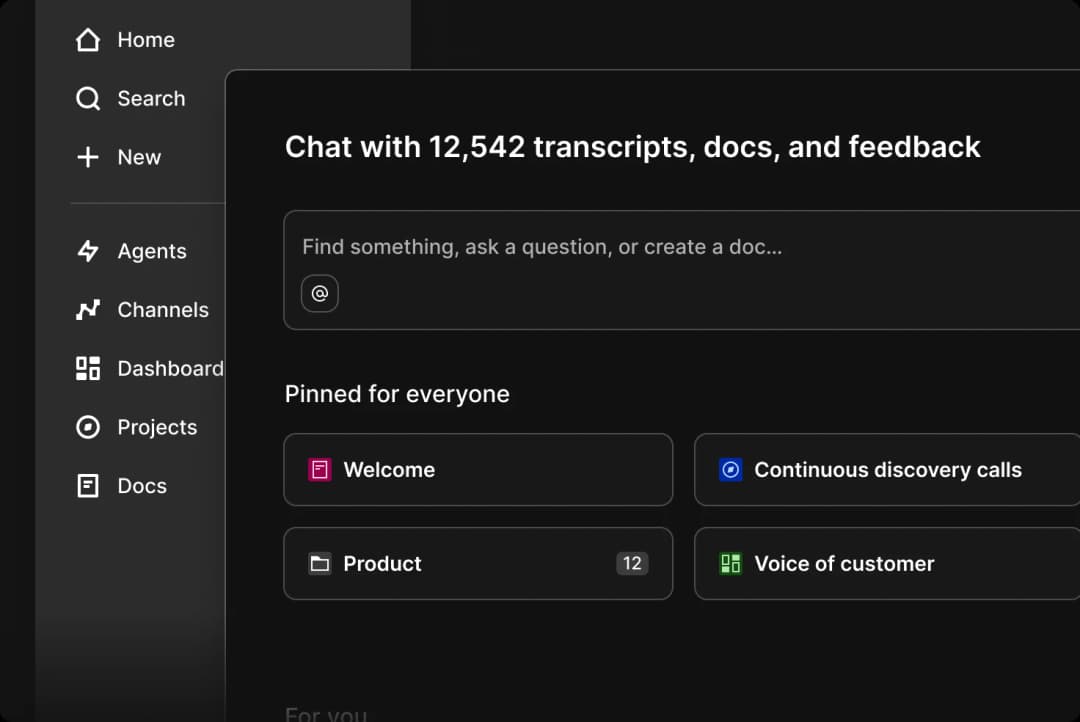
For a product team, the right owner for Dovetail is the person responsible for research synthesis, customer evidence, and turning qualitative data into product insight. The tool works best when that decision is visible to the rest of the team, not trapped in a specialist silo.
For UX teams, this matters because better screens usually start with better evidence. Dovetail gives research a home that is more durable than scattered docs, meeting notes, and one-off presentation slides.
Where it fits best
Use Dovetail when research synthesis, customer evidence, and turning qualitative data into product insight. It is particularly useful when that need is already visible in your current workflow and the team can measure whether the tool actually removes a handoff, shortens iteration, or improves the quality of the artifact.
The tradeoff
It does not replace a design or prototyping tool. Its job is to improve the quality and traceability of the decisions that feed those tools.
Current context: Dovetail positions AI-assisted analysis as part of its customer-research and insights platform for product teams. Source
4. Maze: Best for Remote user testing, prototype validation,
Product: Maze
Maze helps teams test prototypes and product experiences with users without turning every study into a fully moderated research project. It supports prototype testing, surveys, usability research, and analysis workflows that product teams can repeat frequently.
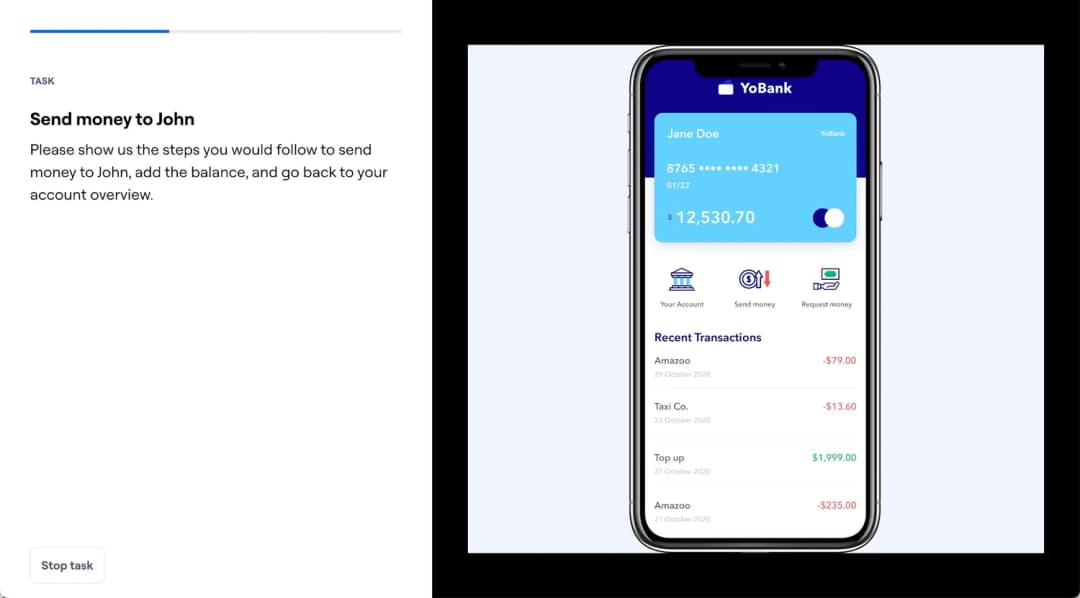
For a product team, the right owner for Maze is the person responsible for remote user testing, prototype validation, and rapid research. The tool works best when that decision is visible to the rest of the team, not trapped in a specialist silo.
The real value is cadence. Teams can test smaller decisions more often instead of saving research for the end of a project when changing direction is expensive.
Where it fits best
Use Maze when remote user testing, prototype validation, and rapid research. It is particularly useful when that need is already visible in your current workflow and the team can measure whether the tool actually removes a handoff, shortens iteration, or improves the quality of the artifact.
The tradeoff
The platform does not create the design itself. The quality of the test still depends on a clear research question, representative participants, and a prototype that reflects what you actually need to learn.
Current context: Maze focuses on continuous product discovery and supports prototype testing alongside other remote research methods. Source
5. ProtoPie: Best for High-fidelity interaction prototypes with logic, sensors,
Product: ProtoPie
ProtoPie is built for the point where a clickable slideshow is no longer enough. It handles variables, conditions, sensors, multi-device interactions, API-connected behavior, and realistic microinteractions without requiring the prototype itself to become a production app.
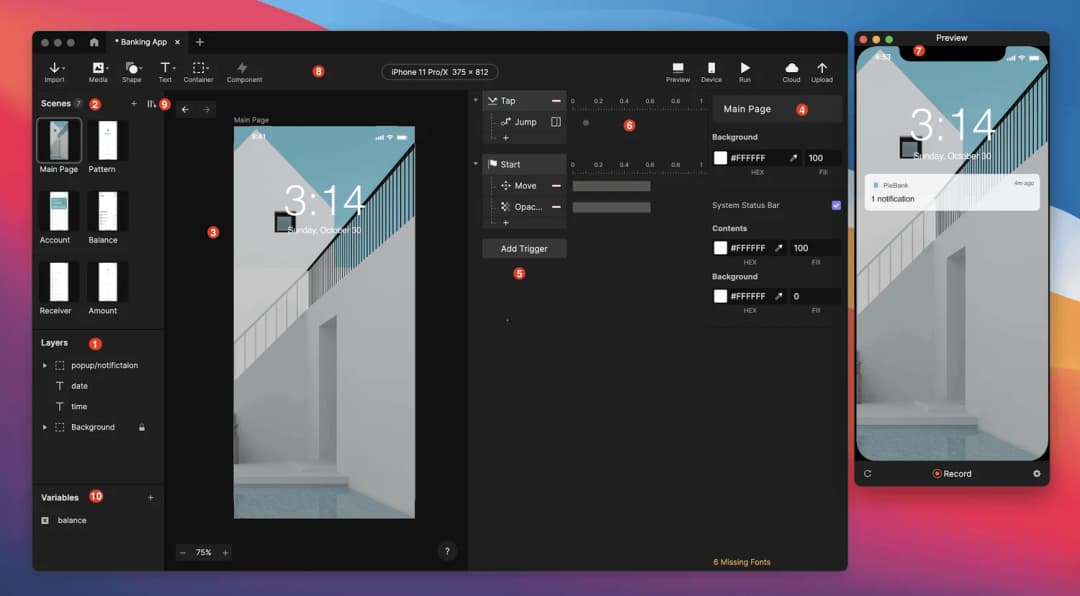
For a product team, the right owner for ProtoPie is the person responsible for high-fidelity interaction prototypes with logic, sensors, and realistic behavior. The tool works best when that decision is visible to the rest of the team, not trapped in a specialist silo.
That makes it especially valuable for advanced mobile experiences, automotive interfaces, connected devices, and product ideas where the quality of the interaction is the thing being tested.
Where it fits best
Use ProtoPie when high-fidelity interaction prototypes with logic, sensors, and realistic behavior. It is particularly useful when that need is already visible in your current workflow and the team can measure whether the tool actually removes a handoff, shortens iteration, or improves the quality of the artifact.
The tradeoff
It is not the fastest place to sketch a rough screen. Most teams will design elsewhere first, then move the screens into ProtoPie when interaction fidelity becomes the priority.
Current context: ProtoPie introduced AI-assisted component authoring in June 2026, extending its interaction workflow with natural-language assistance. Source
6. Framer: Best for Website design that can move directly into a responsive published site
Product: Framer
Framer is strongest when the artifact you are designing is a website and the team wants to shorten the trip from layout to live URL. Responsive design, CMS, animations, interactions, and publishing live in one environment, while AI can help generate starting structures.
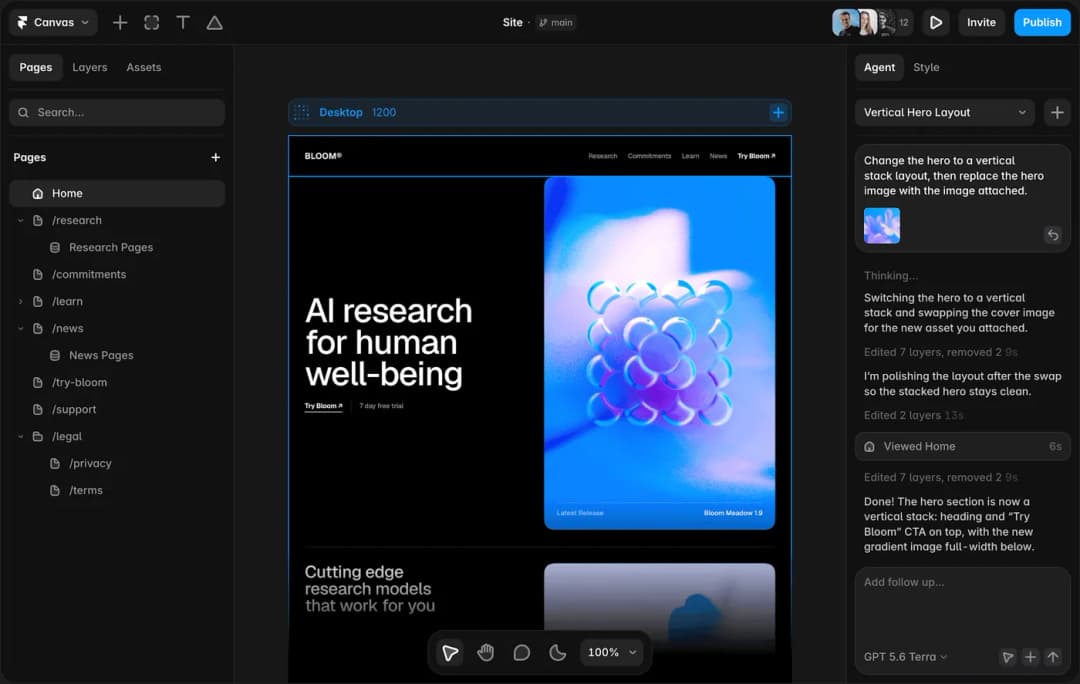
For a product team, the right owner for Framer is the person responsible for website design that can move directly into a responsive published site. The tool works best when that decision is visible to the rest of the team, not trapped in a specialist silo.
The unusual advantage is that the design does not have to die at handoff. A marketing page or content site can keep evolving inside the same tool until it ships.
Where it fits best
Use Framer when website design that can move directly into a responsive published site. It is particularly useful when that need is already visible in your current workflow and the team can measure whether the tool actually removes a handoff, shortens iteration, or improves the quality of the artifact.
The tradeoff
It is website-centric. For large native applications, research-heavy UX work, or complicated enterprise interaction logic, it is usually better as a specialist rather than the main design platform.
Current context: Framer said in June 2026 that more than 188,000 companies across 200 countries were using the platform, powering more than 4 million published websites. Source
7. Zeplin: Best for Structured design delivery, specs, screens,
Product: Zeplin
Zeplin remains useful for teams that want a deliberate handoff layer between design files and implementation. It organizes approved screens, components, specs, flows, and developer context so engineers are not forced to infer what is ready from a working design canvas.
For a product team, the right owner for Zeplin is the person responsible for structured design delivery, specs, screens, and design-to-development communication. The tool works best when that decision is visible to the rest of the team, not trapped in a specialist silo.
That separation can be valuable in larger teams where “latest design” and “ready to build” are not the same thing.
Where it fits best
Use Zeplin when structured design delivery, specs, screens, and design-to-development communication. It is particularly useful when that need is already visible in your current workflow and the team can measure whether the tool actually removes a handoff, shortens iteration, or improves the quality of the artifact.
The tradeoff
Figma Dev Mode and code-aware workflows have absorbed some of the handoff work Zeplin once owned. Its value is highest when the team genuinely benefits from a dedicated delivery layer.
Current context: Zeplin positions itself around design delivery and collaboration between designers and developers. Source
Which One Should You Choose?
Choose Figma if your priority is collaborative interface design from wireframe to developer handoff. Choose Miro if your priority is collaborative discovery, workshops, research synthesis, flows, and early wireframes. Choose Dovetail if your priority is research synthesis, customer evidence, and turning qualitative data into product insight.
Choose Maze if your priority is remote user testing, prototype validation, and rapid research. Choose ProtoPie if your priority is high-fidelity interaction prototypes with logic, sensors, and realistic behavior. Choose Framer if your priority is website design that can move directly into a responsive published site. Choose Zeplin if your priority is structured design delivery, specs, screens, and design-to-development communication.
Do not choose from the feature count alone. Pick the tool that removes the next expensive handoff in your workflow. If it only gives you a faster first draft but creates more cleanup later, the speed is mostly cosmetic.
FAQs
What is the best best design tools for most teams?
For most teams, Figma is the safest starting point because it matches the central job of this list: collaborative interface design from wireframe to developer handoff. The better answer can change quickly when your team has a strong platform, code, or workflow constraint.
Are free best design tools good enough?
Free plans are usually enough to test the workflow and judge first-result quality. The limits show up later in collaboration, AI credits, private projects, exports, version history, team controls, or production use. Test your real workflow before paying for a year.
Should AI replace the designer in this workflow?
No. AI is most useful for generating options, assembling first passes, translating structure, or automating repetitive edits. Problem framing, accessibility, product judgment, prioritization, and deciding which direction is actually right still need human ownership.
How should I evaluate these tools before buying?
Use one small real project. Give every candidate the same brief, the same existing assets, and the same correction request. Compare the second and third iterations, not just the first output. That exposes workflow friction much faster than a feature checklist.
Final Thoughts
The best best design tools is the one that makes the next decision cheaper. For this list, Figma is the strongest default, but the specialist options become better as soon as your constraint becomes specific. Match the tool to the output, handoff, and level of fidelity you actually need. That is how you get speed without simply moving the work somewhere else.
If you want help turning UX decisions into a polished interface, Omnix Studio offers website UI/UX design and mobile app UI/UX design.