Designers rarely want a wireframe to stay a wireframe forever. The useful question is what happens when the structure is approved. Can the same file mature into high-fidelity UI? Can components survive? Can the prototype continue? These seven tools are judged on that transition.
Key Takeaways
- Figma is the strongest pick for collaborative interface design from wireframe to developer handoff.
- Sketch is the strongest pick for native Mac interface design with mature prototyping and handoff.
- Penpot is the strongest pick for open-source UI design, self-hosting, and closer design-to-code alignment.
- Miro is the strongest pick for collaborative discovery, workshops, research synthesis, flows, and early wireframes.
- Whimsical is the strongest pick for fast flows, diagrams, and lightweight wireframing.
Wireframe Today, Design Tomorrow
A designer-friendly wireframe should keep the information architecture intact while making it easy to add real spacing, typography, components, states, and prototypes later. Tools that force a complete rebuild lose points here, even if the initial sketch is fast.
How I Ranked the Tools
- Wireframing speed
- Component reuse
- High-fidelity path
- Prototyping
- Collaboration
- Handoff
Quick Comparison
| Tool | Best For | Biggest Strength | Watch Out For |
|---|---|---|---|
| Figma | Collaborative interface design from wireframe to developer handoff | Real-time collaboration, browser access, mature component systems, Dev Mode, and a huge surrounding ecosystem make it easy to bring product managers and developers into the same source of truth. | Because it can do almost everything, it can also encourage teams to polish too soon. |
| Sketch | Native mac interface design with mature prototyping and handoff | Designers who value a native desktop workflow, local files, and a mature Mac product can find it calmer than an everything-in-the-browser stack. | Designing still requires macOS, which makes it a poor default for mixed-platform teams. |
| Penpot | Open-source ui design, self-hosting, and closer design-to-code alignment | Its emphasis on web standards, CSS Grid, Flex Layout, tokens, and developer collaboration gives it a different center of gravity from Figma. | The ecosystem is smaller than Figma’s, and some teams will miss the volume of templates, plugins, community files, and established workflows surrounding the market leader. |
| Miro | Collaborative discovery, workshops, research synthesis, flows, and early wireframes | That context makes it one of the best tools for cross-functional discovery. | It is a collaboration workspace first. |
| Whimsical | Fast flows, diagrams, and lightweight wireframing | Its constrained visual language reduces setup and keeps early product discussions moving. | Once the work moves into high-fidelity UI and detailed handoff, most teams will switch to a dedicated design tool. |
| Moqups | Browser-based wireframes, mockups, diagrams, and simple prototypes | It works well for teams that want a straightforward visual planning tool without committing to a large component-and-dev-mode ecosystem. | It is less compelling for advanced design systems, cutting-edge AI generation, and deep code integration than newer specialist platforms. |
| Framer | Website design that can move directly into a responsive published site | The unusual advantage is that the design does not have to die at handoff. | It is website-centric. |
1. Figma: Best for Collaborative interface design from wireframe to developer handoff
Product: Figma
Figma remains the safest default for teams that want one workspace for interface design, reusable components, prototyping, comments, and handoff. Its biggest advantage is not a single feature. It is how little context has to be lost as a rough screen becomes a production-ready design.
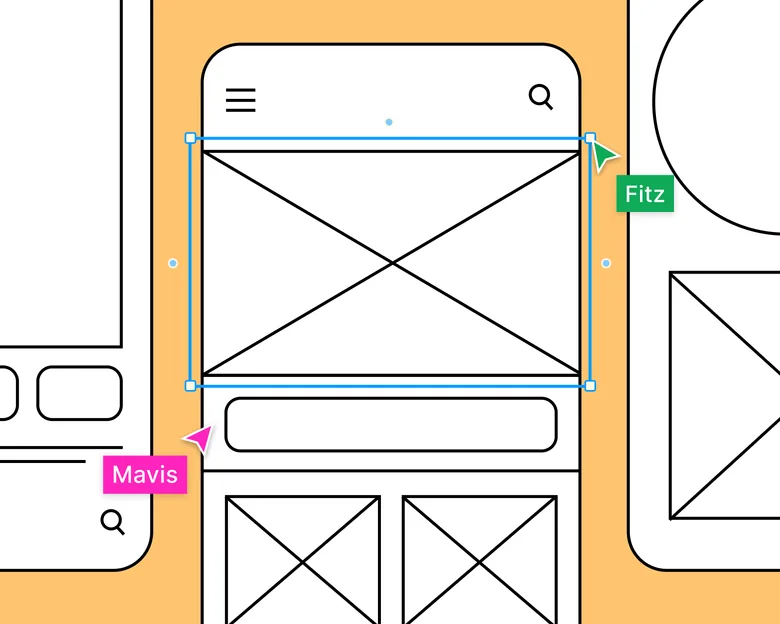
The designer question is what happens after approval. Figma is strongest when the early structure can continue toward collaborative interface design from wireframe to developer handoff without a painful rebuild.
Real-time collaboration, browser access, mature component systems, Dev Mode, and a huge surrounding ecosystem make it easy to bring product managers and developers into the same source of truth.
Where it fits best
Use Figma when collaborative interface design from wireframe to developer handoff. It is particularly useful when that need is already visible in your current workflow and the team can measure whether the tool actually removes a handoff, shortens iteration, or improves the quality of the artifact.
The tradeoff
Because it can do almost everything, it can also encourage teams to polish too soon. Specialized tools are often faster for rough ideation, complex interaction logic, or code-backed prototypes.
Current context: Figma reports that 95% of the Fortune 500 uses its platform, based on March 2025 data. Source
2. Sketch: Best for Native mac interface design with mature prototyping
Product: Sketch
Sketch remains a focused product-design environment for Mac-first teams. It combines reusable components, libraries, prototyping, and developer-facing web inspection without turning the interface into a general whiteboard or website builder.
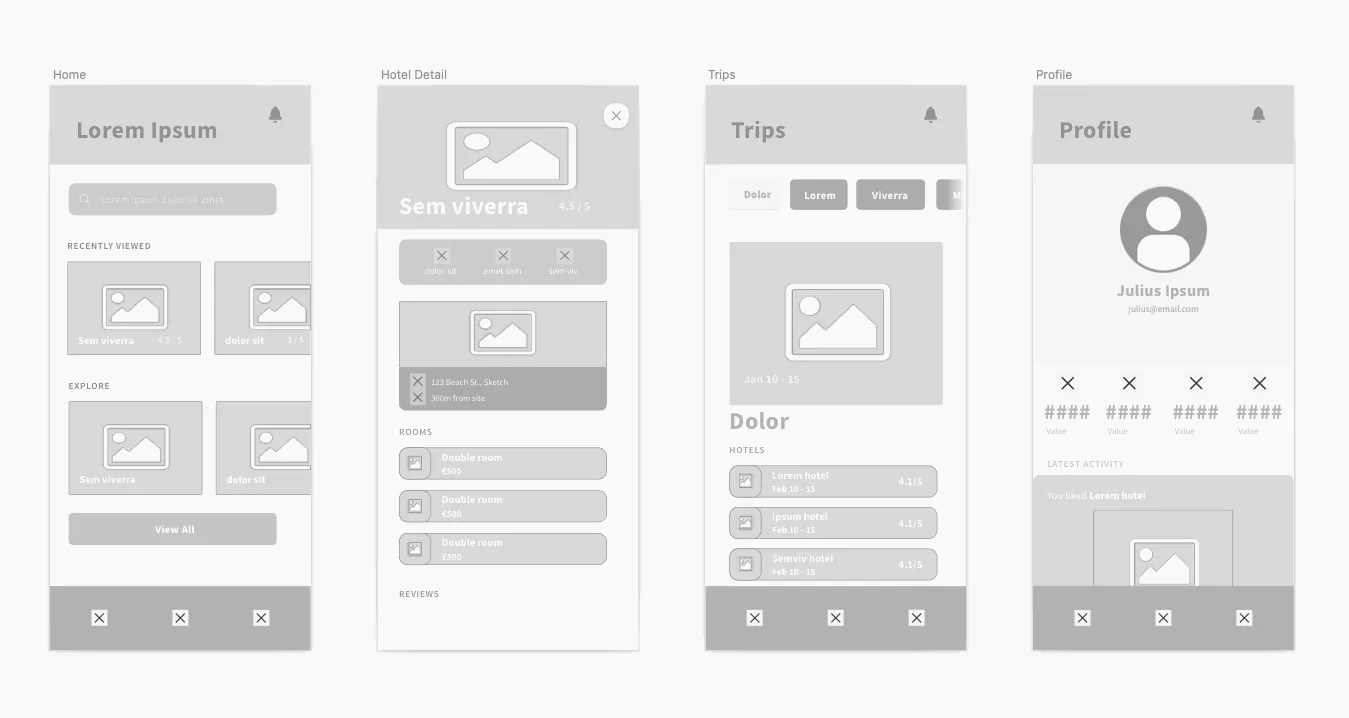
The designer question is what happens after approval. Sketch is strongest when the early structure can continue toward native Mac interface design with mature prototyping and handoff without a painful rebuild.
Designers who value a native desktop workflow, local files, and a mature Mac product can find it calmer than an everything-in-the-browser stack.
Where it fits best
Use Sketch when native Mac interface design with mature prototyping and handoff. It is particularly useful when that need is already visible in your current workflow and the team can measure whether the tool actually removes a handoff, shortens iteration, or improves the quality of the artifact.
The tradeoff
Designing still requires macOS, which makes it a poor default for mixed-platform teams. Browser collaboration helps reviewers, but the authoring environment is a deliberate platform choice.
Current context: Sketch currently requires macOS Sonoma 14 or newer for design work, while its web app supports viewing, inspecting, and commenting. Source
3. Penpot: Best for Open-source ui design, self-hosting,
Product: Penpot
Penpot is the strongest mainstream option for teams that want an open-source design platform rather than another proprietary design file. It runs in the browser, supports reusable components and prototypes, and can be self-hosted.
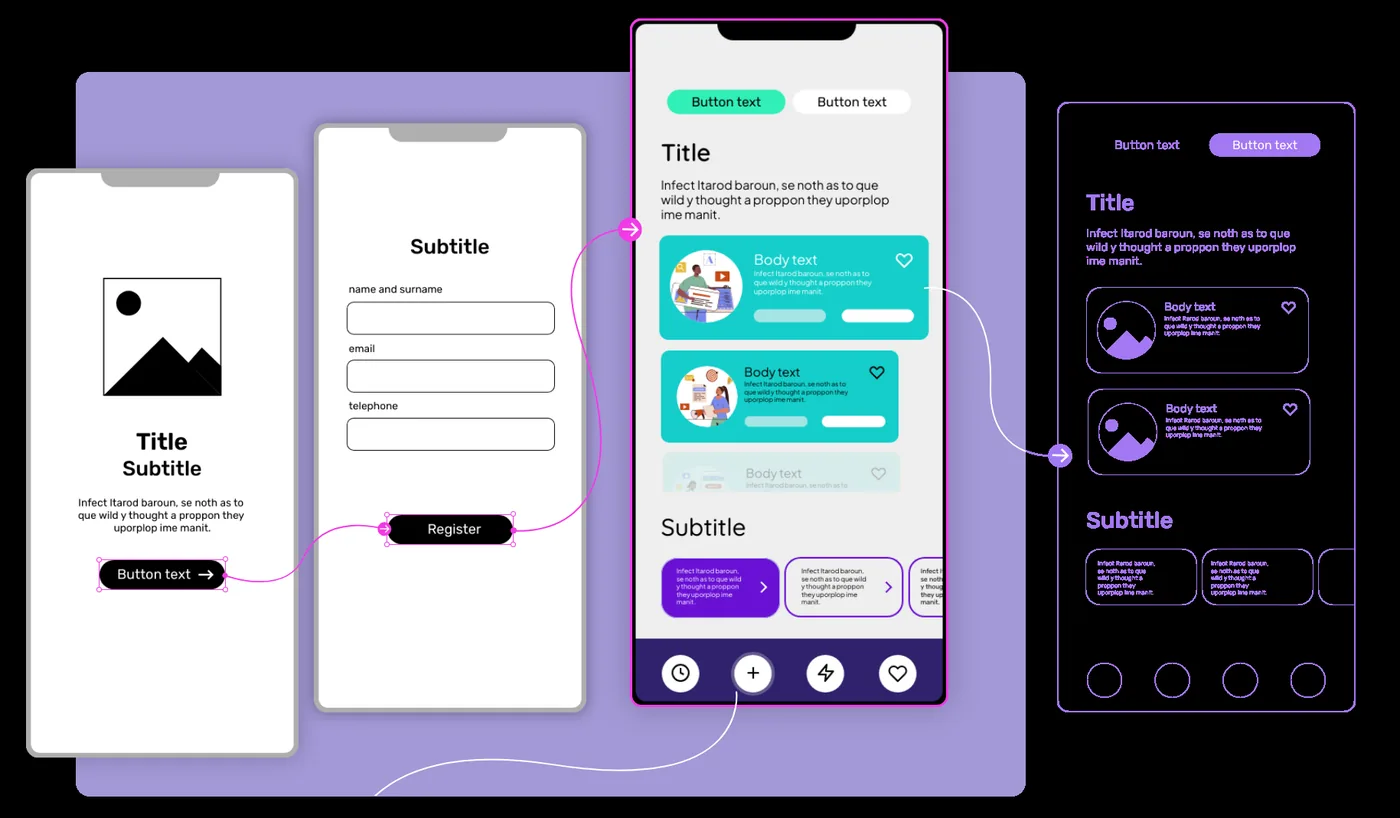
The designer question is what happens after approval. Penpot is strongest when the early structure can continue toward open-source UI design, self-hosting, and closer design-to-code alignment without a painful rebuild.
Its emphasis on web standards, CSS Grid, Flex Layout, tokens, and developer collaboration gives it a different center of gravity from Figma. Ownership and implementation structure are part of the product story.
Where it fits best
Use Penpot when open-source UI design, self-hosting, and closer design-to-code alignment. It is particularly useful when that need is already visible in your current workflow and the team can measure whether the tool actually removes a handoff, shortens iteration, or improves the quality of the artifact.
The tradeoff
The ecosystem is smaller than Figma’s, and some teams will miss the volume of templates, plugins, community files, and established workflows surrounding the market leader.
Current context: Penpot’s official media kit reports more than 1 million users and availability in more than 49 languages. Source
4. Miro: Best for Collaborative discovery, workshops, research synthesis, flows,
Product: Miro
Miro is useful when the design problem is still messy. Research notes, journey maps, service blueprints, flow diagrams, workshop voting, competitor references, and rough wireframes can live on the same board instead of being split across six documents.
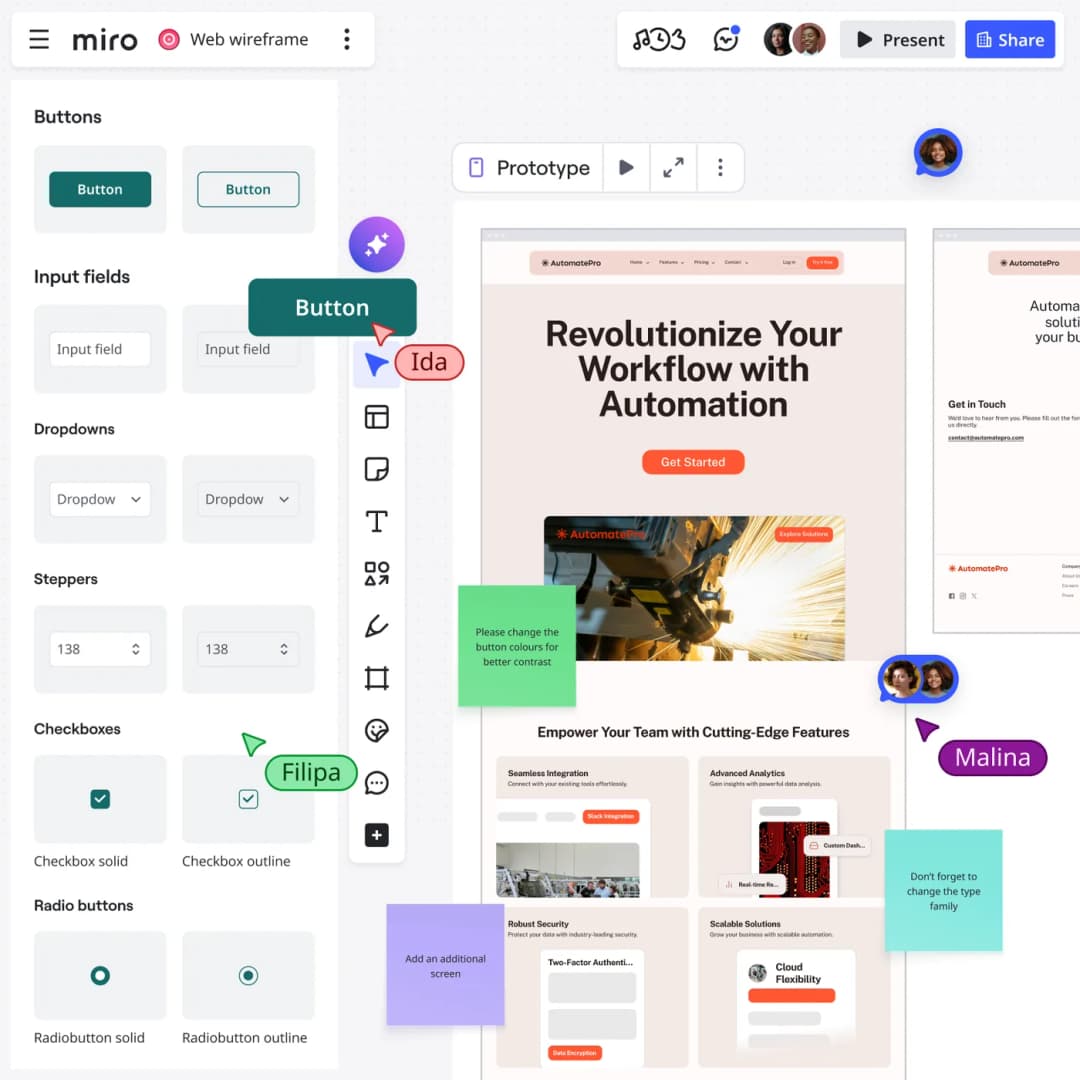
The designer question is what happens after approval. Miro is strongest when the early structure can continue toward collaborative discovery, workshops, research synthesis, flows, and early wireframes without a painful rebuild.
That context makes it one of the best tools for cross-functional discovery. Product, design, engineering, and stakeholders can work visibly together before the team commits to polished screens.
Where it fits best
Use Miro when collaborative discovery, workshops, research synthesis, flows, and early wireframes. It is particularly useful when that need is already visible in your current workflow and the team can measure whether the tool actually removes a handoff, shortens iteration, or improves the quality of the artifact.
The tradeoff
It is a collaboration workspace first. Once a screen needs a production-grade component system, advanced visual design, or precise handoff, most teams will move into a dedicated design environment.
Current context: Miro says more than 100 million users across 250,000 organizations use its platform. Source
5. Whimsical: Best for Fast flows, diagrams,
Product: Whimsical
Whimsical is a good fit when speed and clarity matter more than pixel-level control. Wireframes, flowcharts, mind maps, docs, and boards sit close together, which makes it easy to show how a screen relates to the flow around it.
The designer question is what happens after approval. Whimsical is strongest when the early structure can continue toward fast flows, diagrams, and lightweight wireframing without a painful rebuild.
Its constrained visual language reduces setup and keeps early product discussions moving. That is useful for small teams that do not need a full interface design system at the discovery stage.
Where it fits best
Use Whimsical when fast flows, diagrams, and lightweight wireframing. It is particularly useful when that need is already visible in your current workflow and the team can measure whether the tool actually removes a handoff, shortens iteration, or improves the quality of the artifact.
The tradeoff
Once the work moves into high-fidelity UI and detailed handoff, most teams will switch to a dedicated design tool.
Current context: Whimsical combines wireframes, flowcharts, boards, docs, and AI-assisted creation in one collaborative workspace. Source
6. Moqups: Best for Browser-based wireframes, mockups, diagrams,
Product: Moqups
Moqups covers the practical middle ground between a whiteboard and a full design suite. Teams can create wireframes, diagrams, mockups, and clickable flows in the browser, then share the work for review.
The designer question is what happens after approval. Moqups is strongest when the early structure can continue toward browser-based wireframes, mockups, diagrams, and simple prototypes without a painful rebuild.
It works well for teams that want a straightforward visual planning tool without committing to a large component-and-dev-mode ecosystem.
Where it fits best
Use Moqups when browser-based wireframes, mockups, diagrams, and simple prototypes. It is particularly useful when that need is already visible in your current workflow and the team can measure whether the tool actually removes a handoff, shortens iteration, or improves the quality of the artifact.
The tradeoff
It is less compelling for advanced design systems, cutting-edge AI generation, and deep code integration than newer specialist platforms.
Current context: Moqups combines wireframes, mockups, diagrams, and prototypes in a browser-based collaborative workspace. Source
7. Framer: Best for Website design that can move directly into a responsive published site
Product: Framer
Framer is strongest when the artifact you are designing is a website and the team wants to shorten the trip from layout to live URL. Responsive design, CMS, animations, interactions, and publishing live in one environment, while AI can help generate starting structures.
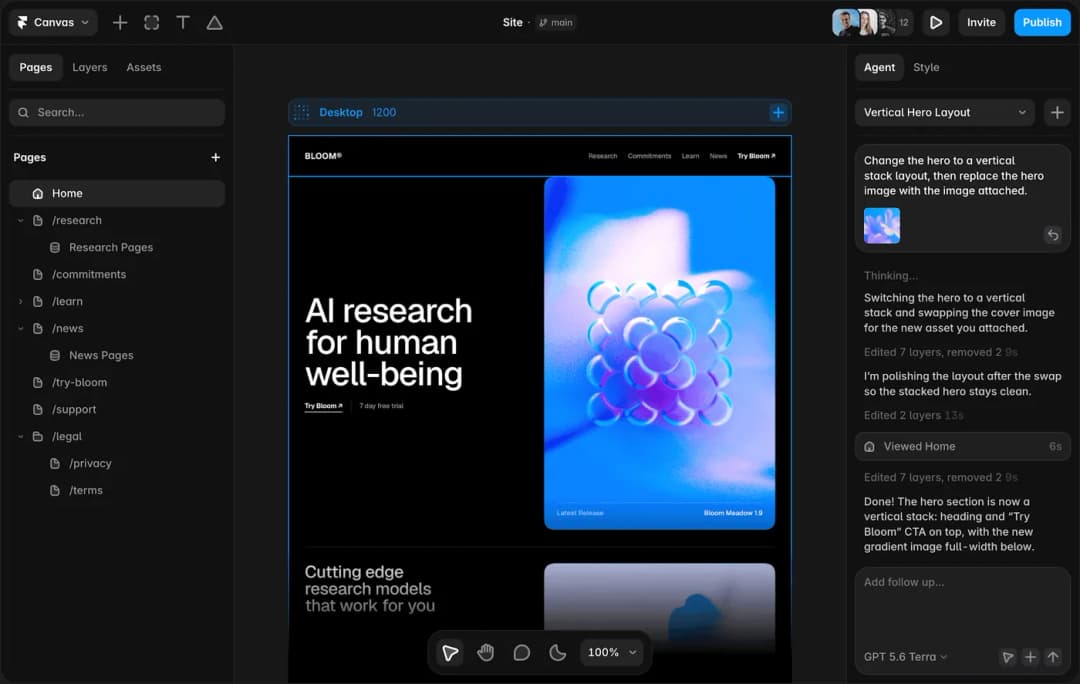
The designer question is what happens after approval. Framer is strongest when the early structure can continue toward website design that can move directly into a responsive published site without a painful rebuild.
The unusual advantage is that the design does not have to die at handoff. A marketing page or content site can keep evolving inside the same tool until it ships.
Where it fits best
Use Framer when website design that can move directly into a responsive published site. It is particularly useful when that need is already visible in your current workflow and the team can measure whether the tool actually removes a handoff, shortens iteration, or improves the quality of the artifact.
The tradeoff
It is website-centric. For large native applications, research-heavy UX work, or complicated enterprise interaction logic, it is usually better as a specialist rather than the main design platform.
Current context: Framer said in June 2026 that more than 188,000 companies across 200 countries were using the platform, powering more than 4 million published websites. Source
Which One Should You Choose?
Choose Figma if your priority is collaborative interface design from wireframe to developer handoff. Choose Sketch if your priority is native Mac interface design with mature prototyping and handoff. Choose Penpot if your priority is open-source UI design, self-hosting, and closer design-to-code alignment.
Choose Miro if your priority is collaborative discovery, workshops, research synthesis, flows, and early wireframes. Choose Whimsical if your priority is fast flows, diagrams, and lightweight wireframing. Choose Moqups if your priority is browser-based wireframes, mockups, diagrams, and simple prototypes. Choose Framer if your priority is website design that can move directly into a responsive published site.
Do not choose from the feature count alone. Pick the tool that removes the next expensive handoff in your workflow. If it only gives you a faster first draft but creates more cleanup later, the speed is mostly cosmetic.
FAQs
What is the best best wireframing tools for most teams?
For most teams, Figma is the safest starting point because it matches the central job of this list: collaborative interface design from wireframe to developer handoff. The better answer can change quickly when your team has a strong platform, code, or workflow constraint.
Are free best wireframing tools good enough?
Free plans are usually enough to test the workflow and judge first-result quality. The limits show up later in collaboration, AI credits, private projects, exports, version history, team controls, or production use. Test your real workflow before paying for a year.
Should AI replace the designer in this workflow?
No. AI is most useful for generating options, assembling first passes, translating structure, or automating repetitive edits. Problem framing, accessibility, product judgment, prioritization, and deciding which direction is actually right still need human ownership.
How should I evaluate these tools before buying?
Use one small real project. Give every candidate the same brief, the same existing assets, and the same correction request. Compare the second and third iterations, not just the first output. That exposes workflow friction much faster than a feature checklist.
Final Thoughts
The best best wireframing tools is the one that makes the next decision cheaper. For this list, Figma is the strongest default, but the specialist options become better as soon as your constraint becomes specific. Match the tool to the output, handoff, and level of fidelity you actually need. That is how you get speed without simply moving the work somewhere else.
If you need help turning a prototype into a polished digital experience, explore Omnix Studio’s website UI/UX design and mobile app UI/UX design services.