Research updated: October 13, 2026 · Omnix Studio editorial comparison
A designer prompts an AI tool for a dashboard. In a minute or two, a convincing interface appears. The team loves the first screenshot. Then someone asks three inconvenient questions: Can we change the design without starting over? Can users click through the whole flow? And what happens when engineering needs to ship it?
Those questions are why Google Stitch vs Figma Make is a more interesting comparison than a contest over who generates the prettiest UI. Both products have changed substantially in 2026. Google’s Stitch has become an AI-native canvas with interactive flows, voice interaction, a design agent, and several ways to pass work toward development. Figma Make has expanded beyond a prompt-to-prototype demo into code-backed, visually editable experiences with publishing and increasingly direct connections to real codebases.
The short answer: Choose Google Stitch when you need to explore interface directions rapidly, especially from loose product intent, voice prompts, and mixed references. Choose Figma Make when you already work in Figma, need to honor existing design context, or want to move a coded prototype through collaboration and review. Neither choice eliminates the need for accessibility, security, user testing, and production QA.
This is a documentation-led editorial analysis, not a claim that Omnix Studio ran the same paid benchmark inside both products. Features are checked against official product announcements and help documentation, with dates noted where availability is still changing.
Key Takeaways
- Stitch is for exploration first. Its AI-native canvas accepts text, images, code, and voice-driven direction, and it can connect screens into interactive flows.
- Figma Make is for design context plus functional behavior. It can start from Figma assets and generate code-backed prototypes that can be edited in the preview and code editor.
- The old “Stitch is only static UI” comparison is out of date. Google expanded prototyping in late 2025 and overhauled Stitch in March and May 2026.
- The old “Figma Make cannot export code” comparison is also out of date. Figma documents a code editor and ZIP code download for eligible seats, with a broader Git-based foundation announced in 2026.
- Design-system fidelity requires inspection in either tool. Stitch’s
DESIGN.mdcommunicates intent; Figma Make can take actual libraries, frames, and components as context. Neither guarantees identical results across every screen. - Pricing isn’t just “free vs paid.” Figma meters AI credits by seat and usage; Stitch’s Labs access and limits can change. Confirm your account-level allowances before committing to a production workflow.
- Your downstream team should choose the winner. The right output is one your next designer or developer can inspect, iterate, and maintain.
Google Stitch vs Figma Make: Quick Comparison
| Decision area | Google Stitch | Figma Make |
|---|---|---|
| Starting point | Open-ended goals, references and voice | Prompt, existing Figma frames, libraries and code context |
| Primary workspace | AI-native canvas for multiple directions | Code-backed app/prototype with Figma-oriented review |
| Interaction | Connected screens and flow previews | Functional prototypes, code and backend options |
| Design-system input | DESIGN.md rules and style references | Figma design assets, Make kits and components |
| Code/handoff | Google tools and documented export routes | Code editor, ZIP download and 2026 Git-based foundation |
| Collaboration | Shared exploration and agent feedback | Figma review, comments and publishing |
| Typical caveat | Labs availability and engineering follow-through | AI credits, seat limits and beta differences |
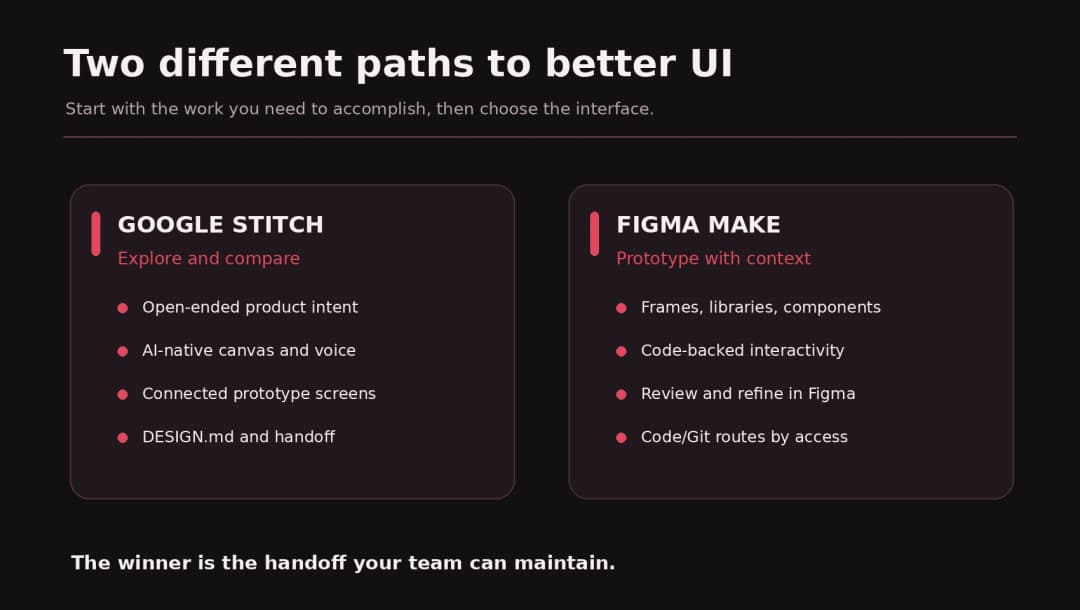
At a glance, the main difference is where each product anchors the work. Stitch starts from an exploratory AI design space. Figma Make starts from a Figma-connected, code-backed product workflow. That is a useful distinction, not a judgment that one is universally better.
What Is Google Stitch in 2026?
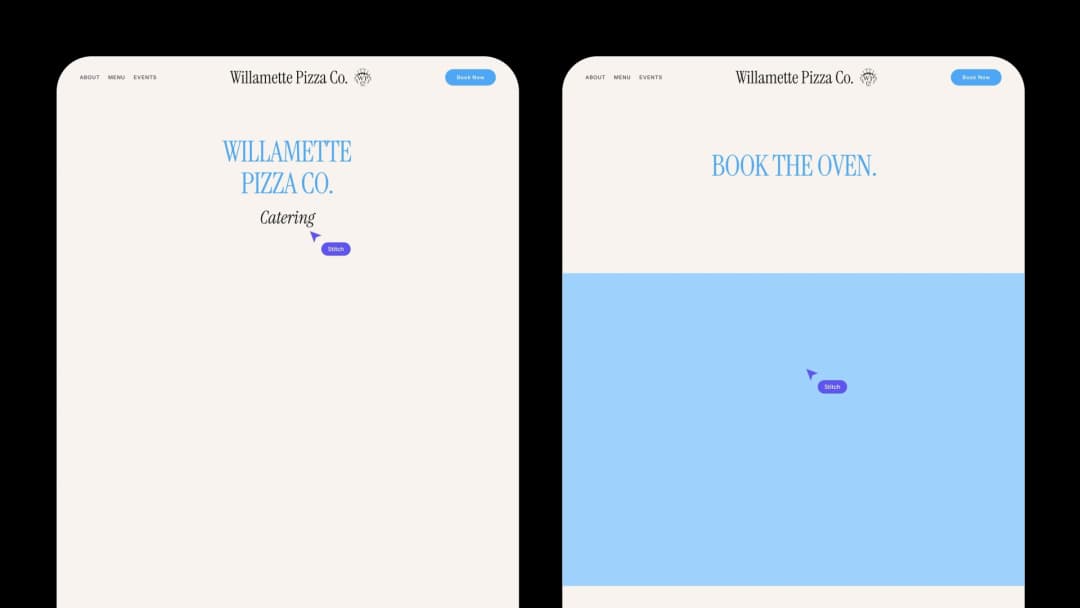
Google Stitch is an experimental UI-design environment from Google Labs. It began as a way to generate interfaces from prompts. By March 2026, Google described a redesigned AI-native infinite canvas where people can combine natural-language goals with screenshots, design references, text, and code. A design agent can work with users on screen directions and revisions. Stitch also supports connecting screens into prototypes and previewing user flows.
In its March product announcement, Google introduced a voice-led workflow: ask the agent to critique a page, explore alternate navigation, or change a color direction while you are viewing the canvas. That matters to designers who think aloud or prefer to evaluate several directions side by side instead of accepting the first proposal.
The May 2026 update added live streaming of changes to the canvas, steerable iterations, shareable handoff through Google AI Studio, routes toward Google Antigravity, and publishing through Netlify. Google presents these as part of an evolving experimental workflow. It is still important to confirm what is available in your workspace and whether a generated export includes the implementation details your app needs.
Stitch also introduced DESIGN.md, a readable file for design-system intent: colors, typography, component guidance, and other rules. Google open-sourced a draft specification in April 2026. This is useful when you need to communicate the why behind a visual system across design and coding tools, rather than send only a flattened screenshot.
Best fit: early product ideation, multi-screen exploration, quick flow validation, visual direction for small teams, and designers who want to iterate conversationally.
Watch out for: experimental feature changes, inconsistent results between generated screens, production behavior that still needs engineering, and a handoff that may not cover every backend requirement.
What Is Figma Make in 2026?
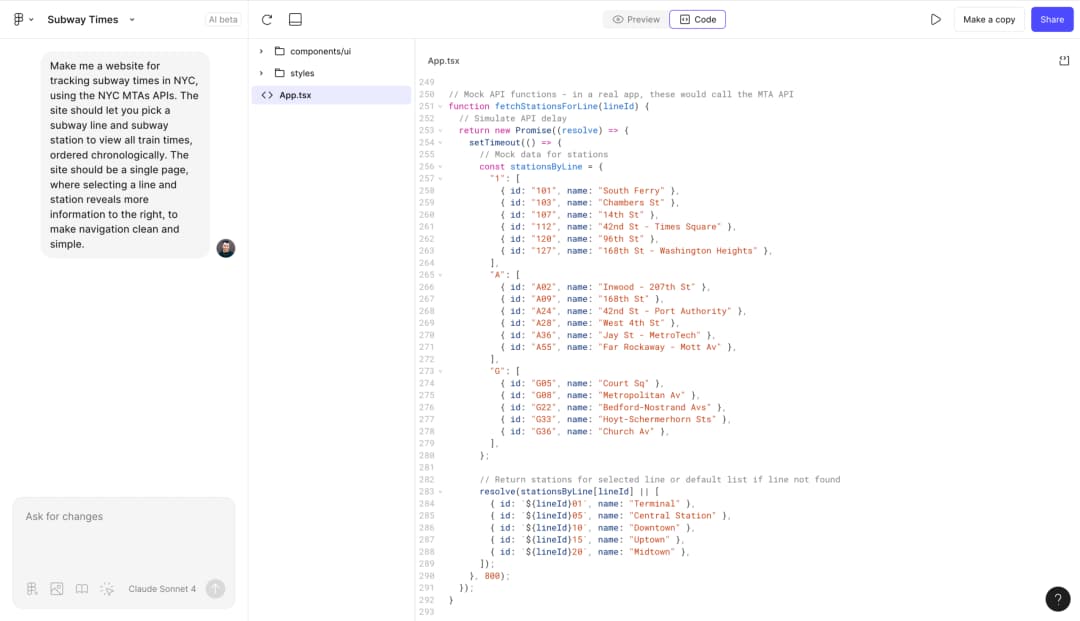
Figma Make is Figma’s AI-driven prompt-to-app environment. You can describe what to build, attach existing Figma frames or design libraries, receive generated code and an interactive preview, and then iterate through chat, visual controls, and the code editor.
This matters because a team’s design is rarely a blank prompt. It contains brand rules, components, spacing conventions, accessibility decisions, and feedback from several people. Figma documents the ability to attach design files and Community context; paid plans also support bringing design library styling into Make. Its creation guide describes previewing and directly editing the generated code, adding backends, planning before building, and using external context through connectors.
Figma’s product has also moved significantly during 2026. In May, Figma announced a limited beta for working in local codebases, including branch creation and code review. In July, its new file foundation broadened framework support and stored Make project code in Git repositories. These are not reasons to assume every Figma user already has production-codebase access. Some workflows are limited, beta-only, or tied to a specific seat or environment.
On the design side, Figma describes a way to copy a Make preview into Figma Design as editable layers. Those layers are a snapshot, not a permanently synced interactive prototype. That’s an important nuance for teams planning a two-way design-to-code workflow.
Best fit: product designers using Figma already, design-system-aware prototyping, stakeholder review, collaborative iteration, and teams building toward an engineering handoff.
Watch out for: AI-credit usage, seat restrictions, whether specific beta features are enabled, and the need to review generated code and interactions rather than treating the preview as production approval.
1. Starting a Design: Blank Canvas vs Existing Product Context
Stitch: Begin with a problem, not a pixel-perfect frame
Suppose you have one paragraph: “Design a calm finance dashboard for freelancers to track unpaid invoices and tax reserves.” In Stitch, you can ask for several visual directions, bring in an inspiring screenshot, or revise the concept through voice. The infinite canvas supports comparing options without deciding too early which layout becomes the final system.
That workflow is useful in discovery. A founder may understand the problem and audience without having a wireframe. A marketer may have a few reference sites but no component library. A product team may be exploring whether a dashboard or a guided checklist is easier to understand.
The limitation appears when exploration turns into governance. If the brand has precise spacing, a complex table component, tokens shared with engineering, and dozens of existing screens, you must verify that new generations follow those rules. A written design intent file helps, but it is not automatically equivalent to a thoroughly maintained component system.
Figma Make: Begin with assets your team already trusts
Imagine the same dashboard, but this time your team has a Figma library with form fields, navigation components, a type scale, and a dozen product screens. Make can use those frames and design assets to guide a prototype. Its value is not that the AI necessarily invents a better design; it is that the team can start from decisions it has already made.
That is a real advantage for existing SaaS products. A flashy generated layout is less useful if it creates unfamiliar buttons, inaccessible controls, or contradictory spacing. Design context narrows the search space and gives reviewers something concrete to compare with established patterns.
Editorial verdict: Stitch has the cleaner reason to exist for open-ended exploration. Figma Make is better positioned when the first requirement is preserve this product’s design language. Neither result should be accepted without a screen-by-screen consistency review.
2. Iteration and Editing: How Much Control Do You Keep?
AI design tools often look excellent on the first generation. The difficult work begins when a reviewer says, “Keep everything, but change the empty state, the mobile filters, and the success feedback.”
Stitch’s agent can revise elements as the user steers the design. Its interactive canvas makes branching ideas visible, and Google positions voice dialogue and in-progress feedback as part of the design loop. For a concept workshop, this makes creative exploration easy to communicate to a non-designer.
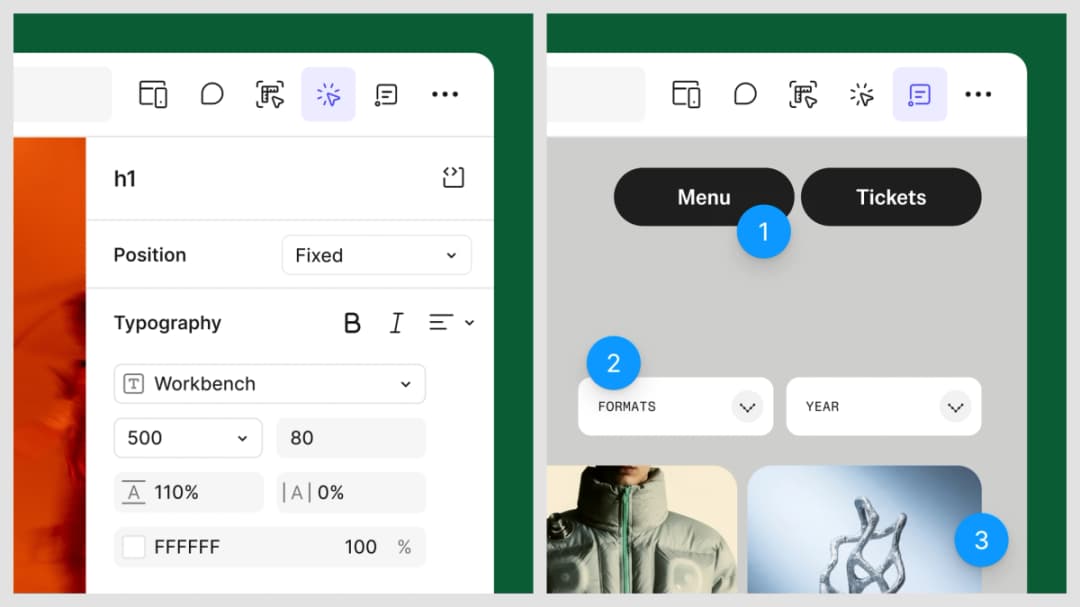
Figma Make offers a different control model: the generated result is code-backed, and the documentation describes selecting elements, editing properties, annotating, chatting, and working directly in the code editor. The potential advantage is specificity. If the behavior lives in a component, an engineer may be able to inspect and change it in a repeatable way rather than trying to get the AI to reinterpret a screenshot.
Neither approach guarantees surgical edits. A model may update neighboring elements, alter a responsive breakpoint, or regress an interaction after a seemingly minor prompt. Keep versions, limit change scope, and check the states you did not intend to modify.
Useful test: Ask both products to change the mobile navigation while keeping the desktop layout, labels, empty state, and keyboard order identical. Count unwanted changes. That is more informative than admiring a single polished hero screen.
3. Prototypes and Interactions: What Can a User Actually Test?
Both tools now support more than static UI, which makes older comparisons misleading.
Google announced Stitch’s screen-connection prototype feature in December 2025, then extended the broader flow experience in March 2026. You can connect screens, preview a journey, and generate plausible next screens. For early UX testing, that’s useful when the question is whether a person understands the sequence: select a plan, confirm details, and finish onboarding.
Figma Make works with code-backed interactive prototypes. It can generate behavior in forms, interactive controls, animations, and app flows. Its help center also documents options for attaching content and adding backends. That creates room to test richer behavior, but “interactive” does not automatically mean “correct.” A form might look valid while storing nothing or allowing an invalid state.
Separate three levels of fidelity before choosing:
- Navigation fidelity: Can the user follow the intended journey and find the next action?
- Behavior fidelity: Do forms, state changes, validation messages, filters, and loading states act plausibly?
- Production fidelity: Does the app enforce permissions, persist data safely, recover from errors, and withstand real deployment conditions?
Stitch and Make can help with the first two. Neither should be considered proof of the third without a proper implementation and testing process.
One acceptance brief for both tools
Create a mobile-friendly customer onboarding flow with four steps: company profile, team invitation, plan selection, and confirmation. Include a progress indicator, back navigation without lost data, field errors, a loading state, an empty team list, and an accessible success message. Use the provided brand palette and body-font scale. Keep the whole flow keyboard-operable.
Record which interactions work in a preview and which are merely represented visually. This is a proposed methodology, not a benchmark we claim to have run.
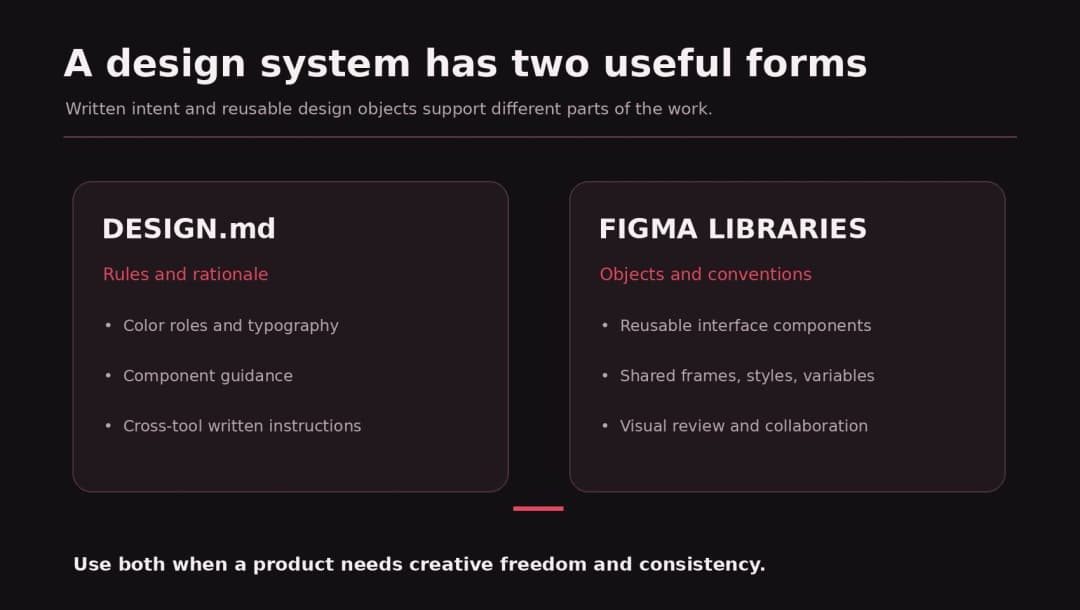
4. Design Systems: DESIGN.md vs Figma Libraries
This may be the most meaningful dividing line for serious product teams.
Stitch’s DESIGN.md is intended to carry visual rules across projects and agents. A readable spec can include what primary colors mean, how typography is used, and what a component should do. Because Google has published the draft format, teams can potentially use it outside Stitch as a shared instruction layer.
Figma Make has stronger proximity to Figma’s existing artifact ecosystem: libraries, frames, components, and familiar review conventions. Its inputs may preserve visual and organizational context that a prose specification cannot capture fully. The product also supports moving Make previews into editable design layers, with documented limits.
A DESIGN.md file and a Figma component library solve overlapping but different problems. One tells humans and agents how the system should behave and look. The other gives teams concrete reusable design objects, properties, and established collaboration practices.
Recommendation: For a greenfield product, begin with a small written rule set and compare generated directions. For an established product, bring real components into the experiment, then audit the AI output against the source system. In either case, document spacing, type scales, focus states, responsive behavior, and accessibility conventions outside the prompt.
5. Code, Git, and Developer Handoff
A powerful-looking prototype is not a code handoff. Developers need to know what is generated, what is editable, where the code lives, and how changes are reviewed.
Stitch’s route into development
Google’s May 2026 update describes taking screens into Google Antigravity and publishing through Netlify, with shareable links through AI Studio. It also supports broader design context through developer-oriented tooling. That opens useful paths for moving a concept toward real code. But the published announcement does not prove that every generated UI is deployable as a production application with your exact data model and compliance requirements.
Ask what is actually exported: rendered screens, HTML/CSS, React components, design rules, assets, or an application with persistent state? Different routes have different maintenance consequences. Test your chosen route with one nontrivial component before building the entire product around it.
Figma Make’s route into code
Figma explicitly documents editing the generated application’s source files and downloading a ZIP of code for eligible Full or Dev seats. In 2026 it has also moved Make project code onto a Git-based foundation and announced limited local-repository development. This makes “Figma Make doesn’t generate code” plainly inaccurate.
Still, keep the availability labels straight. A feature announced for a limited beta is not necessarily accessible in every browser, plan, geography, or organization. An older Make file may need a migration. Native Git features should be validated in the actual account before publishing any workflow promise.
Practical handoff audit: Check whether a developer can install the project, identify dependencies, run the app, inspect the component structure, change a shared button once, add a test, and deploy without losing user data. That is the difference between a transferable prototype and a disposable demo.
6. Collaboration, Review, and Stakeholder Feedback
Stitch’s live canvas and conversational agent suit concept conversations, particularly when a team wants to say, “What if this journey started with the goal instead?” Google describes an increasingly collaborative experience, but teams should verify sharing roles, organizational controls, and project access in their workspace.
Figma Make is appealing where Figma is already the home for feedback. Teams can share prototypes, comment on changes, and review visual directions in a familiar product ecosystem. Figma documents web publishing, including plan-dependent custom-domain options. It also offers a route for taking a snapshot of generated preview into editable Figma layers. But a copied snapshot loses interactive connections, so keep a clear source of truth.
Choose based on review friction: If stakeholders want to explore alternate concepts together, favor a wide canvas. If reviewers need to compare a new screen with an existing product library and hand comments to the same design team, Figma integration is valuable.
7. Pricing and Access: What Does the Work Really Cost?
Pricing claims are especially easy to get wrong in AI design. An old comparison may say Stitch is unlimited and Figma Make has no usable free access. Neither assertion should be copied without checking current usage rules.
Google has presented Stitch as an experimental Labs tool, with access and features evolving through 2026. Do not treat “available at no charge today” as a promise of unlimited generations, perpetual free access, or a future price. Inspect the current account limits and terms.
Figma publishes a more explicit credit model. According to its AI-credit documentation, full seats receive plan-dependent monthly allocations, while other seat types and Starter access have different limits. As of the checked documentation, Professional Full receives 3,000 AI credits per month, Organization Full 3,500, and Enterprise Full 4,250; Starter and several other seats show 500 credits, with some daily caps. Prompt consumption varies by model and context, so these numbers are not equivalent to a fixed number of generations. Verify them on publishing day.
For an agency, the meaningful equation is:
Effective prototype cost = subscription + AI usage + rework hours + developer handoff + hosting/integration costs.
This is a budgeting framework, not a vendor price estimate. A nominally free tool can be expensive if the team must recreate a design system. A paid tool can be economical if it preserves a week of engineering review. Measure the actual workflow.
Which Tool Fits Your Project? Three Practical Scenarios
Scenario A: A founder needs five directions for a new app
You have a product brief, a mood board, and no established design system. You need to choose whether the product starts with a dashboard, a guided checklist, or a mobile-first feed.
Start with Stitch. Use its large exploratory canvas to generate alternatives, connect a user journey, and take the promising direction into a deeper prototype. The deliverable is a validated approach, not a promise of ready-to-ship code.
Scenario B: A SaaS team needs a new feature that matches its existing product
Your components and layouts are already in Figma. Product managers want a clickable prototype to test with a small customer group before engineering starts.
Start with Figma Make. Give it the relevant components, existing screens, and acceptance criteria. Review the generated behavior and then bring the preferred screens back to Figma for the design team. Confirm which layer and code handoffs are available on your plan.
Scenario C: An engineering team needs a production feature
The project has a repository, tests, authorization rules, API contracts, and multiple release environments. Design exploration is only one piece of the work.
Don’t let the tool name decide. Use the design environment that best communicates intent, then run a real engineering review. Figma Make’s code and Git direction may fit one workflow; Stitch plus a separate coding environment may fit another. The right choice depends on the existing technology and how developers accept changes. See our AI prototyping tools guide for the broader landscape.
A Fair Test You Can Run With Both Tools
If you want a selection that survives stakeholder scrutiny, use one brief and a simple scorecard rather than anecdotes or AI-generated rankings.
Step 1: Freeze the brief. Use the same audience, user goal, brand references, copy, and device targets. Attach comparable design context where possible and note any unequal input.
Step 2: Generate a first direction. Save the result and the prompt history. Record how many manual interventions were necessary before it resembles the brief.
Step 3: Test correction, not only creation. Request one small change: revise the error message and mobile layout without touching desktop navigation. Record collateral changes.
Step 4: Test the full user journey. Click every forward and backward step. Trigger errors. Use keyboard navigation. Check empty states, responsiveness, and messages for screen-reader users.
Step 5: Inspect handoff. Identify the deliverable: shared canvas, editable design layers, DESIGN.md, source code, assets, repository branch, deployed preview, or several of these.
Step 6: Record ongoing cost and access. Note paid seat types, credits consumed, time spent, and whether a colleague can open the result without buying additional access.
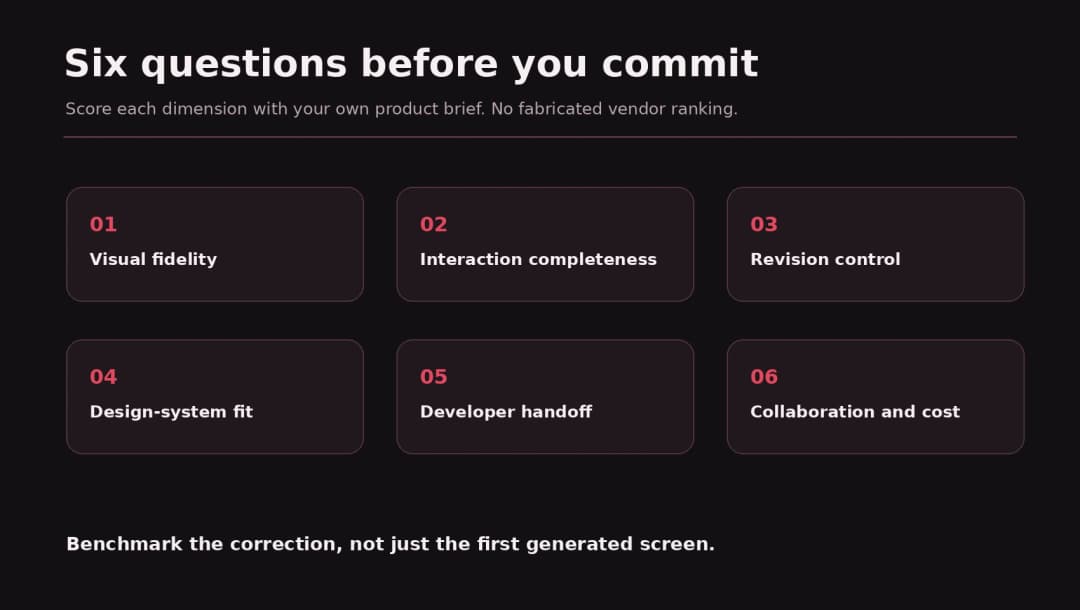
A practical scoring model can give each category 0–5 points: visual fidelity, interaction completeness, revision control, design-system consistency, developer handoff, and collaboration. Weight the dimensions to suit your project rather than using one universal winner. We have not assigned actual tool scores because this article does not claim a controlled live test.
Six Mistakes to Avoid Before You Commit
- Judging by the first screenshot. A convincing hero section tells you little about validation, responsive states, or usability.
- Confusing a prototype with a deployed product. Real software needs permissions, backups, observability, and error recovery.
- Assuming 2025 feature limits still apply. Both products added meaningful capabilities through 2026. Check release dates and current seat access.
- Skipping design-system review. Generated components can look plausible while ignoring the spacing and interaction rules your product uses elsewhere.
- Treating AI credits as the whole bill. Rework, code review, integration, hosting, and maintenance may dominate the true cost.
- Publishing generated UI without rights and privacy review. Check uploaded source content, fonts, imagery, user data, and sharing settings before going public.
Final Verdict: Stitch for Exploration, Figma Make for Product Context
Choose Google Stitch if your main problem is getting from an idea to several credible interface directions and interactive flows without assembling a full design file first. Its voice-driven agent and open-ended canvas can make the discovery phase more fluid.
Choose Figma Make if you need an AI-assisted path from existing Figma assets into functional prototypes, closer reviewer collaboration, editable code, and a workflow your design team can carry forward. Recent codebase features make this a more serious development-adjacent option than it was at launch, but you should verify the exact availability of any beta feature you intend to rely on.
Choose neither as your sole production process when the product handles sensitive data, complex roles, payments, or significant business risk. Use AI to accelerate exploration and implementation, then rely on deliberate UX research, accessibility validation, QA, and engineering ownership.
At Omnix Studio, we design and build web experiences, SaaS interfaces, and custom applications. If your team has generated a promising prototype but needs a dependable product design system or engineering handoff, our design and development services can help you scope the next step.
For related reading, explore 7 Best Google Stitch Alternatives, 6 Best AI Prototyping Tools, and 7 Best Figma Alternatives.
Frequently Asked Questions
Is Google Stitch better than Figma Make for beginners?
Stitch is an approachable starting point for visual exploration from a natural-language idea. Figma Make can also begin with a prompt, but its strongest advantage appears when your team already uses Figma and wants to bring that design context into a functional prototype. A beginner should test both with a small project, not choose solely by the number of features.
Can Google Stitch make clickable prototypes?
Yes. Google announced screen-linked prototypes in December 2025 and expanded the interactive workflow in March 2026. Verify that the specific behavior you need works in your chosen project mode rather than assuming every generated control is functional.
Does Figma Make generate real code?
Yes. Figma describes generated code, in-product code editing, and code ZIP download for eligible Full or Dev seats. The 2026 Git-based foundation and limited local-codebase beta extend its development workflow. They should not be confused with universal access to every feature.
Can you export designs from Stitch to Figma?
Stitch supports routes for moving its design work into other tools, including Figma-oriented handoff paths described in its product materials. Check the current export options in your account and confirm whether the result consists of editable layers, exported visuals, specifications, or code.
Is Google Stitch completely free in 2026?
Google has offered Stitch as an experimental Labs product, but it would be misleading to promise unlimited free usage indefinitely. Check the live service terms, account-level generation limits, and future pricing changes before planning ongoing business use around it.
Can I publish a website with Figma Make?
Figma’s help center documents publishing a functional prototype or web app at a public URL, with plan-dependent custom domains. Published code still needs content-rights checks, accessibility review, and security testing before you treat it as a production property.
Is Figma Make the same as Figma Design?
No. Figma Make is a code-backed prompt-to-app environment. Figma Design is the traditional visual design canvas and component workspace. A Make preview can be copied back as editable Figma Design layers, but Figma notes that the copied layers are snapshots, not a permanently linked interactive application.
Which tool is better for a design agency?
An agency doing discovery workshops may get more value from Stitch’s exploratory canvas. One responsible for maintaining an established product’s design system may prefer Figma Make. For agencies offering implementation, evaluate code inspection, handoff, permissions, client ownership, and long-term maintenance before choosing.
Editorial transparency: This comparison uses official Google and Figma product materials current at the research date. It includes scenario-based recommendations and a proposed evaluation method, not independently measured speed, output quality, or benchmark results. Pricing and beta availability should be rechecked immediately before publication.