Omnix Studio editorial guide | Research reviewed October 13, 2026 | Updated for modern WordPress site editing and the Next.js App Router
A business website can look polished in either WordPress or Next.js. That is not the hard part. The hard part is what happens after launch: a marketer wants to change the homepage before a campaign, a developer needs to add a customer dashboard, and the site must stay fast, secure, accessible, and easy to update.
Those needs make WordPress vs Next.js a surprisingly practical business decision. WordPress gives you a mature content management system (CMS) and an editor-oriented way to publish. Next.js gives a development team a React framework for building custom websites and applications. And they are not necessarily competitors: WordPress can manage content while Next.js displays it.
If you’re choosing a platform in 2026, start with the work your website needs to do rather than the technology you have heard is faster. This guide compares the editing experience, design flexibility, SEO, performance, eCommerce, security, operating costs, and ownership. It also includes three realistic project scenarios and a decision checklist you can use with an agency.
Key Takeaways
- Choose WordPress when your site is primarily a marketing, publishing, lead-generation, membership, or familiar eCommerce experience and your team needs to edit content frequently without asking a developer.
- Choose Next.js when the website is closely tied to a custom web application, complex interfaces, or established React engineering workflows and you can support ongoing development.
- Choose headless WordPress + Next.js when editors need WordPress but the public site needs a distinct React-driven frontend. Budget for the extra integration and maintenance work.
- Neither platform is automatically faster, more secure, or better for SEO. Implementation, hosting, caching, images, accessibility, and team practices matter more than the logo on the stack.
- The best financial comparison is a three-year ownership model, not a launch quote. Content changes, integrations, incidents, hosting, upgrades, and future hiring all count.
- A business can often build a distinct, performant website on WordPress without a page builder. Custom Next.js development is an option, not a prerequisite for serious design.
First, Understand What You’re Comparing
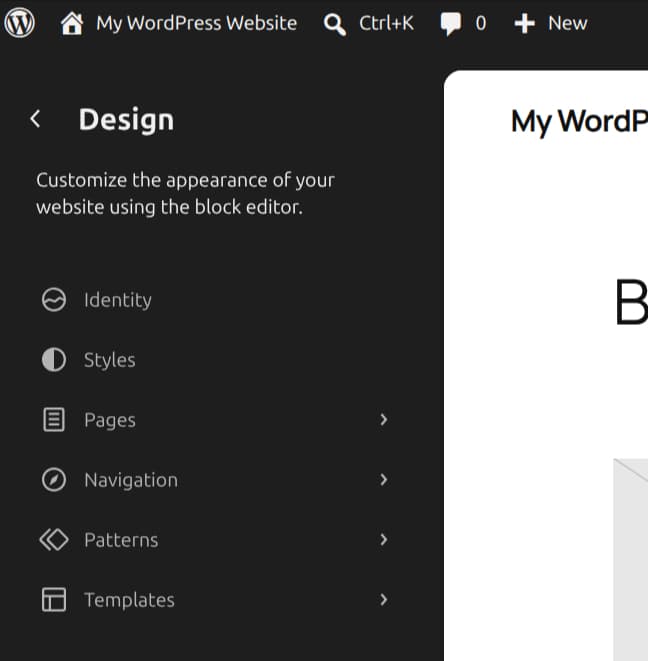
WordPress is an open-source CMS: a running website application with posts, pages, users, media management, revisions, plugins, themes, and editorial permissions. Its block editor and Site Editor support content, layout, reusable patterns, templates, and global styles, depending on the active theme. WordPress runs on a PHP/MySQL-compatible hosting environment, with operational details determined by your host and architecture. [1][2]
Next.js is a React framework used to build web interfaces and applications. It supports server-rendered and prerendered experiences, data fetching, routing, image optimization, metadata, and deployment patterns. It is not a built-in CMS. If non-developers need to publish articles or edit pages, you need to build an editing workflow or connect a CMS. [3][4]
That distinction changes how you evaluate their feature lists. WordPress has a website management experience from the start. Next.js gives engineers a programmable foundation. Neither description is a verdict on design quality.
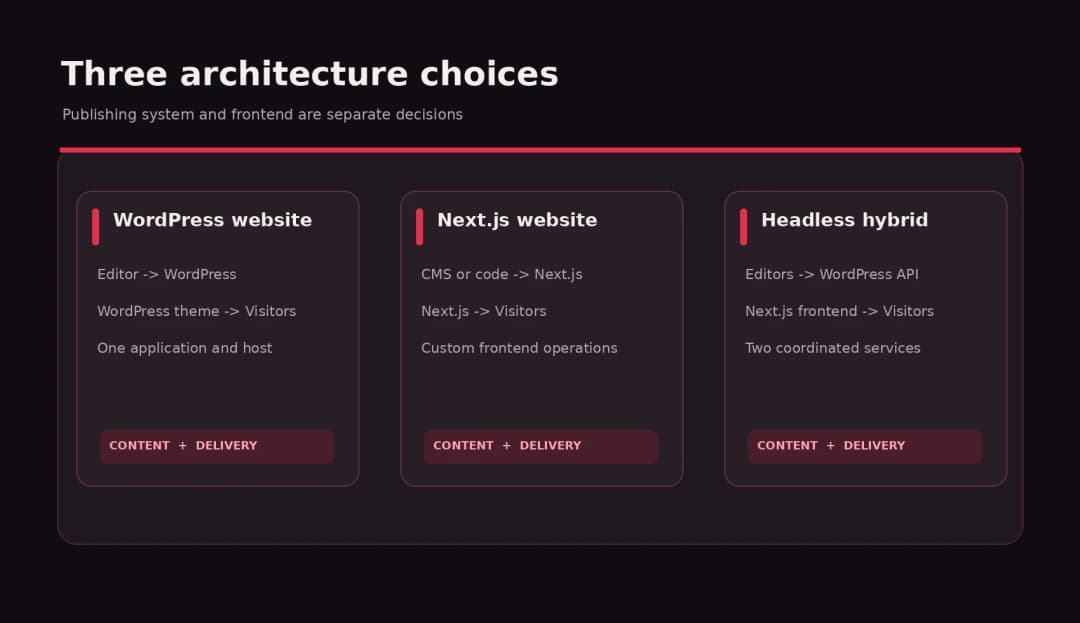
Three architectures, not just two
- Traditional WordPress: WordPress handles content administration and renders the public website using a theme and templates. Plugins extend its behavior.
- Next.js with a CMS or content source: Next.js renders the frontend. A separate CMS, database, or code-based content workflow supplies content.
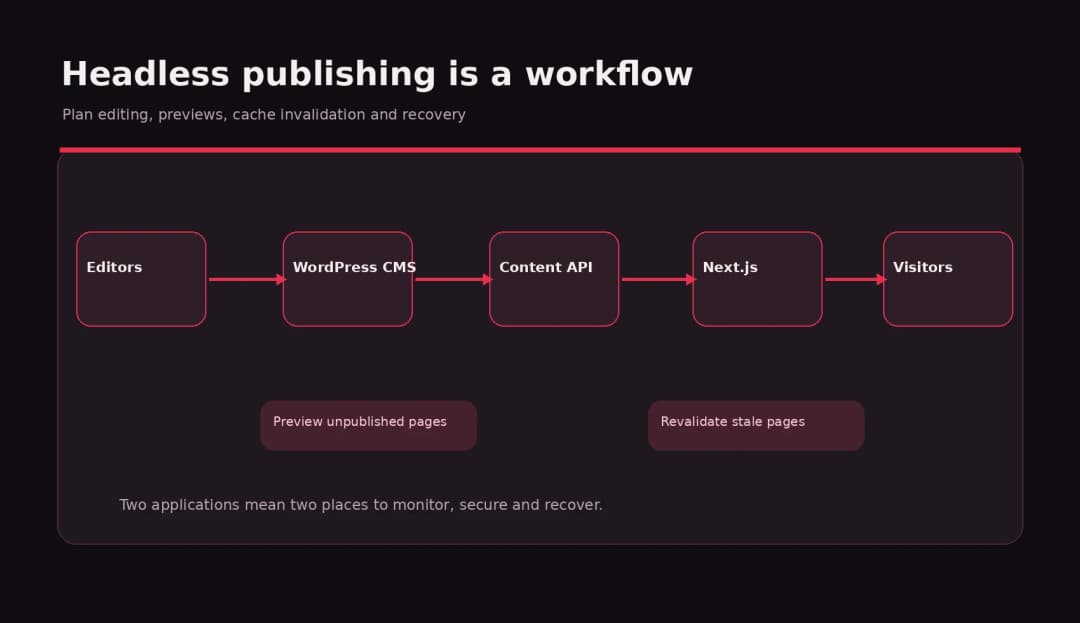
- Headless WordPress + Next.js: WordPress remains the editorial backend. Next.js consumes data through the WordPress REST API or an appropriately managed alternative, then renders the public website. [5]
WordPress vs Next.js at a Glance
| Decision area | WordPress | Next.js | Practical advice |
|---|---|---|---|
| Primary job | Manage and publish websites | Build React web experiences | Start with how the business operates |
| Editing pages | Built-in content and site editing | Needs a CMS or editing interface | Ask the marketing team to run a sample edit |
| Design control | Themes, blocks, custom code | Full component and frontend control | Both can support custom design |
| SEO | Achievable through settings, content, plugins, technical work | Achievable through metadata APIs and engineering | Audit the actual rendered pages |
| Performance | Depends on theme, plugins, hosting, cache | Depends on rendering, cache, code, hosting | Measure field data, not assumptions |
| Integrations | Broad plugin ecosystem | Build or connect via APIs/packages | Check total integration maintenance |
| Deployment | Managed WordPress or custom hosting | Managed platform or self-hosted server/static output | Assign ownership for operations |
| Best default for | Editorial and marketing-led sites | Product and engineering-led websites | Hybrid is an additional choice |
This table describes typical workflows, not measured speed, security, or price rankings. The responsive WordPress-ready table is included separately in the publishing package.
1. Content Editing: Who Has to Change the Website?
This is often the deciding factor and the one people overlook while comparing frameworks.
Imagine a campaign launches Thursday. The marketing team needs to change a headline, replace a customer quote, update the call to action, publish a case study, and schedule a blog post. In WordPress, these are ordinary editorial operations once the templates and permissions have been set up correctly. Editors can work with the block editor, manage media, revise posts, and use reusable patterns. The Site Editor adds template and global-style management for supported block themes. [1]
In a pure Next.js project, someone must decide where that content lives. It could be stored in code, Markdown files, a headless CMS, or a custom content management interface. All are legitimate choices. But if a developer is needed for every routine page edit, the low upfront cost of an elegant frontend can become a slow daily process.
WordPress can also frustrate editors when a site has been over-customized or relies on a confusing stack of page builders and plugins. The useful comparison is your proposed editorial workflow, not a product demo. Ask both vendors to show an editor changing a service page, publishing a new article, replacing an image, and undoing a mistake.
Best fit: WordPress for frequent nontechnical publishing. Next.js is just as viable when it is paired with a well-designed CMS and the extra integration work is accounted for.
2. Design Freedom: Is Next.js More Customizable?
There is a reason designers and engineers like custom React interfaces. With Next.js, the team can build reusable components, motion, complex data visualizations, onboarding flows, and interactive product experiences in a shared codebase. The result does not need to fit a pre-existing WordPress theme structure.
But it is too simplistic to say WordPress looks templated and Next.js looks custom. WordPress can use entirely custom themes, carefully designed Gutenberg blocks, theme.json settings, and lightweight frontend code. Many business sites that need excellent typography, responsive layouts, thoughtful motion, and strong accessibility do not require a separate React application.
The real questions are: How much unique interaction does the design need? Can the design system be reused? Which team will maintain the components? And is a developer required for every new campaign page?
A restaurant brochure site, for example, can be visually distinctive using WordPress. A live logistics dashboard or multi-step configuration product is more naturally treated as custom application work, where Next.js may fit.
Best fit: Both can produce excellent business websites. Choose Next.js when complex frontend behavior is central to the product, not merely because you want modern visuals.
3. SEO: Which Platform Ranks Better?
Neither WordPress nor Next.js comes with a guaranteed Google ranking advantage. Search visibility depends on content quality, crawlable pages, sound site structure, internal links, metadata, structured data where appropriate, performance, and ongoing technical maintenance.
WordPress has mature publishing workflows and tools for managing titles, descriptions, canonical URLs, redirects, sitemaps, and schema. Which parts are included out of the box versus supplied by plugins depends on your stack. Configuration still matters: a poorly managed archive, broken redirect, or duplicate template can create SEO problems on either platform.
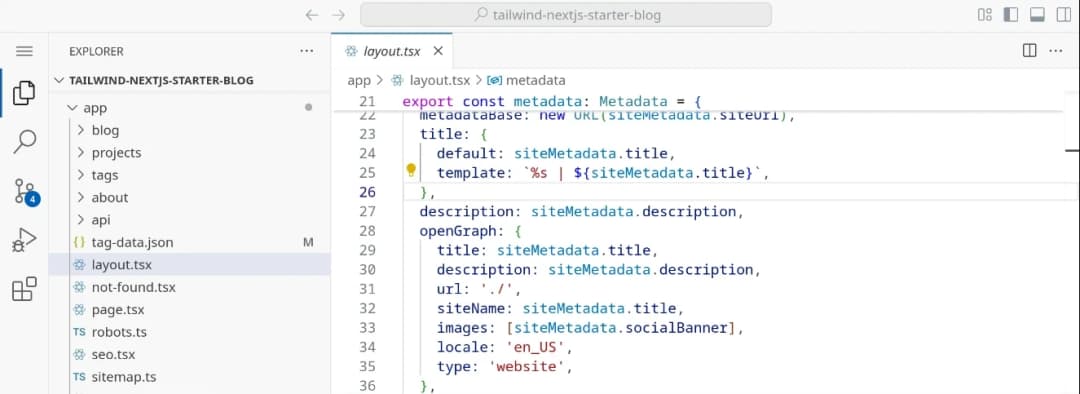
Next.js exposes Metadata APIs for static and dynamic metadata and supports metadata-file conventions, including robots and sitemap handling. A development team can generate clean server-rendered or prerendered HTML that search engines can process. [4][6]
Google’s own JavaScript SEO guidance explains the distinction between receiving useful content in the initial HTML and waiting for JavaScript rendering. Server-side rendering or prerendering remains a sound approach because not every crawler processes JavaScript the same way. That does not mean every Next.js site is hard for Google to index; it means the rendering strategy must be designed intentionally. [7]
A useful SEO acceptance test
Before launch, inspect the actual URL and confirm that:
- The main content is present and understandable without relying on a delayed client-side fetch.
- The page has a unique title, useful description, canonical handling, sensible headings, and indexability settings.
- Important links use crawlable navigation, and redirects preserve old URLs during a redesign.
- Sitemaps represent live canonical pages. Structured data accurately describes visible content.
- The mobile experience is readable and works with a keyboard and assistive technology.
- Search Console and analytics are configured so you can see what happened after launch.
Best fit: A correctly built site on either platform. For editorial teams that publish often, WordPress can reduce the number of development handoffs in routine SEO work. For advanced custom products, Next.js can offer deep control but also requires engineers to own the implementation.
4. Website Speed: Which One Is Faster?
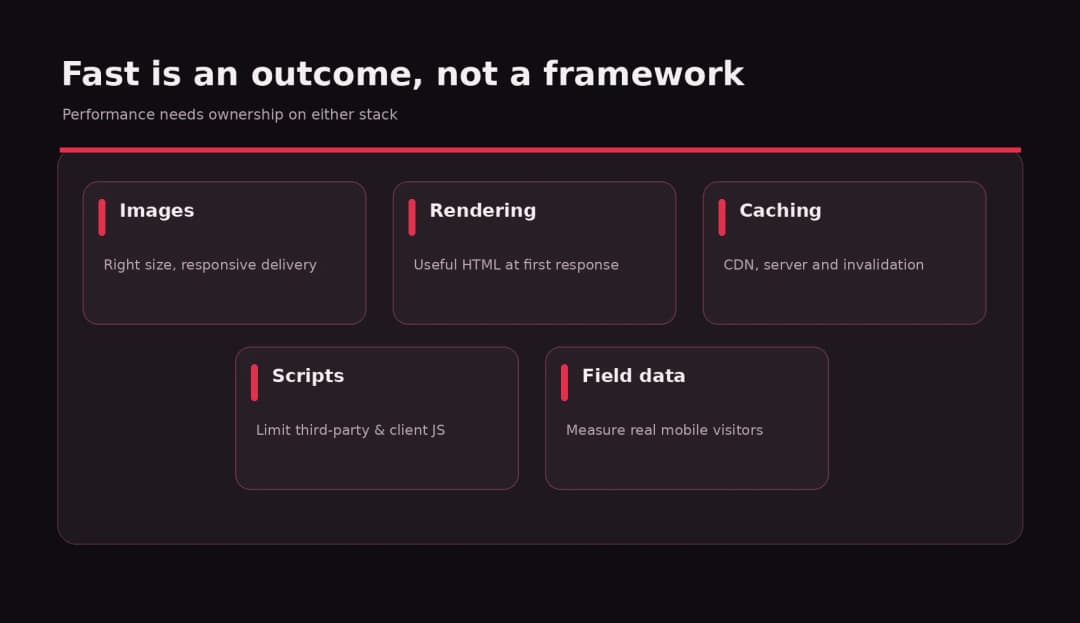
The answer you will find in many comparison posts is ‘Next.js is faster.’ The more accurate answer is Next.js gives developers excellent performance tools, while WordPress can also be fast when built and operated well.
Next.js supports prerendering, server-side rendering, caching, incremental static regeneration, and image optimization. Its official ISR documentation covers updating prerendered pages without rebuilding an entire site. The self-hosting guidance also warns teams operating multiple instances or CDNs to think carefully about cache coordination. These are powerful features, not automatic scores. [3][8][9]
WordPress can serve cached HTML efficiently through a suitable host, CDN, and cache strategy. But unnecessary plugins, heavy page-builder output, enormous images, a slow server, or inefficient third-party scripts can erase that advantage. The same goes for a Next.js frontend shipping too much client-side JavaScript or blocking critical content behind slow requests.
Do not compare a carefully optimized Next.js demo against an overloaded WordPress installation and call it a platform benchmark. Keep the page design, assets, traffic assumptions, and measurement method comparable.
What to measure instead
Use Core Web Vitals and practical user tasks. Check loading, interaction responsiveness, and visual stability. Complement Lighthouse or other lab tests with real-user field data and tests on ordinary mobile connections. Google’s published guidance and the Next.js production checklist both emphasize looking beyond a one-off synthetic score. [10]
Set a performance budget for the project: a target for important pages, image sizes, JavaScript, third-party tags, caching, and realistic devices. Assign someone to keep monitoring after release.
Best fit: The platform your team can optimize and maintain. There is no useful blanket speed winner.
5. Integrations and eCommerce: Plugin or Custom Build?
If your business uses forms, CRM, email automation, appointment booking, payments, memberships, a knowledge base, or a typical catalog and checkout, WordPress starts with a broad ecosystem. Many integrations can be installed and configured without writing a new application. That does not mean every plugin is a good fit; support history, licensing, data ownership, plugin conflicts, and security updates should be reviewed.
For eCommerce, WooCommerce and other WordPress store solutions can be sensible when the catalog, checkout, tax, and order workflows are fairly standard. The operations team can use the familiar backend, and extensions may cover the requirements. But highly unusual pricing, a bespoke configuration engine, a marketplace, or complicated account experiences may push you toward custom development.
Next.js can work with APIs, hosted commerce services, CRMs, and custom databases. This offers flexibility and a strong path for application-like commerce experiences, but someone must assemble, secure, test, and maintain the connections. An API-based integration is not inherently cheaper than a reliable supported plugin.
A headless WordPress + Next.js architecture is worth considering when content editors want WordPress while product engineers need a custom frontend. The WordPress REST API exposes posts, pages, media, taxonomy, and other resources, subject to its permission and authentication model. [5]
Best fit: WordPress for common publishing and business workflows; Next.js for a distinctive interface tightly connected to an engineered backend; hybrid when both requirements are strong and the budget supports the added moving parts.
6. Security, Updates, and Reliability
Avoid claims that one platform is simply secure and the other is insecure. Security comes from the entire system, its configuration, software supply chain, access controls, hosting, and maintenance.
A WordPress site needs a disciplined update policy for core, themes, and plugins, along with backups, least-privilege permissions, login protections, and tested recovery. Official WordPress documentation explicitly recommends current software, backups, and a way to roll back if updates cause problems. [11]
A Next.js app still needs dependency updates, secrets management, validation, authorization, logging, deployment controls, rate limiting, and infrastructure protection. The Next.js production guidance specifically calls out metadata, Core Web Vitals, content-security policy, and other deployment checks. [10]
A hybrid architecture adds integration risks: two applications, tokens or API access, cache invalidation, preview behavior, and potentially separate hosting environments. The benefit may be worthwhile, but it should be an explicit tradeoff.
Questions to ask an agency before signing
Who patches vulnerabilities? Who can restore the site? Are backups stored separately and periodically tested? How will staging and deployment work? Who monitors uptime, form submissions, email delivery, and checkout failures? What happens if the contracted developer becomes unavailable?
Best fit: The architecture with clear operational ownership. A boring maintenance process usually matters more than theoretical platform security debates.
7. Cost: Compare Three-Year Ownership, Not Just Build Quotes
WordPress is open source, but a WordPress project is not free. You may pay for discovery, design, development, hosting, licensed plugins, migration, integrations, maintenance, content support, and training. Next.js is also open source, but a custom application requires design and engineering labor, deployment and observability, content tooling, and ongoing upgrades.
Pricing varies far too much by region, team, scope, integrations, and service quality to declare that Next.js always costs more. However, for a conventional small-business website, the incremental labor of creating a content system and custom frontend can make an all-custom approach harder to justify. For product-led companies, the custom build may be an investment in a codebase they already maintain.
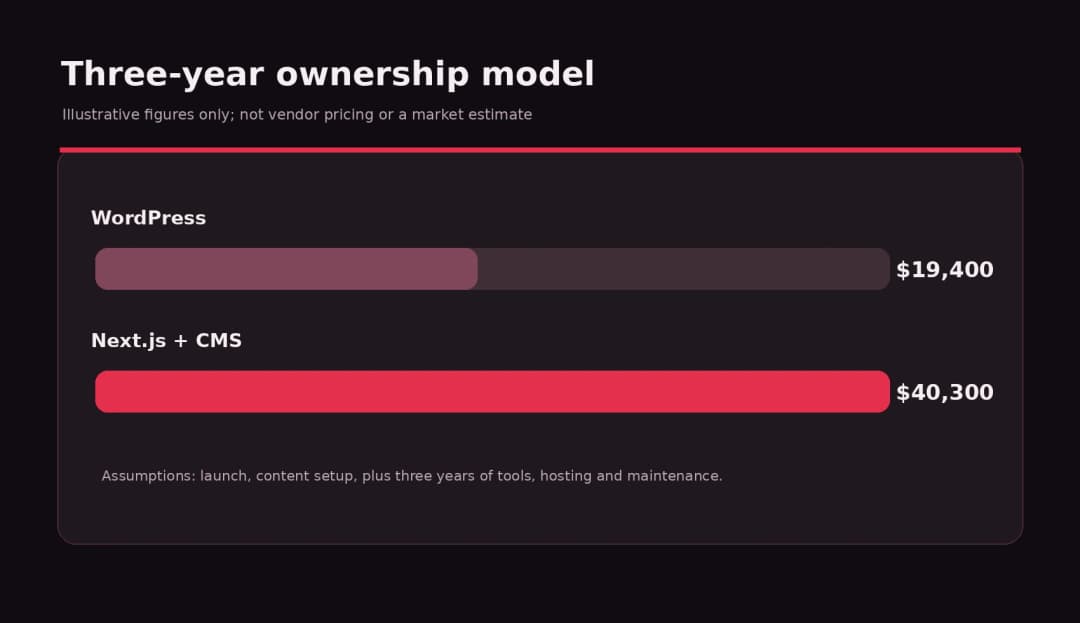
An illustrative ownership model
The following is a budgeting exercise, not market-rate research or Omnix Studio pricing. Assume two alternatives for the same content-led business site:
| Cost item, illustrative USD | WordPress build | Next.js + separate CMS |
|---|---|---|
| Initial design and development | $8,000 | $18,000 |
| Initial content setup/migration | $1,500 | $2,500 |
| Hosting and tools per year | $900 | $1,800 |
| Maintenance and small changes per year | $2,400 | $4,800 |
| Illustrative 3-year total | $19,400 | $40,300 |
Calculation: WordPress $8,000 + $1,500 + 3 × ($900 + $2,400) = $19,400. Next.js $18,000 + $2,500 + 3 × ($1,800 + $4,800) = $40,300. These assumptions exclude tax, major feature changes, unexpected incidents, and the opportunity cost of slow updates. All numbers are chosen to illustrate the method, not to describe typical vendor prices.
A simpler business site may cost far less. A heavily customized WordPress platform may cost more than a lean Next.js build. Use competing scope-matched quotes to populate your own model.
Hidden costs in both directions
For WordPress, watch for plugin renewal fees, overlapping extensions, bad integrations, redesigns caused by poor theme choices, and dependence on one contractor’s custom code. For Next.js, watch for content-entry workflows, preview systems, deploy pipelines, server costs, developer-only page edits, and duplicated integrations.
In either case, add a buffer for content migration, redirects, image licensing, accessibility fixes, analytics, and postlaunch support. If a vendor offers an unusually cheap quote, ask what is excluded before comparing totals.
8. A Practical Decision Framework
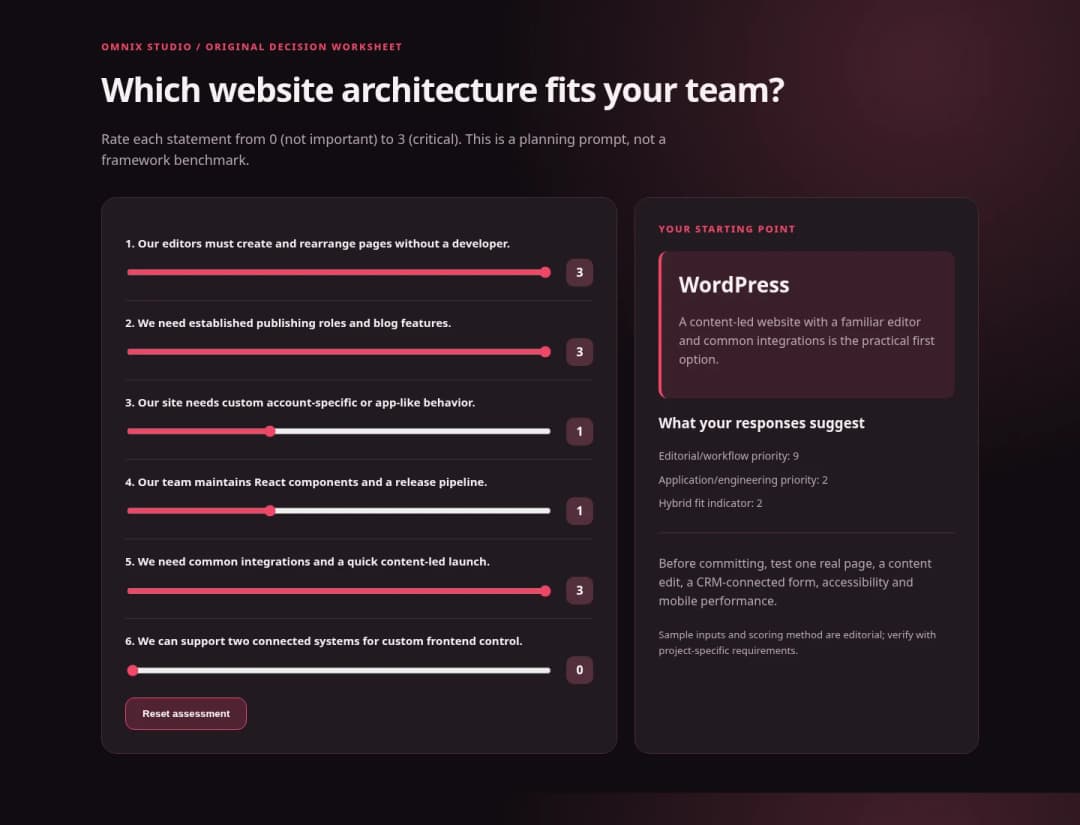
Rather than asking which platform wins in general, score the project against six conditions:
- Content velocity: How many nontechnical page changes and new posts happen in a typical month?
- Unique application behavior: Does the website need dashboards, complex account states, or interactive business logic?
- Existing team: Do you have capable WordPress developers, React developers, both, or neither?
- Integration depth: Can stable tools meet your needs, or will you own complex APIs and custom services?
- Lifecycle budget: Can you fund updates, hosting, support, fixes, and handoffs over several years?
- Ownership and portability: Who controls the source, content, backups, credentials, and documentation?
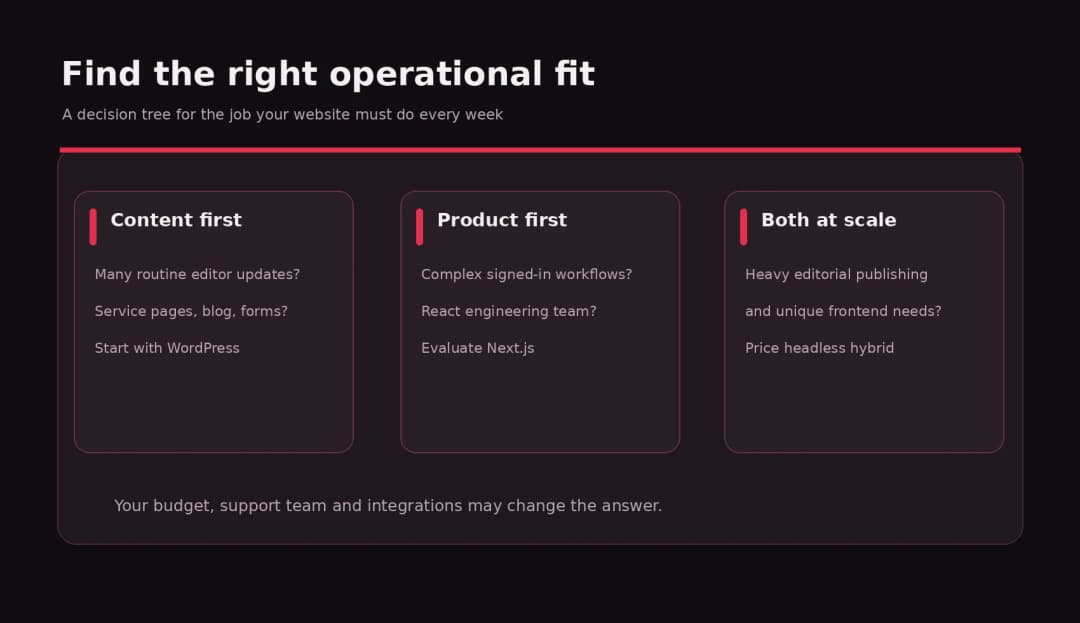
If routine publishing dominates, start by evaluating WordPress. If application behavior dominates and engineers already own React, evaluate Next.js. If your team needs both, price the hybrid route before committing.
Three Business Examples
Scenario A: Local professional-services website
A 12-page law or accounting site needs service pages, team profiles, testimonials, lead forms, location information, and monthly educational articles. The marketing manager wants to edit pages without a developer.
Recommended starting point: WordPress. A lightweight custom block theme or well-structured design system can deliver the visual quality, mobile usability, and content control required. Add only necessary integrations and establish performance and update rules. Next.js could certainly build this site, but the business needs a compelling reason to fund a custom editing stack.
Scenario B: SaaS company with a public website and complex application
A startup needs a marketing website, feature pages, documentation, logged-in workspace, usage charts, billing views, and product onboarding. Its engineering team already develops in React.
Recommended starting point: Consider Next.js for the product experience. The marketing website can also use Next.js, with a connected CMS for editors, or run separately on WordPress. Keeping both surfaces in one frontend may simplify some shared UI decisions, but can also couple marketing deployments to product engineering. Choose boundaries deliberately.
Scenario C: Editorial publisher with custom interactive tools
A media business publishes several articles every day, has dozens of authors, and wants calculators, dashboards, or interactive comparison experiences inside its content.
Recommended starting point: WordPress for editorial operations, then evaluate a hybrid. The interactive experience could be embedded or built separately. A full headless rewrite should be justified by a repeatable need, not enthusiasm for new architecture.
The common principle: buy for the work your team does every week, not just the feature you demo once.
When WordPress and Next.js Work Better Together
Headless WordPress lets editors continue using familiar content workflows while Next.js handles public rendering and custom UI. At a high level, a content editor updates a WordPress post, an API exposes the authorized content, and the frontend fetches and displays it. [5]
That looks clean in an architecture diagram, but several production details need answers before kickoff:
- Preview: How will an editor view unpublished changes on the Next.js site?
- Caching: What invalidates or revalidates a page when content changes? What happens if a webhook fails?
- Content modeling: Will blocks, embedded assets, reusable fields, taxonomies, and redirects map correctly?
- Permissions and secrets: How are private drafts and authenticated endpoints protected?
- Search and metadata: Where are canonical rules, sitemaps, schema, and page metadata owned?
- Forms and commerce: Do those run through the WordPress backend, another service, or separate APIs?
- Monitoring and recovery: Which system is responsible when a page is stale, an API fails, or a release breaks?
Next.js can deploy to managed environments or be self-hosted, but caches and infrastructure deserve special care in distributed deployments. [9] Teams without a reason to manage this complexity should not assume ‘headless’ is an upgrade.
How to Choose an Agency or Developer
Do not ask only whether a vendor ‘does WordPress’ or ‘does React.’ Ask for a working demonstration of your most important operational task and how it survives launch.
For WordPress, request a sample campaign-page edit, a custom-block or pattern demonstration, a security/update plan, and clear plugin ownership. For Next.js, request a demo of the content workflow, repository, preview/staging, dependency updates, and an example of performance testing. For a hybrid proposal, ask to see a draft preview and successful content-triggered revalidation.
Then get a written scope covering design, content migration, accessibility, analytics, search migration, hosting, backups, handoff, and monthly responsibilities. Clarify what is not included. Your ownership agreement should cover source, content, third-party accounts, licenses, and documentation.
We also recommend a basic acceptance exercise before the final invoice: let a nontechnical editor update one page, test a form submission, verify mobile layouts, check a redirect, and restore a backup or rollback a deployment in a controlled environment.
Our Recommendation for Most Business Websites
For a conventional business website where the main jobs are explaining services, earning trust, generating leads, publishing articles, and supporting a marketing team, WordPress is usually the more practical starting point. You do not need to surrender custom design or strong performance to choose it.
For a product-led company with a substantial React engineering practice, complex frontend behavior, and a need for code-level control, Next.js deserves serious consideration. Add a CMS if marketers need to own the content calendar.
For organizations with both strong editorial and specialized frontend requirements, WordPress + Next.js can be a good architecture if its extra maintenance is justified. The smartest solution is sometimes two distinct systems connected where necessary, rather than forcing everything into one framework.
Omnix Studio works across WordPress and custom web development. If you are planning a redesign or choosing an architecture for a new product, explore Omnix Studio’s design and development services. Bring your content workflow and the three hardest user interactions; those are more useful than a stack preference alone.
For related reading, see our guide to AI frontend tools and our design-to-code tools comparison. Our upcoming October articles will be cross-linked only after their real URLs are published.
Frequently Asked Questions
Is WordPress outdated compared with Next.js?
No. They serve different roles. WordPress is a continuously maintained CMS with a modern block and Site Editor. Next.js is a modern React framework. You can build contemporary designs on both, and they can be integrated.
Is Next.js faster than WordPress?
Not automatically. Next.js provides advanced rendering and caching tools, while a well-hosted, carefully built WordPress site can serve cached content efficiently. Compare actual pages, field performance, and ongoing operations rather than isolated demos.
Which is better for SEO: WordPress or Next.js?
Both can support search-friendly websites. WordPress offers practical publishing and SEO workflows. Next.js provides metadata APIs and server/prerendered pages. The quality of your content, technical implementation, crawlability, and maintenance determines the outcome.
Does Next.js have a built-in CMS?
No. Next.js is a React framework, not a complete editor and content management platform. You can manage content in code, build a custom editor, or connect WordPress or another CMS.
Can I use WordPress as a headless CMS with Next.js?
Yes. WordPress offers a REST API that can expose content to a separate frontend, subject to permissions and authentication. This approach needs planning for previews, cache revalidation, URLs, media, and integrations.
Should I migrate my existing WordPress website to Next.js?
Only if a clear business requirement makes the move worthwhile. A new frontend will not automatically improve search traffic or conversions. Audit your current site’s experience, speed, maintenance issues, and editorial bottlenecks. Preserve URLs and redirects if a migration proceeds.
Is WordPress better for small businesses?
Often, especially where nontechnical staff maintain service pages, blogs, and forms. But a small business building a custom software product can still benefit from Next.js. What your site must do matters more than company size.
Which platform is cheaper over three years?
There is no universal answer. A conventional WordPress content site may require less custom engineering, while a highly customized plugin-heavy WordPress build can become expensive. Build a scope-matched three-year model for hosting, development, maintenance, licenses, and content operations.
Research Sources and Editorial Notes
- WordPress.org, Site Editor (updated September 14, 2026)
- WordPress.org, Site Editor Patterns
- Next.js, Getting Started and App Router documentation
- Next.js, Metadata and OG images (updated February 27, 2026)
- WordPress Developer Resources, REST API reference
- Next.js, metadata file conventions
- Google Search Central, JavaScript SEO basics
- Next.js, Incremental Static Regeneration (updated February 27, 2026)
- Next.js, self-hosting and cache management
- Next.js, production checklist
- WordPress.org, plugin/theme auto-updates
- WordPress.org, updating WordPress
- Next.js, image optimization
Research method: official product and technical documentation review. This is a documentation-backed comparison, not a benchmark test or a claim that Omnix independently tested identical production websites on each stack. The business scenarios and price numbers are illustrative.