Omnix Studio editorial guide | Updated October 13, 2026 | Practical worked example and original visual assets
A website can look finished and still leave visitors wondering what to do next. The navigation makes sense to the team that built it. The most important message sits halfway down the page. The contact button looks great, but people cannot find enough information to feel comfortable clicking it.
These are expensive problems to fix after development. A website wireframe helps you find them while changing the page is still easy.
You do not need an expensive design tool or a perfect creative brief to start. You need one clear visitor goal, a rough content hierarchy, and the willingness to rearrange a few rectangles before worrying about colors. This guide takes you through the entire process, using a fictional accounting firm’s consultation page as a worked example. You will see how the idea becomes a desktop wireframe, how it changes on mobile, what interactions to test, and exactly what developers need at handoff.
This is a practical tutorial, not another ranking of wireframing software. If you are still choosing software, see Omnix Studio’s guides to wireframing tools for UX designers and AI wireframe generators.
Key Takeaways
- A website wireframe defines content, hierarchy, navigation, and user actions before visual styling becomes a distraction.
- Start with the job the visitor needs to complete, not with a template you happen to like.
- Sketch the primary path and the important exception states: errors, empty results, unavailable appointments, and mobile menus.
- Use meaningful draft copy for headlines, labels, and calls to action. Gray boxes alone cannot show whether a page communicates clearly.
- Design desktop and mobile as different arrangements of the same priorities, not simply two differently sized screenshots.
- Review the wireframe with realistic tasks. The purpose is to discover misunderstandings, not to win approval for a pretty layout.
- Your handoff should explain behavior and content decisions as well as placement; the finished image is not the complete specification.
What Is a Website Wireframe?
A website wireframe is a simplified layout that shows what appears on a page, how information is prioritized, and how someone moves toward a goal. It usually uses boxes for images, plain text for headings and labels, and simple controls for buttons, fields, cards, navigation, or tabs. A wireframe is the website’s structural plan, not the final website.
Figma describes wireframes as a lightweight way to communicate an interface’s structure and iterate on ideas before investing in full visual design. Balsamiq takes a deliberately rough approach so early feedback stays focused on functionality and hierarchy rather than decoration. Source: Figma · Source: Balsamiq
The level of detail is a choice. A five-minute paper sketch may be enough to compare two hero layouts. A more involved project needs annotated desktop/mobile screens, content notes, interactions, and approval states. The mistake is treating all wireframes as either meaningless placeholders or miniature finished designs.
Wireframe vs. mockup vs. prototype
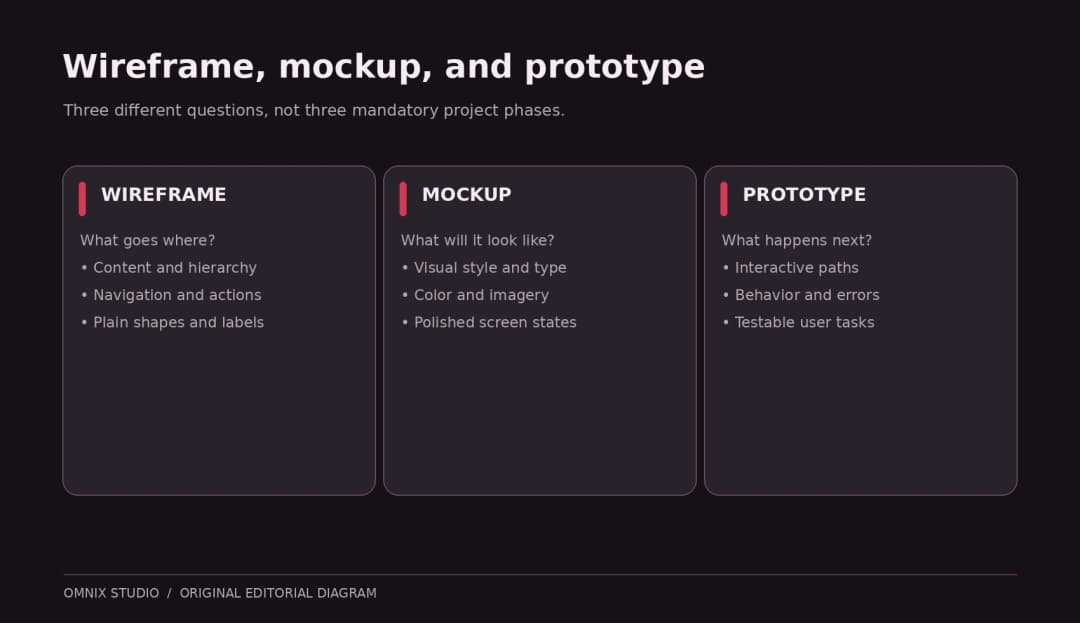
These terms are related, but they answer different questions:
| Artifact | Question it answers | Typical detail | What it does not prove |
|---|---|---|---|
| Wireframe | What belongs here, in what order, and why? | Low to medium | Final appearance or working behavior |
| Mockup | What will this interface look like? | High visual fidelity | That someone can complete a task |
| Prototype | What happens when a person interacts? | Ranges from simple links to rich behavior | Production code quality or system reliability |
A wireframe can become a clickable prototype, and a prototype can be very rough. These are overlapping dimensions rather than strict, mandatory phases. The UK Government’s prototype guidance explicitly spans quick sketches through working code prototypes because the amount of fidelity should match what the team needs to learn. Source: GOV.UK Prototype Kit
Before You Draw: Prepare a One-Page Wireframe Brief
Here is the worked example that runs through this tutorial. The business is fictional, so the copy, tasks, and layouts are original teaching materials rather than screenshots of a real client website.
Project: Northstar Accounting, a small firm offering bookkeeping and tax planning to local business owners.
Page: A consultation landing page for visitors who want to know whether the firm is a good fit.
Primary user: A busy business owner who may be comparing several firms and wants a credible answer quickly.
Primary action: Request an introductory consultation.
Secondary action: Review services and common questions before contacting the firm.
Information the visitor needs: Who the firm helps, which problems it solves, what happens in a consultation, proof of expertise, approximate next steps, and the privacy implications of sharing contact details.
Constraints: Mobile-friendly, easy to update in WordPress, no unnecessary animations, and an accessible form.
The first decision is not whether to use a three-column layout. It is what the visitor should understand, feel confident about, and do after looking at the page.
Write a measurable goal without inventing results
A useful design goal is: Make the consultation request easy to find and explain what the visitor receives before they submit their details.
A business may later measure completed requests, qualified leads, form abandonment, or visitor questions. But a new wireframe has not demonstrated an uplift in conversions. Avoid making claims such as ‘this layout will increase leads by 30%’ without an actual controlled experiment.
List the unknowns
Write down what needs an answer from the client or team: Is a consultation free? How long does it last? Who responds? Does the form collect confidential financial data? Are testimonials approved for publication? Which services are currently offered? A designer should not invent these answers to fill space.
Step 1: Map the Visitor’s Journey
Sketch a short path from arrival to completion. For the Northstar page, it might look like this:
- Arrive from a search result or referral.
- Understand the audience and promise in the hero.
- Confirm the firm can help with the relevant need.
- Find a reason to trust the firm.
- Learn what happens after submitting the form.
- Request a consultation and receive confirmation.
This journey is a design hypothesis. It should be reviewed with actual audience research when available. If users routinely need pricing before contacting a service provider, burying pricing behind a form is not fixed by making the button bigger.
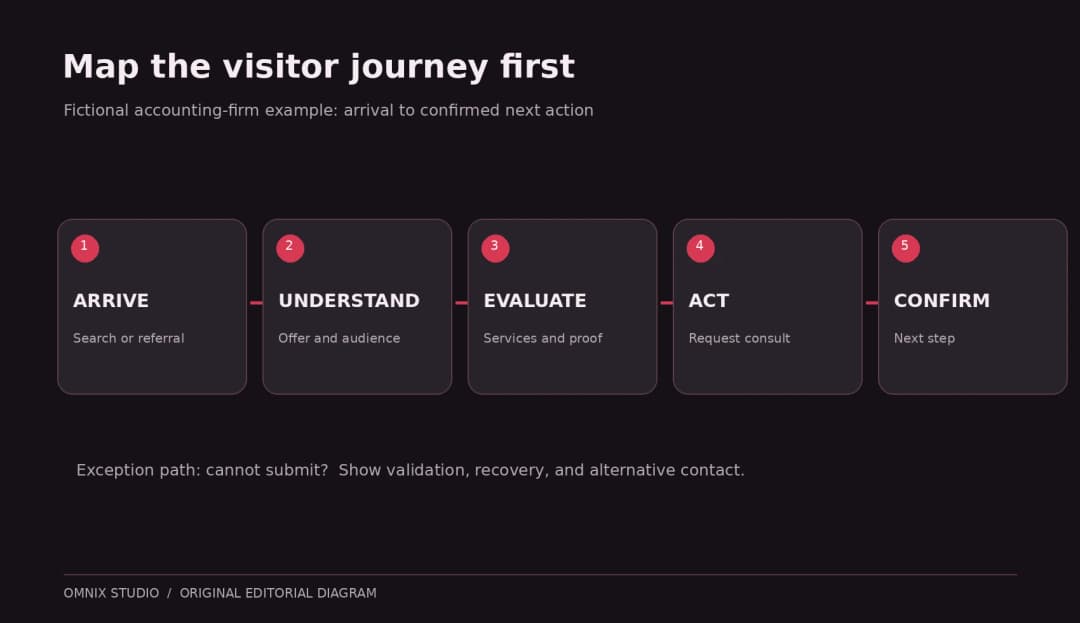
A flow map can include a negative path. What happens when the visitor is outside the firm’s service area? What if they do not want to call? Where can they learn more without committing? Showing only the successful path makes a wireframe look smoother than the actual experience.
Step 2: Create a Simple Sitemap and Page Inventory
Even if you are wireframing one landing page, understand the site around it. A service site might have Home, Services, Industries, About, Resources, and Contact. Your wireframe should show where the current page belongs, what the navigation labels mean, and whether a user can leave and return without getting lost.
Now make a page inventory. For the consultation page, the first draft might include:
| Section | Purpose | Content | Visitor question |
|---|---|---|---|
| Header | Orientation | Logo, core navigation, Contact action | Am I in the right place? |
| Hero | Relevance and next action | Audience-specific headline, short explanation, CTA | Can you help someone like me? |
| Services | Scope | Three service categories | Do you solve my problem? |
| Process | Reduce uncertainty | Three-step consultation explanation | What happens next? |
| Proof | Credibility | Real credentials, approved testimonials | Why trust this firm? |
| FAQ | Resolve hesitation | Timing, fees, eligibility, preparation | What am I missing? |
| Contact form | Conversion | Name, email, relevant need, consent notice | Can I take the next step? |
| Footer | Secondary navigation | Contact, policies, location | Where can I verify details? |
Do not include every possible section just because a template provides space for it. If a section has no user question to answer, challenge its place on the page.
Prioritize instead of decorating
Mark content as essential, supporting, or optional. Essential content must survive on mobile. Supporting content can move below. Optional content can be removed from the first version until there is evidence it helps.
For example, a huge animated statistics section may be optional, while the explanation of what a consultation includes is essential. Structure is a business decision dressed as design.
Step 3: Write the Content Hierarchy Before Placing Boxes
The easiest way to make a confusing wireframe is to fill it with anonymous gray bars. Those bars have no length, no meaning, and no promise. Try provisional copy early, even if the final copywriter will rewrite it.
For the example page:
Eyebrow: Accounting for growing small businesses
H1: Spend less time untangling your books. Get clearer numbers to run your business.
Supporting copy: Bookkeeping and tax-planning support for owners who want straightforward reporting and a reliable next step.
Primary CTA: Request a consultation
Secondary CTA: Explore services
These are example lines, not statements about an actual firm. Their job is to demonstrate how word length, hierarchy, and action labels affect the layout. Try a shorter headline as an alternative: ‘Clearer books. Better business decisions.’ The wireframe should tolerate both versions without breaking.
Give each section a meaningful heading. Avoid generic ‘Our Solutions’ whenever a more specific heading could help someone scan. Think about the likely order in which a visitor will look rather than the order the business wants to talk about itself.
Step 4: Sketch Two or Three Rough Layout Options
Use paper, a whiteboard, FigJam, Figma, Penpot, or Balsamiq. You do not need to master a tool before you can evaluate where a heading goes.
For the hero, try at least two ideas:
- Option A: Split hero. Headline and CTA on the left; an annotated image, simple illustration, or short trust cue on the right.
- Option B: Text-first hero. Headline, description, CTA, then a strip showing the next steps before any large visual.
Ask which layout makes the primary promise easier to understand. A hero photo can be useful if it adds genuine context. A generic stock-office image may consume prime space without answering a single visitor question.
Keep these early sketches intentionally unfinished. Figma and Balsamiq both encourage using minimal shapes and simple UI elements while the design is still exploratory. Figma guide · Balsamiq beginner tutorial
Step 5: Build the Desktop Website Wireframe
We are now ready to assemble a first complete page. Our original Northstar example uses a wide desktop canvas as a reference. A 1440-pixel artboard is a convenient example, not a rule for every website. Your actual grid, content width, and breakpoints should respond to the project.
A. Establish the header
Reserve a compact top row for the brand and navigation. Place the most useful links where people can find them. Avoid squeezing every service into the top-level navigation. If your primary CTA is ‘Request a consultation,’ keep its wording consistent as it appears throughout the page.
B. Give the hero one clear job
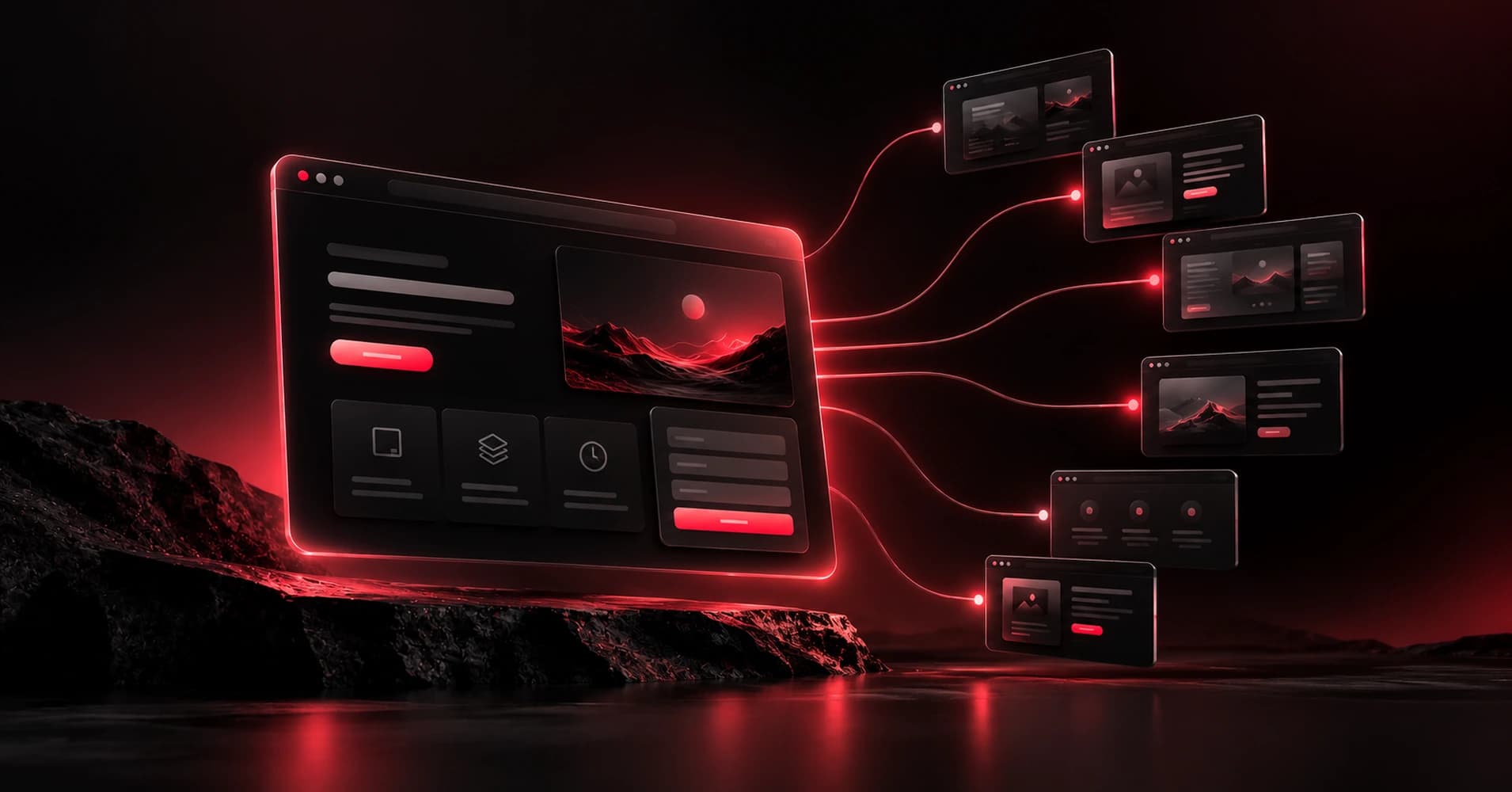
Use the draft headline, a concise explanation, and a visible CTA. Align the hierarchy so it can be scanned without depending on the image. In our original screenshot, the right-hand block is a gray illustration placeholder. That is intentional: the wireframe is not asking for approval of photography.
C. Add a small number of relevant proof points
Place verified credentials, endorsements, or case examples where they answer skepticism. If none are approved yet, mark the component Content needed: approved proof instead of inventing a customer quote or made-up metric.
D. Group related services
Three service cards are a presentational option, not an automatic requirement. If a page has 11 complex services, a three-card layout might hide meaningful differences. Start by grouping by visitor needs, then decide whether cards, a list, or a comparison is most understandable.
E. Explain the process
A three-step sequence might say: Tell us about your business; speak with an advisor; receive a recommended next step. The business must confirm that this is how its actual intake works.
F. Reduce questions before the form
Include a short FAQ and a concise privacy note. Do not put unexplained sensitive fields in a lead-generation form. If an email address is sufficient to start, ask why the design needs an annual revenue or tax-ID field.
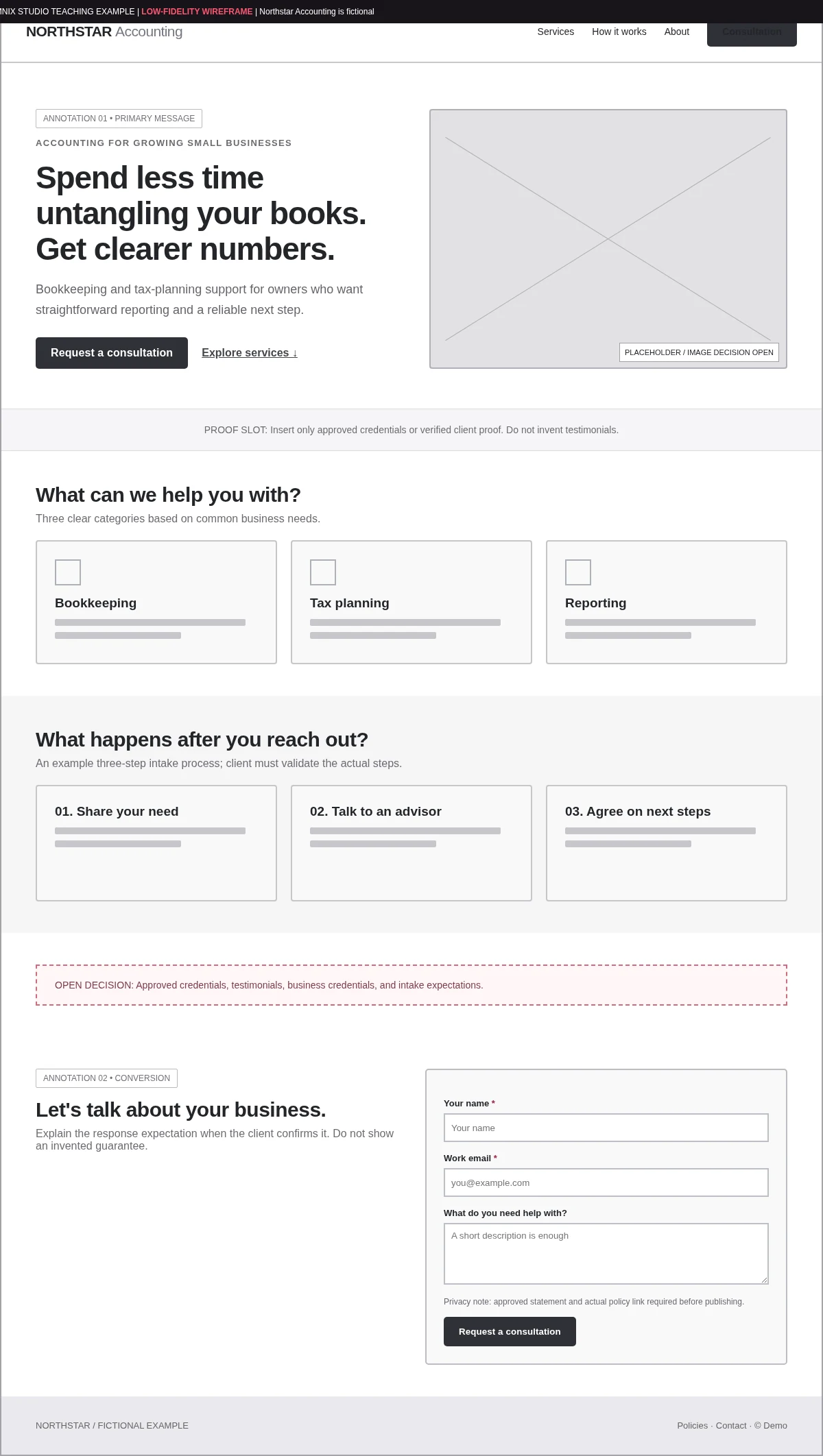
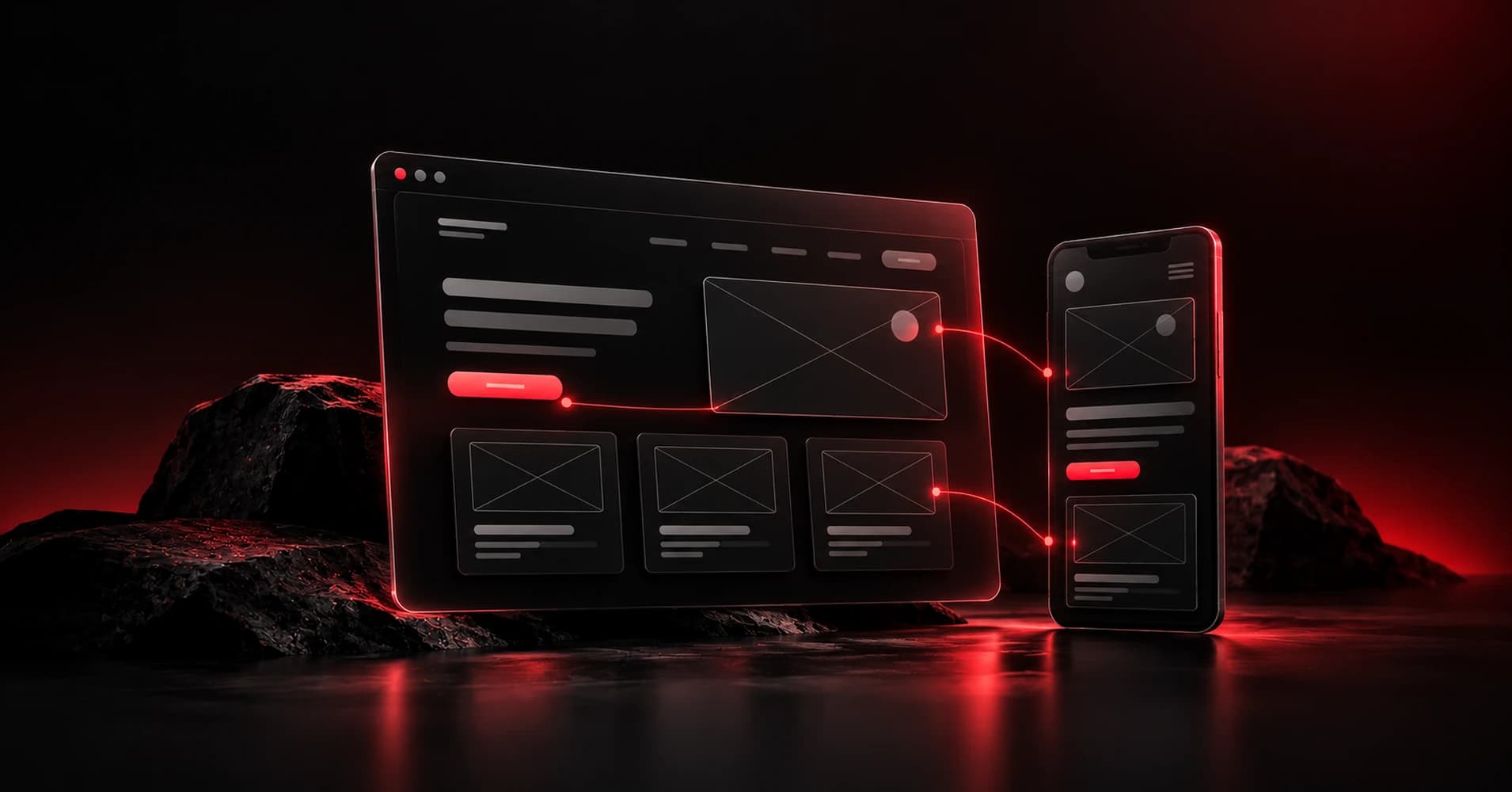
Example screenshot note: This image is a screenshot/export of an original Omnix Studio teaching wireframe, not a screenshot of Figma or any third-party product UI.
Step 6: Create the Mobile Wireframe Separately
Shrinking the desktop artboard is not mobile design. On a narrow screen, the visitor sees less at once, their finger is the primary pointer, and overly long sections become harder to navigate.
For our example, the mobile hierarchy should preserve:
- The message about whom the firm serves.
- The clear consultation action.
- The most useful service information.
- The process and trust information.
- A reachable contact form.
The illustration can move below the CTA or disappear if it adds little meaning. The three service cards can stack vertically. The desktop navigation should become a labeled menu control with a clear open and closed state. Do not move the only CTA into a collapsed menu.
We made a separate original 390-pixel mobile teaching frame to demonstrate these choices. Again, that width is an example testing viewport, not a universal breakpoint requirement. Review additional widths based on the product’s actual audience and analytics.

How accessibility affects the wireframe
You do not have to wait for visual design or front-end code to discuss accessibility. The wireframe can already specify semantic headings, readable button labels, predictable keyboard order, error message placement, and which content is shown or hidden on mobile.
WCAG 2.2’s Target Size (Minimum) criterion sets a baseline of 24 by 24 CSS pixels for pointer targets, with documented exceptions and spacing alternatives. It is not a blanket claim that every button must be exactly 24 pixels tall. W3C explanation
The Focus Visible success criterion requires a visible keyboard focus indicator in at least one mode of operation. Your final design should make room for focus outlines and not rely entirely on hover styling. W3C explanation
A wireframe cannot verify WCAG compliance. It can prevent many avoidable accessibility problems from being designed in at the start.
Step 7: Add the Missing States and Behaviors
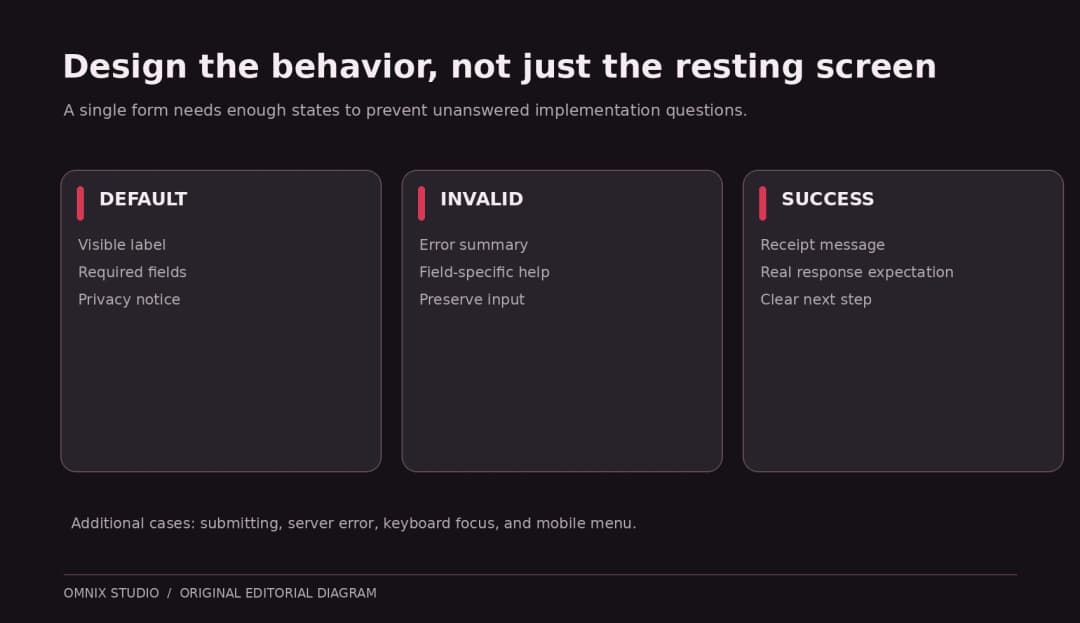
A wireframe with only the ideal screen is not done. Ask what happens when the user interacts with each part. A consultation form needs more than a resting appearance.
At minimum, specify:
- Default form: Labels, help text, required fields, privacy information, submit action.
- Invalid form: What error appears, where it is placed, and how a user corrects it.
- Submitting: Whether the button becomes disabled or shows progress, and how duplicate submissions are prevented.
- Success: Confirmation message, next-step expectation, and an alternative if email is delayed.
- System failure: A clear recovery path without losing entered information where feasible.
- Mobile navigation: Closed state, open state, dismiss action, and intended keyboard behavior.
These decisions affect components, front-end logic, data rules, and customer support. They are part of planning even when the team is not yet coding.
Example annotation
A useful note could be: ‘After a valid submission, replace the form with a success message containing the expected response window supplied by the client. Do not display a confirmed appointment until scheduling has actually happened.’ This communicates behavior without inventing operational promises.
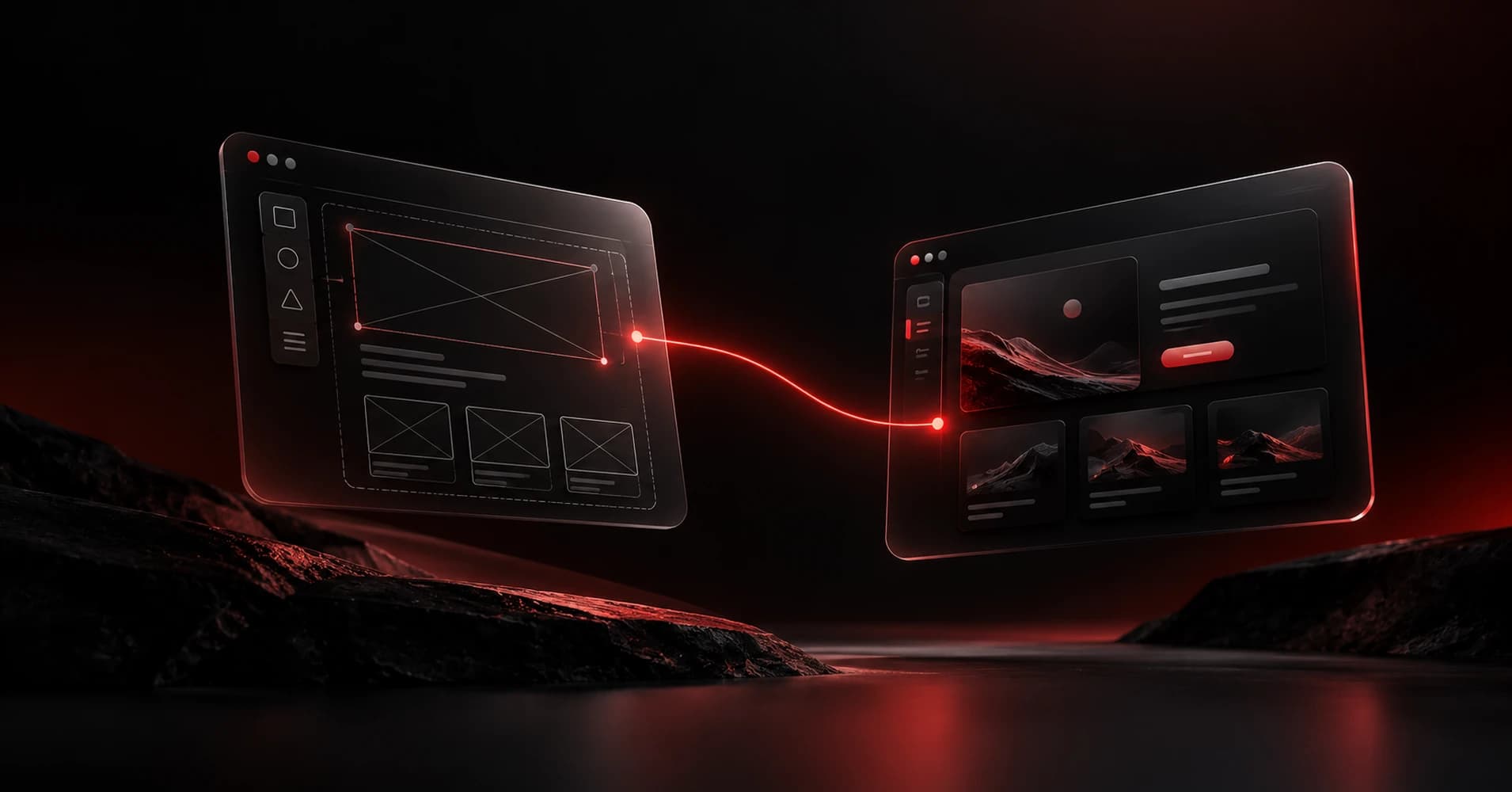
Step 8: Connect the Screens Into a Clickable Flow
Turn the wireframe into a lightweight prototype when you need to test navigation or a multistep task. Link the header action to the form, the services link to its section, and the submit action to a simulated success screen. Make sure reviewers know it is a prototype, not a working appointment system.
In Figma, this can mean creating separate frames and linking navigation targets using prototype connections. The same principle works in other wireframing products. If the task depends on real validation or conditional logic, use a code-backed prototype or a dedicated advanced prototyping tool; simple screen transitions may not reveal whether the real behavior is usable.
This is why user testing can happen long before production. Government service design guidance emphasizes creating prototypes early enough to explore alternatives and learn from actual users before committing to development. GOV.UK Prototype Kit
Three task prompts for a quick review
Ask a participant to find out whether the firm handles bookkeeping for a new business. Ask them to explain what would happen after they requested a consultation. Then ask them to locate and correct an error in the contact form.
Watch where they hesitate and what they expect. Avoid leading questions such as ‘Isn’t this CTA clear?’ Record observed behavior, the participant’s own words, and any corrections you will try. A handful of informal reviews is not a statistically representative study, so do not publish made-up confidence levels or conversion improvements.
Step 9: Review With a Wireframe Checklist
Use this checklist before requesting final sign-off. It is intentionally focused on structure and behaviors rather than style preferences.
| Review area | Question to check | Evidence to capture |
|---|---|---|
| Audience fit | Can a visitor recognize that the page is for them? | First-impression explanation |
| Information hierarchy | Can they find the most important answer? | Task observation |
| Navigation | Are labels understandable, including mobile? | Findability test |
| CTA | Is the next action specific and visible? | Click/path test |
| Content | Are placeholders replaced where wording changes meaning? | Copy review |
| States | Are loading, error, success, and menu states defined? | State inventory |
| Accessibility | Are focus, labels, reading order and tap-target needs planned? | A11y annotation |
| Handoff | Can another designer or developer explain expected behavior? | Walkthrough and acceptance criteria |
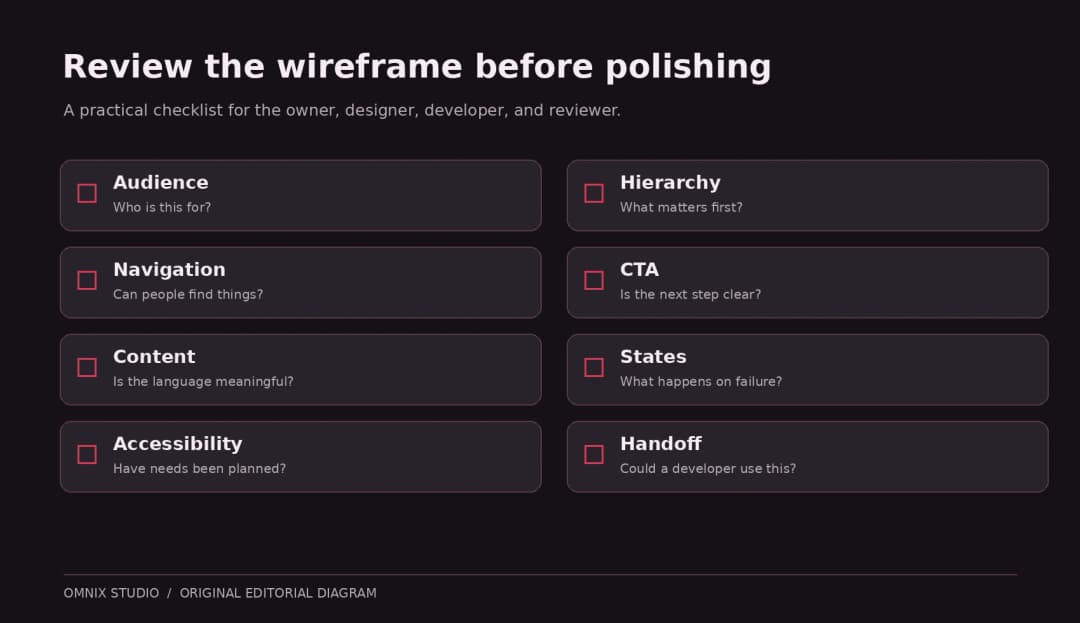
The point of review is not to score the wireframe 100 out of 100. It is to catch decisions that remain undefined. Mark unclear items as open questions and assign someone to answer them.
Step 10: Prepare a Wireframe for Developer Handoff
The handoff should make the developer’s job easier without pretending that a screenshot is a technical specification. A practical delivery package includes the page inventory, desktop and mobile frames, main flows, annotation notes, content dependencies, and a list of open decisions.
For our fictional example, the handoff notes should answer:
- Responsive behavior: When does the split hero stack? Which element appears first?
- Content constraints: Can the headline wrap to four lines? What happens with a longer service title?
- Form logic: Which fields are required? Where are validation errors displayed?
- Interaction states: What does the mobile menu do when opened, closed, or escaped?
- Accessibility expectations: What headings, labels, focus order, and message announcements are needed?
- Analytics plan: Which verified actions should be measured after launch?
- CMS ownership: Which content blocks need to remain editable in WordPress?
A component inventory can help the build team reuse patterns instead of hard-coding separate card and button styles for every section. If the next step is a complete UI and development implementation, Omnix Studio can help with UX design and web development. That recommendation belongs after the tutorial, not where it interrupts an educational step.
What changes if the website is built in WordPress?
A website wireframe should not lock the project into a page-builder-specific implementation. Mark which sections are Gutenberg blocks, reusable patterns, form components, or query-driven lists when you know enough about the stack. If the content needs frequent editing, document the required editing controls before visual design. That reduces the chance of delivering an attractive page that the owner cannot maintain.
For custom Next.js or React projects, note the interactive components, data dependencies, responsive variants, and expected routes. Those are implementation inputs, not a reason to abandon wireframing.
Which Tool Should You Use for Wireframing?
Choose based on the work surrounding the wireframe, not an arbitrary software leaderboard:
- Paper or whiteboard for the fastest conversation and alternative sketches.
- Balsamiq for intentionally low-fidelity digital wireframes and simple review.
- Figma when one file should progress from wireframe toward polished UI and prototyping.
- Penpot when an open-source design workflow matters to the team.
- Miro or FigJam when journeys, notes, and collaborative brainstorming are central.
These are use-case recommendations, not performance rankings based on a controlled test. For detailed tradeoffs, read our wireframing tools comparison. If you prefer starting with AI-generated structure, our AI wireframing tools guide covers where prompting helps and where editing still matters.
Common Website Wireframing Mistakes
Designing from the template backward
A template is an example of someone else’s priorities. Starting with its components can make an accounting firm look like a software company or a local contractor look like a media publication. Start with the visitor’s job and the site’s real content inventory instead.
Polishing before agreeing on structure
Colors, shadows, and animations can make a bad hierarchy appear finished. Delay those choices until the team can explain the flow and information priority.
Hiding behind placeholder text
‘Lorem ipsum’ is harmless in some early blocks but dangerous for a form instruction, primary CTA, error message, service definition, or headline. Realistic text changes shape and reveals problems.
Treating a mobile layout as an afterthought
Navigation density, content order, and interactive target size often change on a smaller viewport. Design and test those choices deliberately.
Ignoring what happens after the click
A button with no defined destination is not a complete action. At minimum, annotate what the click should do, even if behavior will be implemented later.
Asking stakeholders to approve everything at once
Structure, copy, brand style, and development estimates are different decisions. In the wireframe review, ask for feedback on hierarchy, missing content, clarity, and flow. Document later decisions separately.
How Long Does It Take to Wireframe a Website?
It depends on the number of page types, how much content is known, the complexity of interactions, and how many people need to review the result. A simple one-page layout can be sketched in a short working session; a multi-role web application with states and research requirements needs substantially more work. Any quoted universal number of hours would be misleading.
A better way to estimate is to count distinct page templates, flows, states, breakpoints, and review rounds. Ten almost-identical blog pages may require one strong page template. Three pages containing checkout, login, and account recovery can demand many more behavior decisions.
Final Website Wireframe Checklist
Before moving into high-fidelity UI or development, confirm that the following items are available:
- [ ] One clearly described primary audience and goal.
- [ ] Sitemap and page inventory for the relevant scope.
- [ ] Content hierarchy with meaningful headline and button language.
- [ ] Desktop and mobile frames showing intentional priorities.
- [ ] Primary conversion path and at least the relevant exception states.
- [ ] Form fields, validation, and success expectations.
- [ ] Accessibility annotations for labels, heading order, keyboard focus, and target sizing.
- [ ] List of facts and assets the client still needs to provide.
- [ ] Feedback log showing what changed after review.
- [ ] Handoff notes another team can use without guessing.
A wireframe is successful when the people building the site know what problem each section solves, what the visitor can do next, and which questions remain unanswered. It doesn’t need to win a design award. It needs to help your team avoid building the wrong page beautifully.
Frequently Asked Questions
Can I create a website wireframe without Figma?
Yes. Paper, whiteboards, Balsamiq, Penpot, Miro, and other tools can all support the process. Start with what lets your team revise structure quickly and share feedback.
Do website wireframes need color?
Usually not. A restrained grayscale palette helps early reviewers focus on content and hierarchy. Use color only when it communicates information that would otherwise be unclear, and explain that choice.
Should a wireframe include real text?
Use realistic draft copy for navigation labels, primary headings, calls to action, forms, and error messages. Generic placeholders can still be acceptable in secondary content areas during initial sketches.
What is the best website wireframe size?
There is no universal pixel width. Start with representative desktop and mobile viewports for the intended audience and test additional widths where content or navigation changes. Our example uses 1440 and 390 pixels only to illustrate the process.
Is a wireframe the same as a prototype?
No. A wireframe communicates structure. A prototype simulates behavior. A wireframe can be linked into a simple prototype, so they are not mutually exclusive.
Can AI create a website wireframe for me?
AI-enabled tools can generate useful first drafts, but generated layouts still need accurate content, accessibility thought, responsive decisions, real-state definitions, and user testing. Treat the output as a hypothesis, not proof of a good experience.
What should I hand to a web developer?
Supply annotated responsive frames, interaction and error states, page inventory, copy status, accessibility expectations, and unresolved decisions. Confirm the delivery format with the developer before finalizing.
Research and References
This guide draws on official or first-party design and accessibility guidance. The Northstar Accounting example and all accompanying wireframe screenshots are original teaching materials, not real customer projects or third-party product-interface screenshots.
- Figma, How to wireframe: definition and purpose of wireframes.
- Figma, How to create a beautiful one-page website: structure, hero, content and CTA planning.
- Figma, How to make a business website: information architecture and wireframing context.
- Balsamiq Academy, Creating your first wireframe: building frames with simple UI elements.
- Balsamiq Academy, Wireframing principles: low-fidelity visual practice.
- GOV.UK Prototype Kit, Prototyping: testing a range of prototype fidelity.
- W3C WAI, Understanding WCAG 2.2 Target Size (Minimum): 24 CSS-pixel criterion and exceptions.
- W3C WAI, Understanding Focus Visible: keyboard focus indicator.
- UK Government Digital Service, Principles of prototyping, September 29, 2026: research-led, iterative prototyping.
Editorial disclosure: No claim is made that Omnix Studio ran a controlled user study, measured conversion uplift, or built a real Northstar Accounting client project. The example is demonstrative. Published internal links require verification at the time of scheduling.